2-56 / Installation & Operation CI-ControlWave EFM
6. Close the HyperTerminal program. The null modem cable connected between the
ControlWave EFM and the PC can be removed if desired.
7. Set the System Controller Module’s Mode Switch (SW1) for ‘Local Mode,’ i.e., SW1-1 in the
OPEN (Right) position and SW1-2 in the CLOSED (Left) position. Switch Power OFF
and then ON again. If CPU Module Switch SW1 was set for Recovery Mode, set SW1-3
OFF.
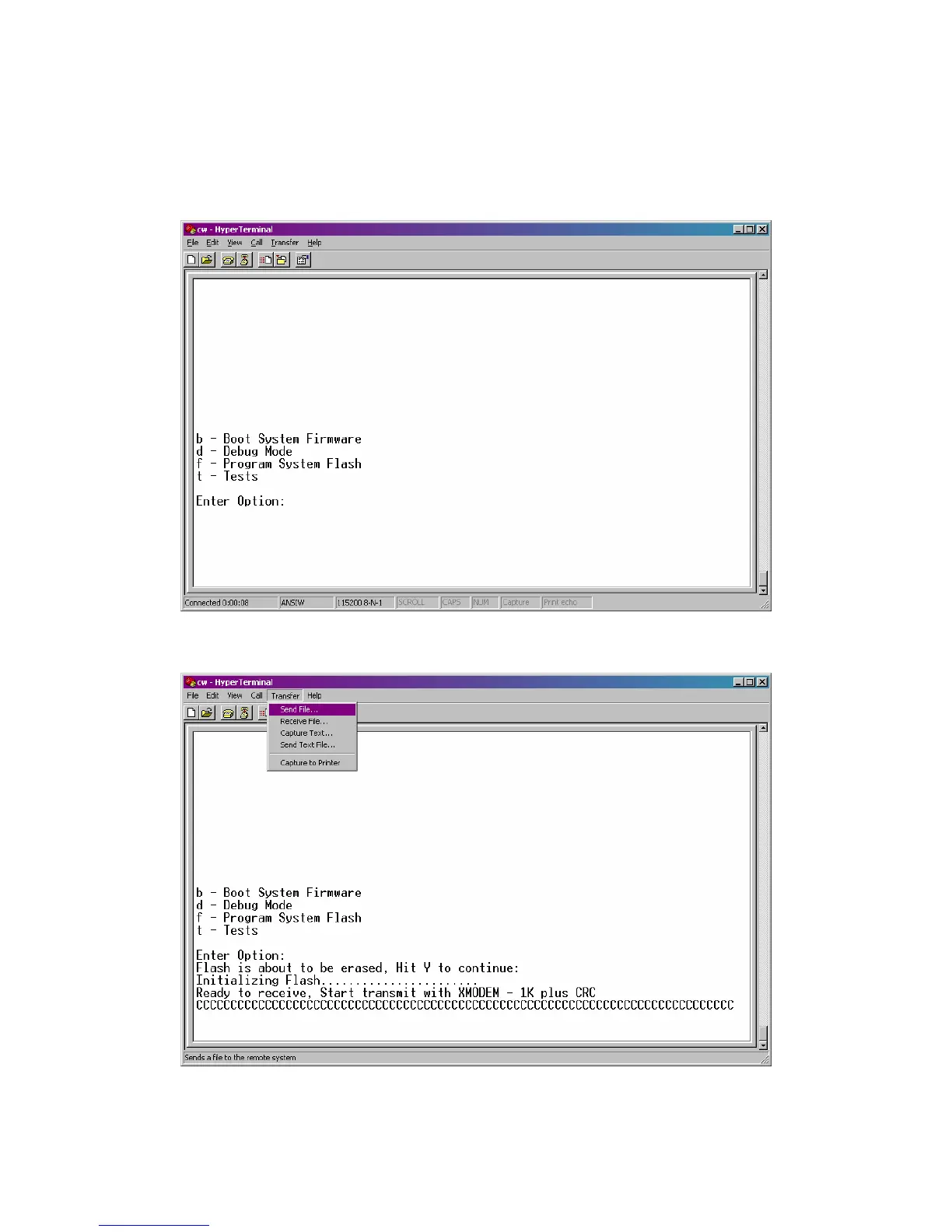
Figure 2-43 - HyperTerminal Recovery Mode Menu
Figure 2-44 - HyperTerminal FLASH Download Menu
(Ready to Download) - (Transfer/Send File Selected)














 To Next Page