
 Need help?
Do you have a question about the Emerson dixell WING XW260L and is the answer not in the manual?
Essential safety measures to follow before operating the instrument.
Instructions to keep the manual accessible for quick reference.
Overview of the controller and its functions: compressor, fast freezing, defrost, and fans.
Keyboard, LEDs, temperature monitoring, set point adjustment, and parameter access.
Steps to enter parameter lists and manage keyboard lock/unlock and instrument power.
How to access and display readings from connected probes.
Configuration of temperature regulation, display options, and defrost modes.
Settings for fan control, alarms, inputs, and other device parameters.
Defines door switch and configurable input functions, including polarity.
Panel mounting, environmental conditions, wiring, and load limits.
Guidelines for probe installation and connecting to serial lines.
Procedures for transferring parameters to and from the Hot Key device.
Details on alarm messages, their causes, buzzer silencing, and recovery.
Housing, mounting, power, inputs, outputs, and communication details.
Information on measurement ranges, operating temperature, and accuracy.
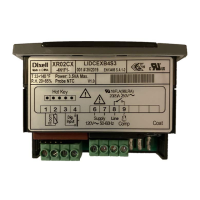
Visual representation of electrical connections for the XW260L unit.
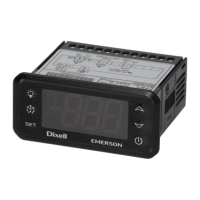
The Dixell XW260L is a microprocessor-based controller designed for medium and low-temperature refrigerating units. It offers comprehensive control over various aspects of a refrigeration system, including the compressor, defrost cycles, evaporator fans, and lighting.
The XW260L features four relay outputs to manage the compressor, defrost (which can be either electrical or hot gas), evaporator fans, and the cold room lights. It is equipped with three NTC probe inputs: one for temperature control, another for monitoring the defrost end temperature of the evaporator, and a third optional probe for display purposes. Additionally, the device includes two configurable digital inputs (free contact) for functions like a door switch or other programmable actions.
The regulation of the compressor is based on the temperature measured by the thermostat probe. The compressor starts when the temperature rises to the set point plus a positive differential and stops when it reaches the set point value again. In case of a thermostat probe fault, the compressor's start and stop times are managed by the "COn" and "COF" parameters.
The device supports a "Fast Freezing" function, which can be activated manually when defrost is not in progress. This mode forces the compressor to operate continuously for a time set by the "CCt" parameter.
Three defrost modes are available via the "tdF" parameter: electrical heater, hot gas, or thermostatic defrost. The defrost interval is controlled by the "EdF" parameter. If "EdF=in," defrost occurs at fixed "IdF" intervals. If "EdF=Sd," the "IdF" interval is calculated using a Smart Defrost algorithm, which activates only when the compressor is ON and the evaporator temperature exceeds the "SdF" parameter. A drip time, controlled by the "Fdt" parameter, is managed at the end of the defrost cycle.
Evaporator fan control is configured by the "FnC" parameter. Options include fans switching ON/OFF with the compressor and not running during defrost (FnC=C-n), running continuously but not during defrost (FnC=C-y), switching ON/OFF with the compressor and running during defrost (FnC=O-n), or running continuously during defrost (FnC=O-y). A timed fan delay, set by "Fnd," allows for drip time after defrost. An additional parameter, "FSt," ensures that fans only operate if the evaporator temperature is below a specified value, preventing air circulation when the temperature is too high.
The XW260L also includes alarm management for various conditions, such as probe failures (thermostat, evaporator, auxiliary), maximum/minimum temperature alarms, data/memory failure, defrost timeout, door switch alarms, and external alarms. A buzzer signals these alarms, which can be silenced by pressing any key.
The user interface includes a set of buttons and LEDs for easy operation and monitoring.
SET button is used to display and modify the target set point, select parameters, or confirm operations in programming mode. Holding it for 3 seconds erases max/min temperature records.UP arrow button allows viewing the maximum stored temperature, browsing parameter codes, or increasing displayed values. Holding it for 3 seconds starts the fast freezing cycle.DOWN arrow button allows viewing the minimum stored temperature, browsing parameter codes, or decreasing displayed values. Holding it for 3 seconds starts defrost.LIGHT button switches the cold room light ON/OFF.ON/OFF button switches the instrument ON/OFF.Key combinations provide additional functionalities:
UP + DOWN locks and unlocks the keyboard.SET + DOWN enters the programming mode.SET + UP exits the programming mode.LED indicators provide visual feedback on the device's status:
Users can easily view and reset minimum and maximum recorded temperatures. The set point can be viewed and modified directly from the display. Manual defrost can be initiated by holding the DEF key for more than 2 seconds.
The XW260L allows access to two parameter lists: "Pr1" for user-accessible parameters and "Pr2" for protected parameters. The "Hot Key" feature facilitates quick uploading and downloading of parameter lists, simplifying configuration and maintenance across multiple units.
The XW260L is designed for easy installation and maintenance. It mounts on a vertical panel with screws and can achieve an IP65 protection grade with an optional front panel rubber gasket.
Electrical connections are made via screw terminal blocks for digital and analogue inputs, and Faston connections for relays and power supply. It is crucial to separate probe cables from power supply cables and outputs to prevent interference.
Probe placement is important for accurate temperature measurement. The thermostat probe should be away from air streams, and the defrost termination probe should be placed among evaporator fins in the coldest spot where ice forms, away from heaters, to prevent premature defrost termination.
The TTL serial output allows connection to a ModBUS-RTU compatible monitoring system (like Dixell XJ500) via an external TTL/RS485 module. This connection also enables the use of the "Hot Key" for parameter programming.
For maintenance, it is essential to disconnect all electrical connections before any work. In case of failure or faulty operation, the instrument should be returned to the distributor or Dixell S.r.l. with a detailed description of the fault. The device includes an internal check for data integrity, and an "EE" alarm flashes if a memory data failure occurs, enabling the alarm output. This alarm can be reset by pressing any key. Probe alarms automatically stop 10 seconds after the probe returns to normal operation, and temperature alarms stop when the thermostat temperature returns to normal values or when defrost starts. External alarms stop when the digital input is disabled, and the "PAL" alarm is recovered by switching OFF the instrument.
 General
| Communication | ModBUS RTU |
|---|---|
| Buzzer | Yes |
| Front Protection | IP65 |
| Model | XW260L |
| Type | Controller |
| Relative Humidity | 20% to 90% non-condensing |
| Accuracy | Depends on sensor type |
| Protection Degree | IP20 |


 To Next Page