EasyManua.ls Logo

Emerson Fisher D3 - User Manual

Emerson Fisher D3
36 pages
Print Icon
To Next Page IconTo Next Page
Loading...
www.Fisher.com
Fisher
D3 Control Valve with Gen 2 easy-Drive
Electric Actuator
Contents
Introduction 1.................................
Scope of Manual 1.............................
Description 3.................................
Specifications 3...............................
Educational Services 3.........................
Installation 3..................................
Special Instructions for “Safe Use” and Installations
in Hazardous Locations 4.....................
Startup Overview 5............................
Default Input Signals 10........................
Configuration 10..............................
Input Configuration 10.....................
Changing the Inputs from Default Settings 10..
Modbus Setup 10.............................
Connecting using the Fisher easy-Drive
configuration software 11................
Initial Setup 11............................
Calibration Instructions 12..................
Licensing 15..............................
Startup 17................................
Troubleshooting 18.............................
Setting the Valve Flow Adjuster 19................
Maintenance 20................................
Valve Plug and Seat Ring Maintenance 22.........
Packing Maintenance 24........................
Parts Ordering 26...............................
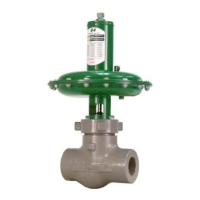
Figure 1. Fisher D3 Control Valve with Gen 2
easy-Drive Electric Actuator
W9797-7
Parts Kits 26...................................
Parts List 26...................................
Appendix A - Modbus 29.........................
Appendix B - Certificate of Conformance 34.........
Introduction
Scope of Manual
This instruction manual provides installation, maintenance, and parts information for the Fisher D3 control valve with
Gen 2 easy-Drive electric actuator. For Gen 1 electric actuators, use Fisher D3 with easy-Drive Instruction Manual,
(D103460X012
). If the actuator has a RPU-100 installed refer to easy-Drive RPU-100 Instruction Manual,
(D104551X012).
Do not install, operate, or maintain a D3 valve with Gen 2 easy-Drive electric actuator without being fully
trained and qualified in valve, actuator, and accessory installation, operation, and maintenance. To avoid
personal injury or property damage, it is important to carefully read, understand, and follow all the
contents of this manual, including all safety cautions and warnings. If you have any questions about
these instructions, contact your Emerson sales office
before proceeding.
Instruction Manual
D104161X012
D3 Valve with Gen 2 easy-Drive Actuator
February 2021

Questions and Answers

  • J
    johnsonbrookeAug 12, 2025
    What to do if Emerson Fisher D3 Control Unit does not respond to 4-20mA signal?
    • A
      April NewtonAug 12, 2025
      If your Emerson Control Unit isn't responding to the 4-20mA signal, ensure that 12VDC to 24VDC is present on the power terminals as shown on the cover. Also, verify the 4-20mA signal is wired correctly and the terminals are firmly on the wires. Ensure the mode of operation matches the control signal (local control: 40067=0, positioning: 40065=1). Check the analog input value in register 40026 to see if it's 0 or greater. If register 40026 shows 0, the 4-20mA might be wired backwards; try swapping the wires.
  • F
    Frank EnglishAug 16, 2025
    Why does my Emerson Fisher D3 show a Motor Stall Fault?
    • D
      darrenlopezAug 16, 2025
      A Motor Stall Fault on your Emerson Control Unit may be due to a commanded position issue. To resolve this, recalibrate the actuator span according to the instructions in the Startup section of this manual.
  • M
    Melissa RamirezAug 20, 2025
    How to fix inaccurate position on D3 of Emerson Control Unit?
    • J
      jwalterAug 20, 2025
      If the position on D3 of your Emerson Control Unit is not accurate, especially if it's too high, first check the valve type. If the valve type is D4, change it to D3, cycle the power, and recalibrate. If using a local analog input (4-20mA or 1-5V), calibrate the actuator's analog inputs to match the input signal. You can also command 0% (4mA or 1V) and using a Modbus link, send a 1 to register 40004 or use the Fisher easy-Drive configuration software by clicking the button “Analog Cal at 0%.” Command 100% (20mA or 5V) and using a Modbus link, send a 1 to register 40005 or use the Fisher easy-Drive configuration software by clicking the button “Analog Cal at 100%.”
  • H
    heather83Aug 25, 2025
    What to do if Emerson Control Unit does not move?
    • K
      Kaylee GonzalezAug 25, 2025
      If your Emerson Control Unit isn't moving, check the following: - Verify that 12VDC to 24VDC is present on the power terminals as shown on the cover. - Ensure all wires are firmly attached on both ends. - Confirm wires are connected to the correct terminals, referring to the Wiring section in the manual. - Verify that the mode of operation (on/off or positioning) matches the control signal. - Check that the mode of control (local or Modbus) matches the control signal.
  • R
    rhodeschristopherAug 27, 2025
    What to do if my Emerson Control valve does not respond to 4-20mA signal?
    • T
      tracyortizAug 27, 2025
      First, ensure that 12VDC to 24VDC is present on the power terminals. Then, verify the 4-20mA signal is correctly wired and the terminals are firmly attached. Also, check if the mode of operation matches the control signal. You can verify the analog input value in register 40025 to see if it’s 0 or greater.
  • T
    Timothy WilsonAug 31, 2025
    Why does my Emerson Control valve unit not move?
    • B
      Brian NelsonAug 31, 2025
      If the unit does not move, verify that 12VDC to 24VDC is present on the power terminals. Also, check that all wires are firmly attached on both ends and connected to the correct terminals. Ensure the mode of operation (on/off or positioning) and control (local or Modbus) match the control signal.
  • D
    David MartinSep 4, 2025
    What to do if position on D3 is not accurate on my Emerson Control valve?
    • E
      Emily VazquezSep 4, 2025
      If the valve type is D4, change it to D3, cycle the power, and recalibrate. If the position of a D3 is too high, check the valve type. If the local analog input is being used (4–20mA or 1–5V), the analog inputs of the actuator may need calibration to match the input signal. Command 0% (4mA or 1V) and using a Modbus link, send a 1 to register 40004 or use the Fisher easy­Drive configuration software by clicking the button “Analog Cal at 0%.” Command 100% (20mA or 5V), using a Modbus link, send a 1 to register 40005 or use the Fisher easy­Drive configuration software by clicking the button “Analog Cal at 100%.”
  • M
    Melanie CurrySep 7, 2025
    What to do if my Emerson Control valve moves to fully open when 1V signal is applied and closed when 5V signal is applied?
    • M
      michael51Sep 7, 2025
      The unit is likely configured as an on/off unit with local control, which cannot be controlled as an analog device. If on/off control is desired, use a dry contact switch to control in local mode or change to Modbus mode to control the unit.

Summary

Product Introduction and Description

D3 Valve and Actuator Specifications

Lists technical specifications of the D3 control valve and its Gen 2 easy-Drive actuator.

Valve Installation Procedures

Hazardous Location Installation Safety

Specific safety instructions for installing the actuator in hazardous locations (ATEX/IECEX).

Startup, Configuration, and Modbus

Actuator Configuration Options

Explains the two functional configurations (On/Off and Positioning) and available input signals.

Modbus Communication Setup

Instructions for setting up Modbus communication with the actuator.

Initial Setup and Calibration

Operation, Adjustments, and Troubleshooting

Troubleshooting Actuator Issues

Guidance on diagnosing and resolving common operational problems like no movement or incorrect positioning.

Actuator Maintenance

Modbus and Diagnostics

Modbus Register Map

Overview of Modbus registers, their types, default values, read/write status, and functions.

Diagnostic Fault Flag Reference

Explanation of diagnostic fault flags, their hex values, bit masks, and definitions.

Emerson Fisher D3 Specifications

General IconGeneral
BrandEmerson
ModelFisher D3
CategoryControl Unit
LanguageEnglish

Related product manuals