Document Part # 026-4176 Rev 1 Page 3 of 16
©2022 Emerson Digital Cold Chain, Inc. This document may be photocopied for personal use.
Visit our website at www.climate.emerson.com for the latest technical documentation and updates.
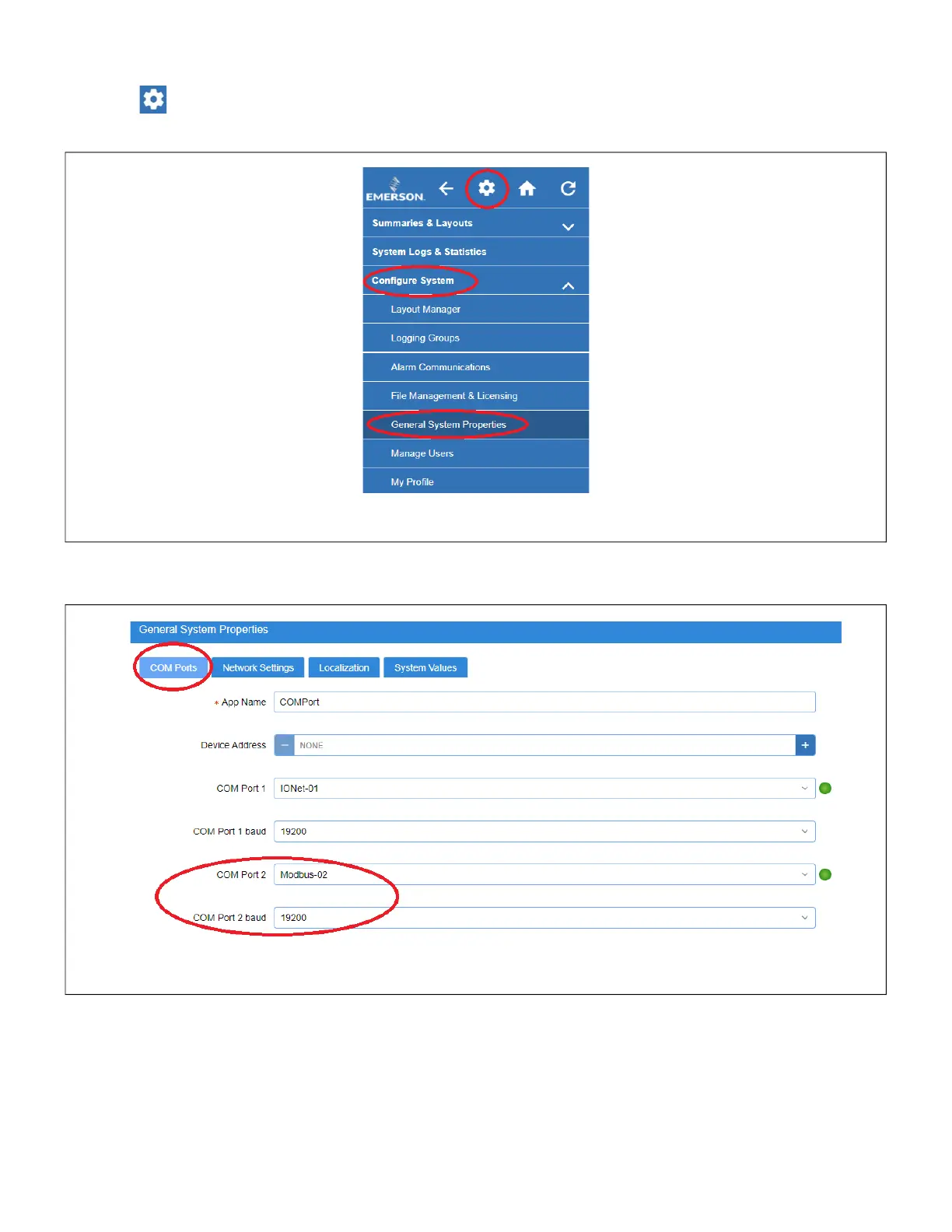
STEP 2: Setting the Baud Rate in the Supervisory Controller
Gear icon > Configure System Properties > General System Properties
• Set the Com Port baud to 19.2
Figure 3 - General System Properties Tree Hierarchy
Figure 4 - Set the Baud Rate, Data Size, Parity, and Stop Bits






 To Next Page