21
Normal Playback
1.) Press the POWER/STANDBY button to turn the system ‘On’. The display
and CD door lighting comes on.
2.) Press the CD/DISC SKIP button
on the front panel or remote
control to select the CD function.
The display will show a series of
flashing “dashes” (— — — ) while
the player searches for a disc,
and then the words “no disc” will appear.
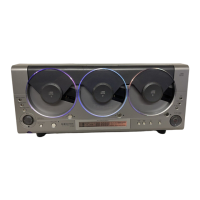
3.) Press the OPEN/CLOSE button on the front panel or remote control to
open the CD door.
IMPORTANT: THIS SYSTEM IS SHIPPED
WITH THREE (3) DUMMY PAPER “CDs”
IN THE MECHANISM FOR DISPLAY
PURPOSES ONLY. THESE DUMMY CDs
MUST BE REMOVED AND DISCARDED
BEFORE YOU CAN USE THE CD PLAYER.
PLEASE REMOVE AND DISPOSE OF THEM NOW.
4.) Insert up to 3 CDs in the mechanisms with the printed label side facing outward.
Press down gently on each disc near the center hole to make sure that the
discs are properly ‘seated’ on the spindles.
CD


 To Next Page