2.2 Input/verify the Callendar Van-Dusen constants on the
Field Communicator traditional user interface
If using sensor matching with this combination of a transmitter and sensor,
verify the constants input.
Procedure
1. From the Home screen, select 1 Device Setup > 3 Configuration > 2
Sensor Config > 1 Sensor 1 > 3 Cal Van-Dusen.
2. Set the control loop to manual and select OK.
3. At the Enter Sensor Type prompt, select Cal Van-Dusen
4. At the Enter Sensor Connection prompt, select the
appropriate number of wires.
5. Enter the R
0
, Alpha, Beta, and Delta values from the stainless steel
tag attached to the special-order sensor.
6. Return the control loop to automatic control and select OK.
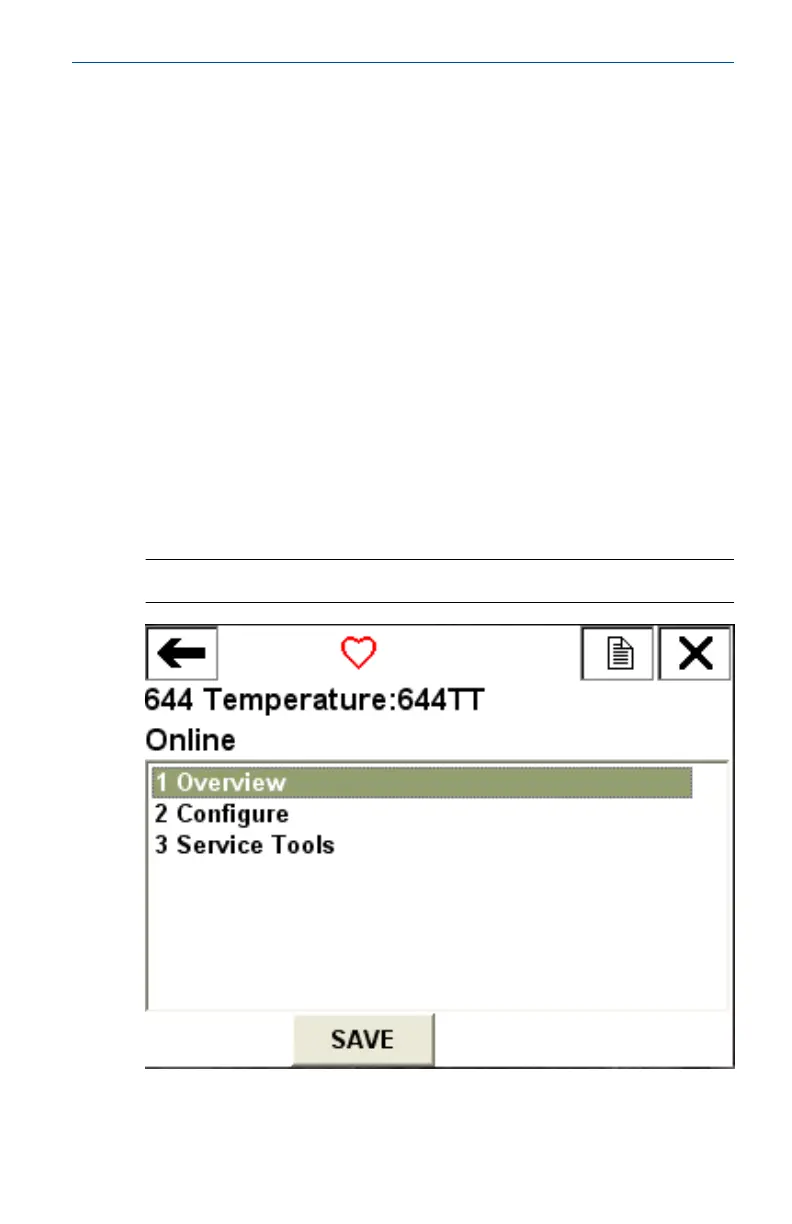
2.3 Field Communicator device dashboard
Figure 2-2: Device Dashboard
April 2019 Quick Start Guide
Quick Start Guide 9



 To Next Page
 Loading...