EasyManua.ls Logo

Emerson Sensi Touch - User Manual

Emerson Sensi Touch
12 pages
Print Icon
To Next Page IconTo Next Page
Loading...
1
Installation Guide
Question and Answer IconNeed help?

Do you have a question about the Emerson Sensi Touch and is the answer not in the manual?

Summary

Download the Sensi App

Easy Start Guide

Create Your Account

Guide to creating a Sensi account via the app.

Install Your Thermostat

App guidance for removing old thermostat and installing new Sensi thermostat.

Connect to Wi-Fi

App instructions for connecting the thermostat to home Wi-Fi.

Register Your Thermostat

Final app steps for registering the thermostat for home comfort control.

Whats in the Box

What Youll Need

Compatibility

Mobile Device Compatibility

Lists compatible operating systems for mobile devices.

Smart Home Platform Compatibility

Information on compatible smart home platforms.

Router Compatibility

Details on compatible Wi-Fi router types and bands.

HVAC System Compatibility

Energy Efficiency

Warnings and Safety

Installer Information

General instructions for installers regarding careful reading of instructions.

Out of Phase Transformers Warning

Warning about out-of-phase transformers, with check and correction steps.

Voltage Requirements Warning

Warning about exceeding specified voltage and potential hazards.

Cautions and Specific Warnings

Details on E5 alerts, mercury notices, and California-specific safety warnings.

Need Help?

Summary

Download the Sensi App

Easy Start Guide

Create Your Account

Guide to creating a Sensi account via the app.

Install Your Thermostat

App guidance for removing old thermostat and installing new Sensi thermostat.

Connect to Wi-Fi

App instructions for connecting the thermostat to home Wi-Fi.

Register Your Thermostat

Final app steps for registering the thermostat for home comfort control.

Whats in the Box

What Youll Need

Compatibility

Mobile Device Compatibility

Lists compatible operating systems for mobile devices.

Smart Home Platform Compatibility

Information on compatible smart home platforms.

Router Compatibility

Details on compatible Wi-Fi router types and bands.

HVAC System Compatibility

Energy Efficiency

Warnings and Safety

Installer Information

General instructions for installers regarding careful reading of instructions.

Out of Phase Transformers Warning

Warning about out-of-phase transformers, with check and correction steps.

Voltage Requirements Warning

Warning about exceeding specified voltage and potential hazards.

Cautions and Specific Warnings

Details on E5 alerts, mercury notices, and California-specific safety warnings.

Need Help?

Overview

This document serves as an installation guide for the Sensi Smart Thermostat, emphasizing the necessity of using the Sensi mobile app for proper setup and Wi-Fi control. It outlines the installation process, compatibility requirements, and important warnings for users.

Function Description

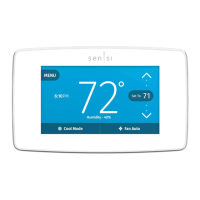
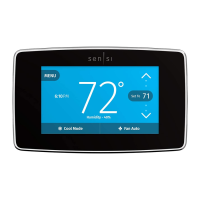
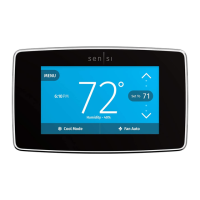
The Sensi Smart Thermostat is designed to control home heating, cooling, and heat pump systems, offering energy efficiency and remote management capabilities. Its primary function is to regulate indoor temperature based on user settings and schedules, while also providing connectivity for smart home integration. The thermostat is ENERGY STAR® certified, indicating its commitment to energy efficiency, which can lead to savings on utility bills and a reduced environmental impact.

Usage Features

The Sensi Smart Thermostat is primarily managed through the Sensi mobile app, available on both the App Store (for iOS devices) and Google Play (for Android devices). The app is crucial for the installation process, ensuring correct configuration and enabling Wi-Fi control.

Key usage features include:

  • Account Creation: Users must create an account within the Sensi app using a valid email address. This account can be linked to a single email but can be shared across multiple devices, allowing all family members to access and control the thermostat.
  • Guided Installation: The Sensi app provides a step-by-step installation procedure, guiding users through removing their old thermostat, labeling existing wires, and installing the new Sensi thermostat. This app-guided process is essential for proper setup and replaces traditional independent manual instructions.
  • Wi-Fi Connectivity: After physical installation, the app facilitates connecting the thermostat to the home Wi-Fi network. Users will need their Wi-Fi network name (SSID), password, and a Sensi password to complete this step. The thermostat operates on 802.11n 2.4 GHz Wi-Fi networks and is compatible with most residential Wi-Fi setups. It is important to note that Sensi thermostats cannot connect to 5 GHz band networks.
  • Thermostat Registration: The app also guides users through the registration process, which is necessary to enable full control of home comfort settings from anywhere, at any time.
  • Remote Control: Once registered and connected to Wi-Fi, users can control their home's heating and cooling settings remotely via the Sensi app.
  • Smart Home Platform Compatibility: The Sensi thermostat is designed to work with various smart home platforms, enhancing its integration into a broader smart home ecosystem. Users are directed to sensi.emerson.com for the most up-to-date compatibility information.
  • HVAC System Compatibility: The thermostat is compatible with a wide range of HVAC systems, including conventional heating and cooling systems (gas furnace, air conditioner, electric furnace, boiler), heat-only systems, cool-only systems, and heat pumps. Most of these systems require a common wire (c-wire) for operation. It is not compatible with communicating proprietary systems, line voltage systems, or millivolt systems without specific modifications (requiring low voltage 20-30VAC).
  • Mobile Device Compatibility: The Sensi app is compatible with iOS 10.0 or later, Android 5.0 or later, and Amazon Fire devices, ensuring broad accessibility for users.

Maintenance Features

The document primarily focuses on installation and initial setup, with less emphasis on ongoing maintenance features. However, it does include important warnings and support information that can be considered part of device maintenance and troubleshooting:

  • Troubleshooting and Support: In case of issues, such as "Call For Service" displayed on the thermostat, or E4/E5 errors with a flashing backlight, users are instructed to contact the Sensi support team immediately. This indicates a system designed for user-friendly troubleshooting with professional assistance available.
  • Installer Information and Warnings: The guide provides critical warnings for installers, emphasizing the importance of carefully reading and following all instructions to prevent personal injury or property damage.
  • Out of Phase Transformers Warning: For two-transformer systems, a specific warning is issued regarding out-of-phase transformers. Users are advised to measure voltage across RC and RH; if it exceeds 12 Volts AC, the transformers are out of phase. The solution involves reversing secondary low voltage connections at either the heating or cooling transformer. This is a crucial maintenance check during installation to prevent damage.
  • Voltage Requirements Warning: The thermostat should not be used on circuits exceeding specified voltage to avoid damage, shock, or fire hazards. Installation must conform to Class II circuits per the NEC code.
  • Mercury Notice: The product itself does not contain mercury. However, if it replaces an old thermostat that did, users are advised on proper disposal through thermostat-recycle.org, rather than discarding it in household trash. This highlights an environmental maintenance consideration.
  • California Residents Warning: A warning for California residents regarding a chemical known to cause cancer and birth defects or other reproductive harm is included, which is a regulatory and safety disclosure.
  • Customer Support: Sensi offers comprehensive support through its website (sensi.emerson.com/support), providing access to support articles, instructional downloads, and videos. A highly-trained support team is available seven days a week via phone and email, ensuring users have access to help for any installation or operational issues.

In summary, the Sensi Smart Thermostat is a user-friendly, energy-efficient device designed for modern home climate control, with a strong emphasis on app-guided installation and robust customer support.

Emerson Sensi Touch Specifications

General IconGeneral
DisplayColor Touchscreen
ConnectivityWi-Fi
CompatibilityWorks with most HVAC systems
Energy Star CertifiedYes
Power SourceC-wire required
Product TypeSmart Thermostat
Operating ModesHeat, Cool, Auto, Off
Remote ControlYes, via mobile app
GeofencingYes
Energy Usage ReportsYes
Warranty3-year limited warranty
Mobile AppSensi Mobile App (iOS and Android)
Programmability7-day flexible scheduling
StagesUp to 2 Heat / 2 Cool
FeaturesSmart Alerts, Flexible Scheduling
Works WithAmazon Alexa, Google Assistant, Apple HomeKit
InstallationDIY installation with step-by-step app instructions

Related product manuals