10 • XEV22D I&O Manual 026-1206 Rev 3 13-DEC-2012
9 User Interface
9.1. To See the Read-Only
Values
1. Press and release the UP arrow key.
2. The first read-only label is displayed.
3. Slide labels using the UP or DOWN arrow keys.
4. Press the SET key to see the read-only value. To
change and view the parameter, press SET.
5. To exit the fast access menu, press and release the
SET + UP arrow keys or wait for the device time-
out for 3 minutes.
9.2. To See the Setpoint
1. Press the SET key until the setpoint is displayed.
2. To return and view the temperature, wait for 5 sec-
onds or press the SET key again.
9.3. To Modify the Setpoint
To change the setpoint value, operate as follows:
1. Press the SET key until the set point is displayed.
2. Use the UP or DOWN arrow keys to change its val-
ue.
3. Press SET to store the new value.
9.4. To Enter Pr1
Parameters List
To enter in Pr1 level menu:
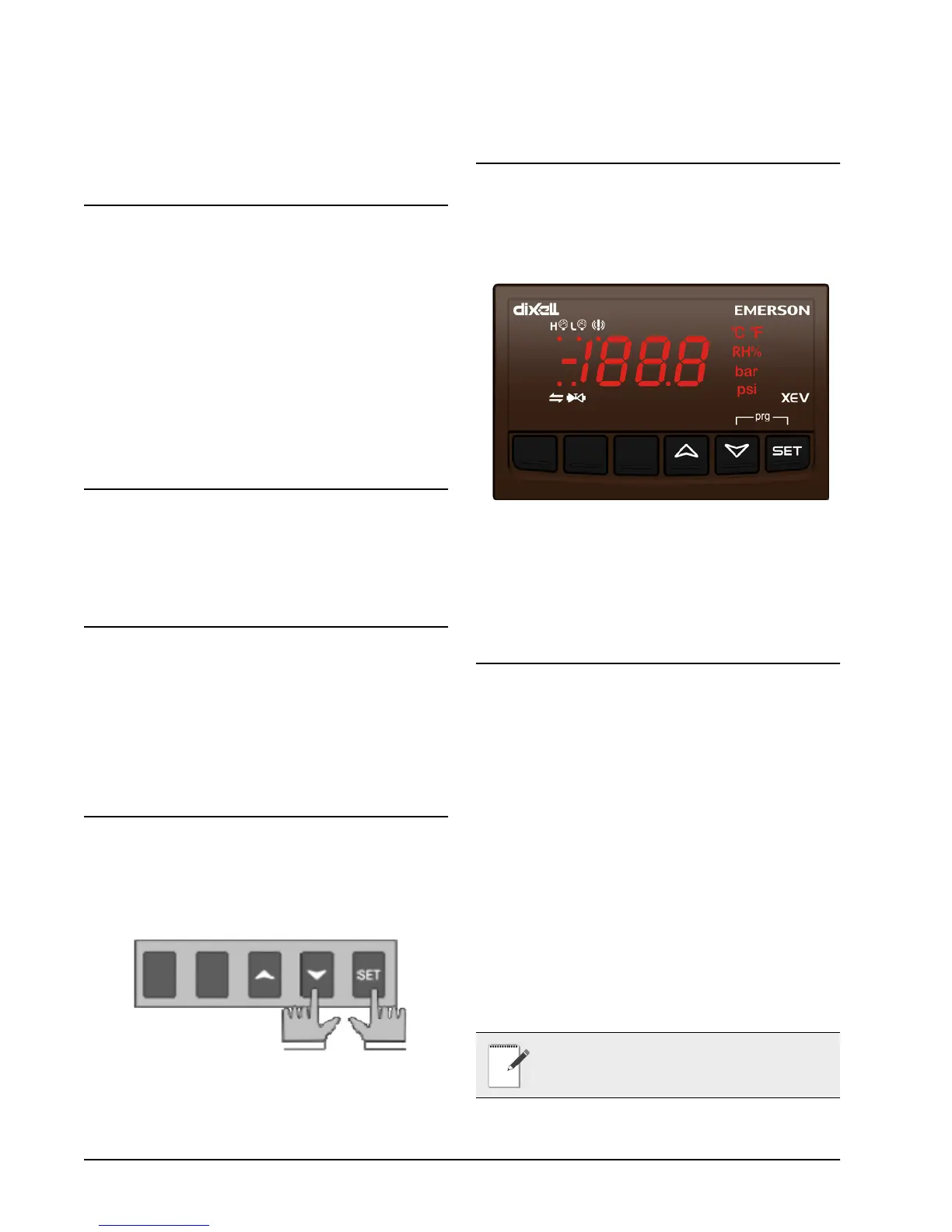
1. Press the SET + DOWN arrow keys for about 3 sec-
onds.
2. The device will display the first parameter in Pr1
menu.
9.5. To Enter Pr2
Parameters List
To enter to Pr2 parameters list:
1. Enter the Pr1 level menu.
2. Select Pr2 parameter and press SET.
3. The PAS label will be displayed followed by a
blinking 0.
4. Insert 321 password using the UP and DOWN ar-
row keys.
9.6. To Modify the
Parameters Value
To change the parameter’s value operate as fol-
lows:
1. Enter the programming mode by pressing the SET
and DOWN arrow keys for about 3 seconds.
2. Select the required parameter.
3. Press the SET key to display its value.
4. Use the UP or DOWN arrow keys to change its val-
ue.
5. Press the SET key to store the new value and move
to the next parameter.
6. To exit, press SET + UP or wait 30 seconds without
pressing a key.
NOTE: The set value is stored even when the
time-out expires and ends the procedure.


 To Next Page