www.enviromaster.com
27
Cassette Air Handler
SEQUENCE OF OPERATION
COOLING MODE:
For cooling operation rst turn the unit ON
via the POWER/SEND button. Select Cool-
ing Mode via the MODE button. The room
temperature and set point temperature will
be displayed. The setpoint temperature will
change by one degree with each succes-
sive press of the UP or DOWN ARROW
buttons. Holding the button in will change
the temperature rapidly.
Place the setpoint temperature below the
room temperature. The compressor will
start and cooling will continue for a mini-
mum of two (2) minutes and as long as
the setpoint remains below room temper-
ature. The Cooling LED will illuminate so
long as the unit is calling Cooling Mode.
Once the room temperature is satised for
at least sixty (60) seconds and the two (2)
minute minimum run time has elapsed the
compressor will cycle off. The fan will op-
erate as described in Fan Operation.
NOTE: Once the compressor is switched
off, or after a power outage there is a three
(3) minute delay before the compressor will
re-start.
HEATING MODE
OPTIONAL ELECTRIC HEAT OPERATION
For operation with electric heat the con-
trol must rst be congured properly (Heat
source – ON, Heat pump – OFF). See:
Conguration Mode.
For electric heat operation, rst turn the
unit ON via the POWER/SEND button.
Then select Heating Mode via the MODE
button. The room temperature and set-
point temperature will be displayed. Press
either the UP or DOWN ARROW buttons
to change the setpoint temperature. The
setpoint temperature will change by one
(1) degree with each successive press of
the UP or DOWN ARROW buttons. Hold-
ing the button down will change the tem-
perature rapidly.
Place the setpoint temperature above
room temperature. The electric heat will
energize and heating will continue so long
as the setpoint remains above room tem-
perature. The Heating LED will illuminate
so long as the unit is calling Heating Mode.
When the room temperature has been
satised for at least sixty (60) seconds
and the two (2) minute minimum on time
has expired, the electric heat will switch
off. The fan will operate as described in
“Fan Operation”.
OPTIONAL HEAT PUMP WITHOUT
ELECTRIC HEAT (HEAT PUMP UNIT
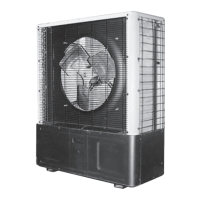
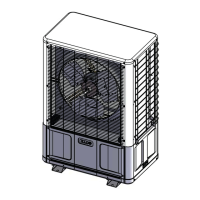
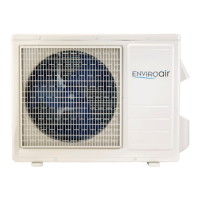
NOTE: EMI heat pumps are intended to op-
erate with an indoor air handler, with electric
heat. If an indoor air handler without electric
heat is matched with a heat pump condenser,
the system will deliver cold air during defrost,
not deliver any heat below 35°F outdoors when
matched with a limited range multi-zone heat
pump condenser, and not deliver any heat be-
low 0°F outdoors when matched with a 9,000 or
12,000 Btuh heat pump condenser.
For heat pump operation without electric
heat the control must rst be congured
properly (Heat source – ON, Heat pump –
ON). See: Conguration Mode.
For heat pump operation, turn the unit
ON via the POWER/SEND button. Select
Heating Mode via the MODE button. The
room temperature and setpoint tempera-
ture will be displayed. Press either the UP
or DOWN ARROW buttons to change the
setpoint temperature. The setpoint tem-
perature will change by one (1) degree with
each successive press of the UP or DOWN
ARROW buttons. Holding the button down
will change the temperature rapidly.



 To Next Page