www.enviromaster.com
25
Cassette Air Handler
SEQUENCE OF OPERATION
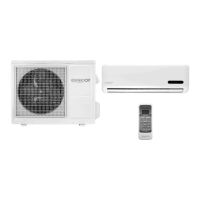
The optional Infrared Hand Held Controller
has a useful transmission distance approxi-
mately twenty (20) feet when perpendicular
to the face of the Cassette. However, this
distance will vary and decrease when the
angle of transmission is not perpendicular.
This distance may also vary depending on
the lighting in the room.
If there is no activity on the Infrared Hand
Held Controller for ten (10) minutes, it will
enter a Hibernate Mode and the display
will go dark. While in Hibernate Mode,
pressing any button will awaken the op-
tional Infrared Hand Held Controller. The
optional Infrared Hand Held Controller will
awaken in the last mode it was in prior to
entering Hibernate Mode.
Table #2 Conguration Mode
Setting Item LCD Title Display Possible Value (Flashing) Factory Settings
1) - Temperature scale “01 F-C”
“F” (Fahrenheit)
“C” (Celsius)
“F”
2) - Heat Source “02 HEAT”
“ON” (Heat source available)
“OFF” (Not available)
“ON” If El. heat
“OFF” If no El. Ht.
3) - Heat pump
(This setting is skipped if Heat source
setting is “Off” as it’s not needed)
“03 H-P”
“ON” (Heat pump available)
“OFF” (Not available)
“OFF”
4) - Auto-changeover differential
(This setting is skipped if Heat source
setting is “Off”) Used with optional In-
frared Hand Held Controller for heat-
ing/cooling change over.
“04 d-b” Between “2 – 6” degrees “2”
5) - Check lter time “05 F:Lt”
“2” (250 hours)
“5” (500 hours)
“7” (750 hours)
“10” (1000 hours)
“12” (1250 hours)
“10”
CONFIGURATION MODE:
For optional Infrared Hand Held Control-
ler operation, the control must be con-
gured through the Conguration Mode.
While the unit is in the Off Mode, press-
ing the MODE + PROGRAM buttons
simultaneously for ve (5) seconds will
enter the Conguration Mode. While in
Conguration Mode, pressing the MODE
+ PROGRAM
buttons simultaneous-
ly again or left idle for twenty (20) sec-
onds, will save the new settings and exit
the Conguration Mode.
While in Conguration Mode, pressing the
UP or DOWN ARROW buttons will allow
for selection of the value. Pressing the
PROGRAM
button will advance to
the next selection. Table #2 species the
user selectable settings in the Congura-
tion Mode:



 To Next Page