www.enviromaster.com
Cassette Air Handler
24
Two Button Push Commands
“MODE + PROGRAM
”
While in the Off Mode, held for ve (5) sec-
onds will enter the Conguration Mode.
Pressed again momentarily will exit the
Conguration Mode.
“PROGRAM
+ CLOCK”
Held for three (3) seconds will enter the
7-Day Programming Mode. Pressed again
momentarily will exit the 7-Day Program-
ming Mode.
“FAN + PROGRAM
”
While in 7-Day Program Mode, when held for
three (3) seconds will copy the settings from
the selected day to the rest of the week.
OPTIONAL INFRARED HAND HELD
CONTROLLER OPERATION
IMPORTANT NOTES:
For Optional Infrared Hand Held Control-
ler operation the DIP switch selections on
the Cassette’s main control board must be
set properly rst. (Refer to Table #1) Be
sure to select Remote Thermostat Opera-
tion, Off or No for optional Infrared Hand
Held Controller operation. While in Hand
Held Mode the Cassette’s main control
board will ignore all remote thermostat
inputs. (See Cassette Control DIP switch
selections)
SEQUENCE OF OPERATION
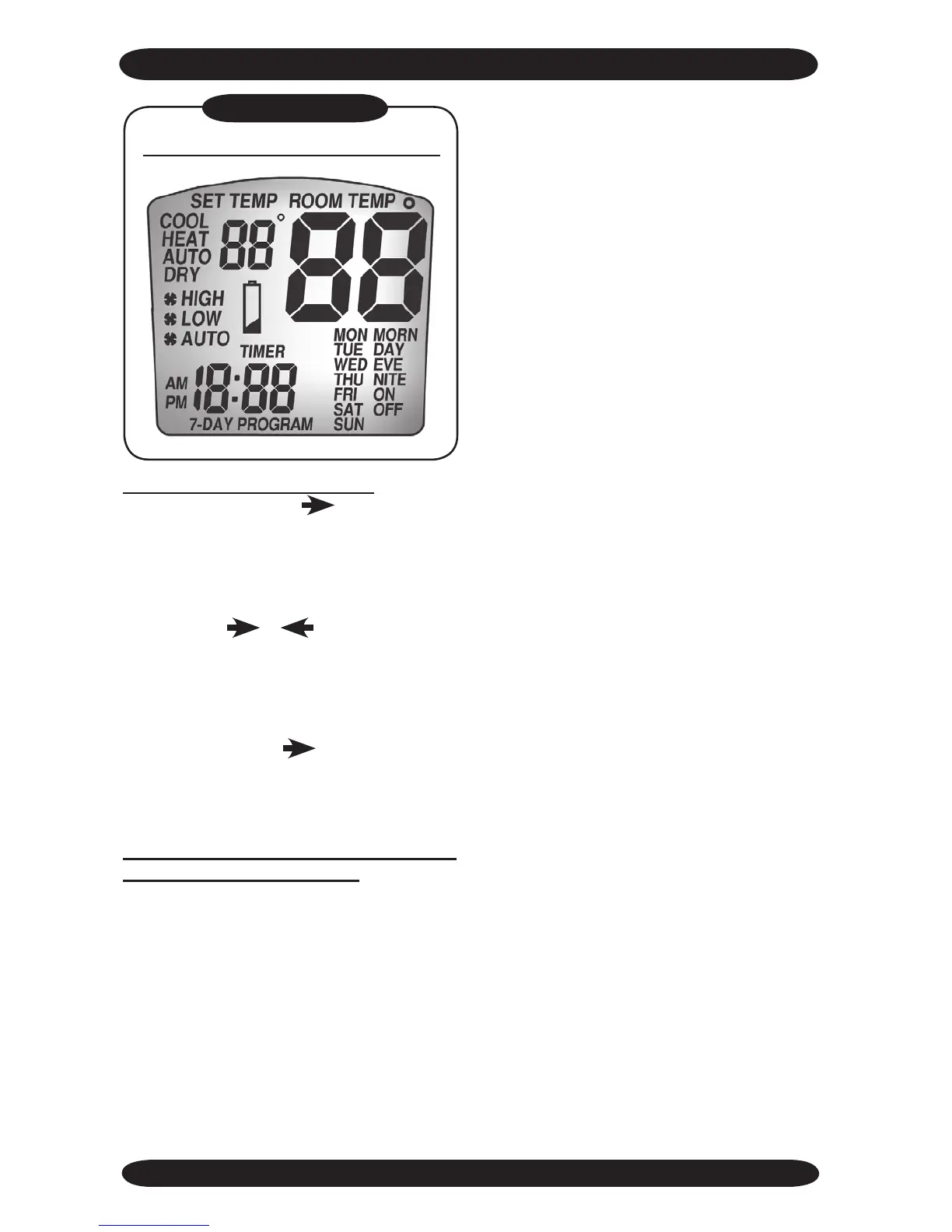
LCD Display – All Segments Lit
Figure #10
When power is rst applied to the control
or after a power outage there is a three
(3) minute delay before the compressor or
electric heat will energize. This is to pro-
tect the unit from short cycling.
When entering commands into the optional
Infrared Hand Held Controller, (Figure #9)
make sure it is directed toward the Cas-
sette’s Infrared Receiver window. The
Cassette will respond with a beep indicat-
ing that it has successfully received the
transmitted information.
There may be occasions when the option-
al Infrared Hand Held Controller and the
Cassette’s main control board loose syn-
chronization or are not in the same mode.
This may happen if commands are en-
tered into the optional Infrared Hand Held
Control but it is not directed at the Cas-
sette. To re-synchronize simply enter any
command into the optional Infrared Hand
Held Controller while pointing it at the Cas-
sette’s Infrared Receiver window. Also, by
holding the POWER/SEND button for two
seconds, all of the optional Infrared Hand
Held Controller settings will be transmitted
to the Cassette. The Cassette will respond
with a beep indicating that it has success-
fully received the transmitted information.
The room temperature displayed on the
optional Infrared Hand Held Controller is
the temperature at the optional Infrared
Hand Held Controller. The microproces-
sor control located in the Cassette does
not read the optional Infrared Hand Held
Controller’s temperature, it uses a sensor
located in the return air of the Cassette.
Therefore, the warming or cooling of the
optional Infrared Hand Held Controller
alone will not effect the operation of the
Cassette. The Cassette will react to its lo-
cal temperature sensing element and the
setpoint selected and transmitted by the
optional Infrared Hand Held Controller.



 To Next Page