5 |
NEDERLANDS
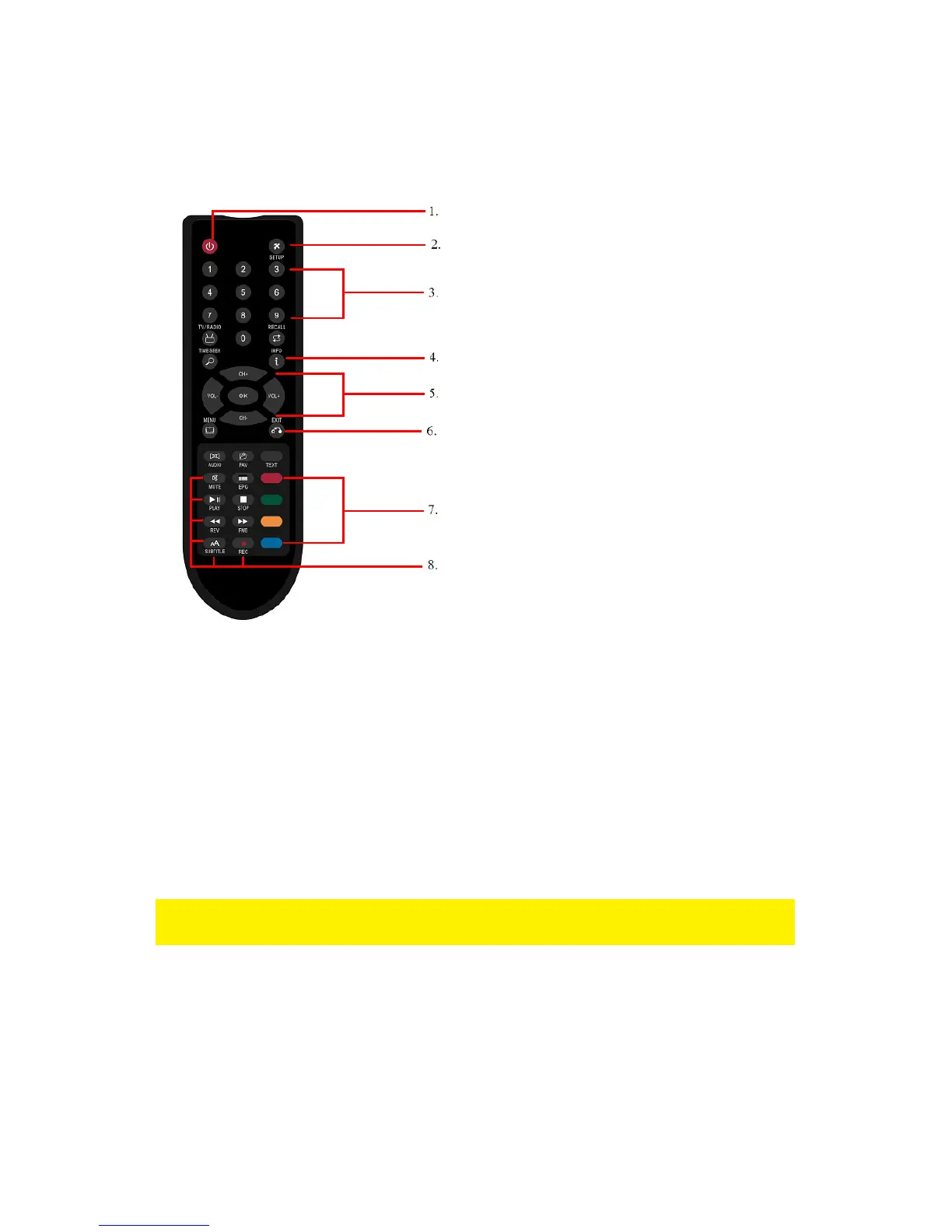
3.0 Explanation of the remote control
Below you will find a description of the remote control and the mostly used buttons.
1. Power button: Used to turn the
EM7095 on and off.
2. Setup button: Used to enter the
setup menu of the EM7095.
3. Alphanumeric buttons: Used to
enter data and select channels.
4. Info button: Used to show info
about the played media file.
5. Navigation buttons: Used to
navigate through menus.
6. Exit button: Used to exit the
menu.
7. Selection buttons: Used to copy,
rename or delete data or
channels.
8. Standard buttons: Used during
playback of media files and/or
TV/Radio channels.
4.0 Connecting the EM7095 DVB-T host
4.1 Connect the EM7095 to your television using HDMI
(Recommended)
The best image quality can be obtained by connecting the EM7095 DVB-T host to
your television using a HDMI cable. Of course, your television needs to be equipped
with a HDMI connection.
Note: Make sure your EM7095 and television are both turned off before connecting
your cables. This way you can prevent any possible damage to your devices.
Connect the HDMI cable to the HDMI output of the EM7095.
Connect the other side of the HDMI cable to an available HDMI input of your
television.
4.2 Connect the EM7095 to your television using



 To Next Page