1
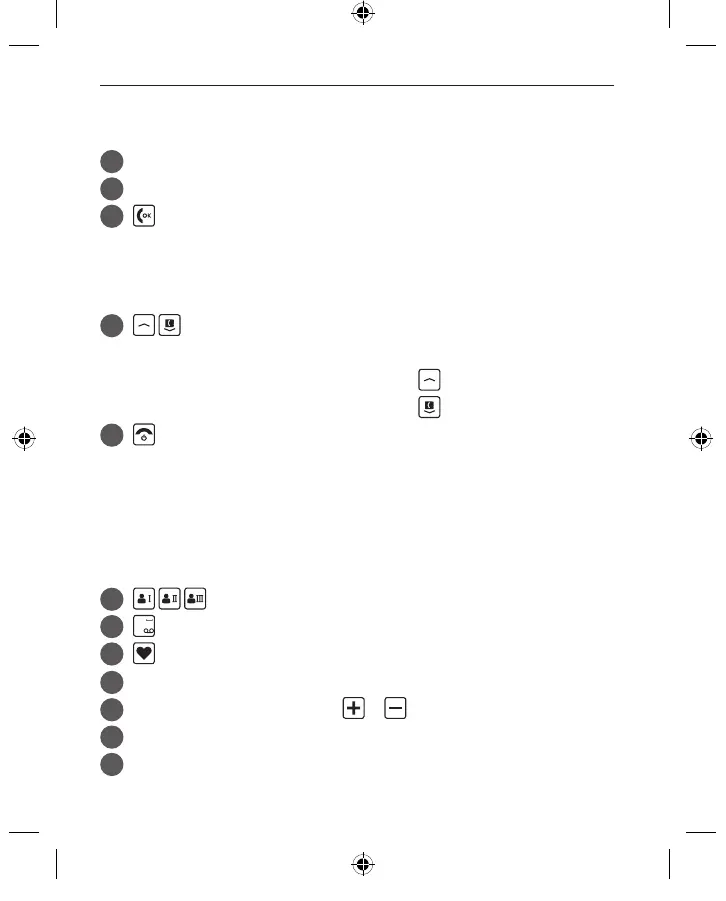
Loudspeaker
2
Display (screen)
3
Answer/OK key
• Start or accept a call
• In the menu: Con rm selection
• On standby: Access Call info
4
Arrow keys
• Use these to ick through your Contacts and the menu
• When the phone is on standby, press
to call up the menu.
• When the phone is on standby, press
to access Contacts.
5
Hang up / Back / Delete key
• When in a call: End
• When in the menu: One step back
• When entering digits or letters: Delete
• To turn the phone on or o , press and hold this button for
2seconds.
6
Speed dial keys
7
key (voicemail)
8
Emergency button
9
Loudspeaker
10
Handset volume controls &
11
Battery cover
12
Port for charging cable
› YOUR MOBILE PHONE AT A GLANCE
F220j-GuidBook-V1a_GER-ENG-ITA-FRA-NED_36332-001.indb 22F220j-GuidBook-V1a_GER-ENG-ITA-FRA-NED_36332-001.indb 22 06.04.18 16:1406.04.18 16:14



 To Next Page