Ultrasound User Programs
The Combination 860 can store up to 16 user defined set-ups for each
modality (ultrasound or stimulation) and another 16 combination set-ups. To
access the ultrasound user programs touch the ‘User programs’ button in the
top right corner of the ultrasound set-up screen.
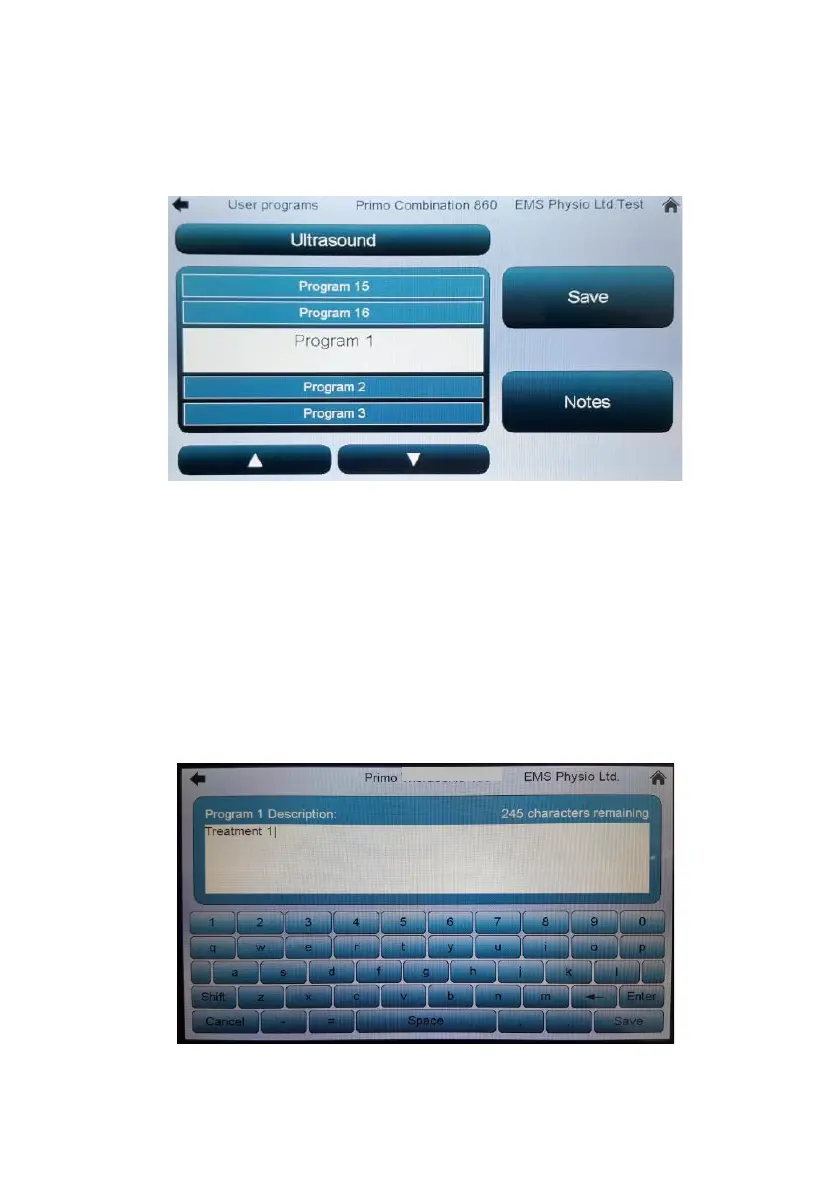
A screen will appear with a scrollable list of program slots – the active one is
highlighted in the middle. Touching ‘Save’ will store the settings last open in
the set up screen to this slot – if the slot is not empty a pop-up window will
appear asking you to confirm or cancel the save process (to prevent
unintentional over-writing of a previously saved program).
To recall a program simply touch its program slot button and a set up screen
will open showing the previously stored parameters.
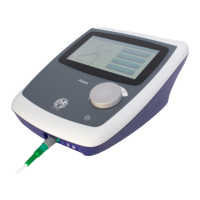
The ‘Notes’ button in any user program set-up screen opens a qwerty style
keypad that allows you to save memo information about the program – the
first 16 characters recorded will be displayed as the title of that user program.


 To Next Page