Ultrasound Dose Algorithm
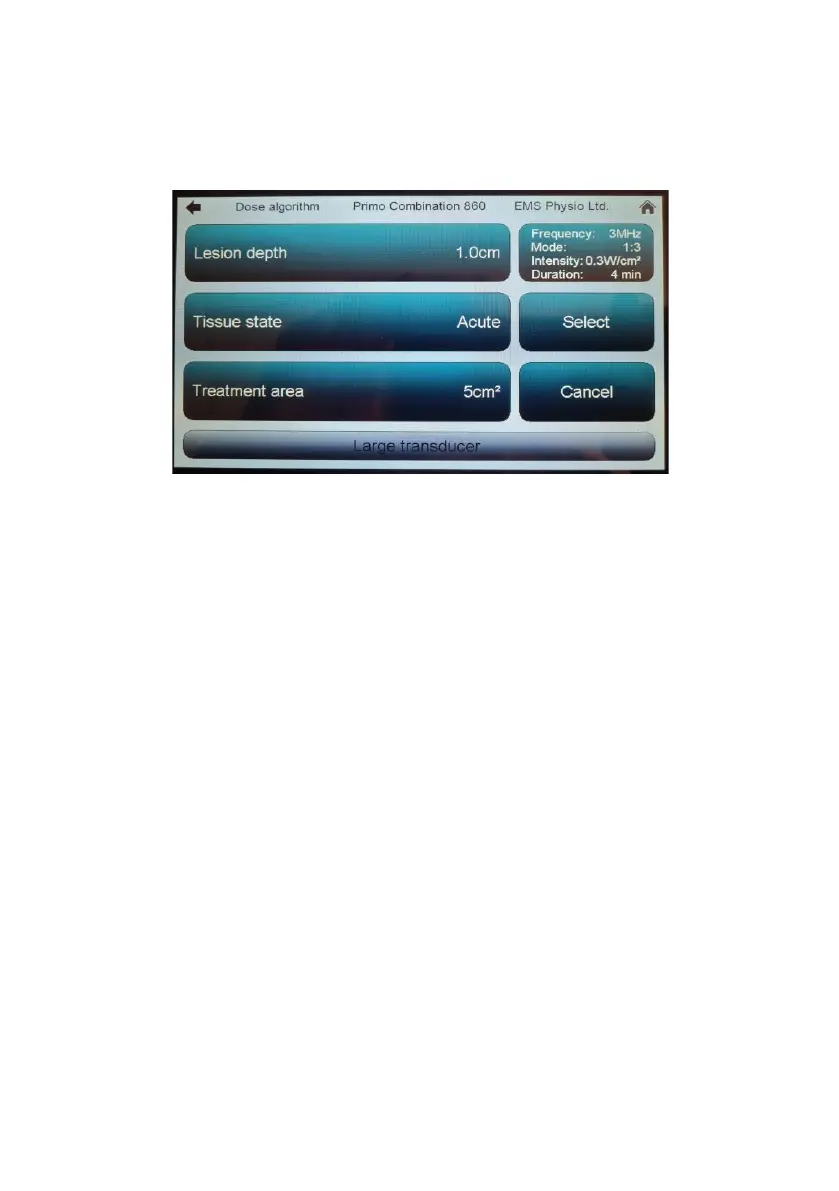
This is selected by touching the Dose algorithm button in the Ultrasound set-
up screen. This screen will appear.
If a transducer is not connected ‘Intensity’ and ‘Duration’ will not be
calculated and the select function will be disabled.
The data concerning the state of the area to be treated is chosen by stepping
through the various button options. Once the relevant parameters have been
entered touching Select will open a user screen loaded with the calculated
treatment settings. Treatment is initiated by turning up the output intensity
using the rotary dial, but it will be limited to the maximum value previously
calculated.


 To Next Page