11
IN8-EMTOUCHLL 10/22/2012
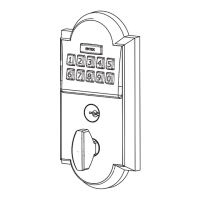
Restoring the Lock to Factory Default Setting
• Press and hold EMTEK button for 3 seconds.
• Enter
“000000”
• After 2 beeps and 2 Green LED Flash, remove power (disconnect 9V battery)
from Lock.
• After 5 seconds, restore power (reconnect 9V battery)
• Conrm by 2 beeps and 2 Green LED Flash.
This procedure clears the lock of all users and restores the Programming Code and
2 User Codes shipped with the lock.
Function Indicators
Valid Code • 1 short beep, EMTEK button ashes
Green.
Invalid Code/Access Denied* • 1 Red LED ash
• 2 short beeps
Lock-Out Mode Error • 2 short beeps
• 1 short beep per second for duration
Access Accepted • 1 short beep
• 1 Green LED ash
Low Battery • 4 Red LED ashes
• 4 short beeps
Blackout Battery
**
• 1 long Red LED ash
• 4 long beeps
Button Press Accepted • 1 Yellow LED ash
• 1 Short Beep
Outside Thumb Turn Enabled • 2 Green LED ashes
* If 3 consecutive incorrect codes are entered, the lock emits 4 short beeps and a ashing Red EMTEK
button. The lock will not accept additional input for 20 seconds (20 beeps). When the next valid code is
entered the lock will beep quickly 3 times to alert of the incorrect codes.
**
Battery voltage has dropped too low; keypad will be disabled but metal key override will still work.
Keypad Operation - Beeper & LED Indicators
Place Sticker Here
U.S. patent: 8,176,761
International patents pending.


 To Next Page