9
Your Emtek lock is shipped with two 4-digit user codes and a 6-digit
programming code. These codes are randomly generated at the factory.
(Turn to next page for Programming Instructions.)
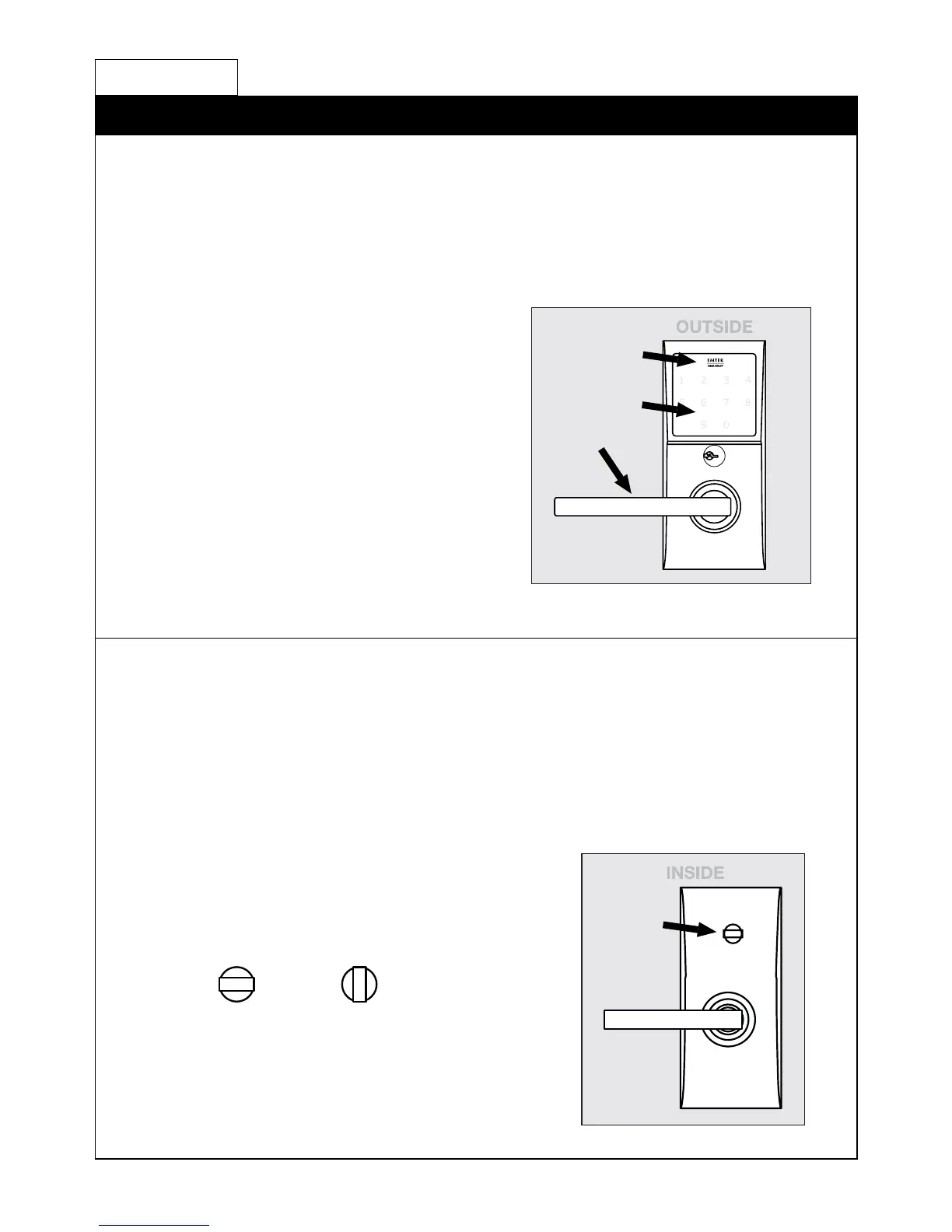
To Unlock:
1. Press EMTEK key or touch
3 ngers across screen.
2. Enter 4-digit user codes.
(See sticker located on the inside
trim plate or on page 11).
3. Turn Handle.
To Lock:
1. Rotate Thumbturn from inside.
Passage feature
(Does not apply to Keypad Storeroom/Gate product)
Activate by turning the inside thumbturn to the unlocked position.
This will engage the outside lever so a code is not required to enter.
Your Lock is Ready to Use
How to Use
Locked Unlocked
1
2
3


 To Next Page