8
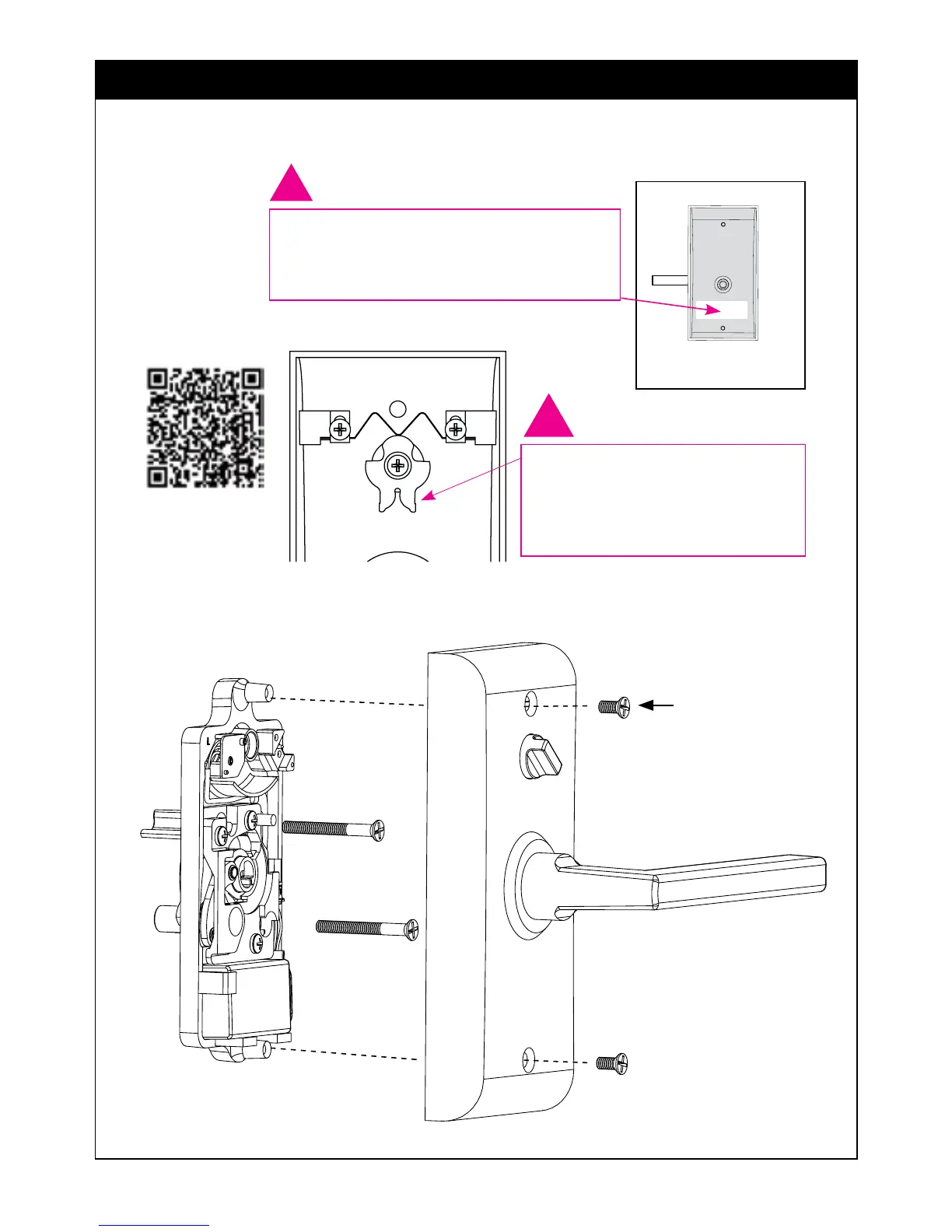
5. Install Inside Trim Plate
Screws (item #4c)
Fasten Inside Trim Plate using two #8-32 x ⁄” Flat Head Machine Screws
(item #4c).
*Neutral position is required for installation and removal of the Inside
Trim Plate Assembly.
(Does not apply to Keypad Storeroom/Gate product)
!
USER CODES ARE LOCATED
ON THE INSIDE TRIM PLATE &
ON PAGE 11.
Inside
Correct position for
installation.Thumbcam
must be positioned as
shown (Neutral Position)*
!
Scan QR code for
installation video


 To Next Page