CR-2000 Instructions Rev 1.5 7
Date 6/28/2018
3. Deleting Users
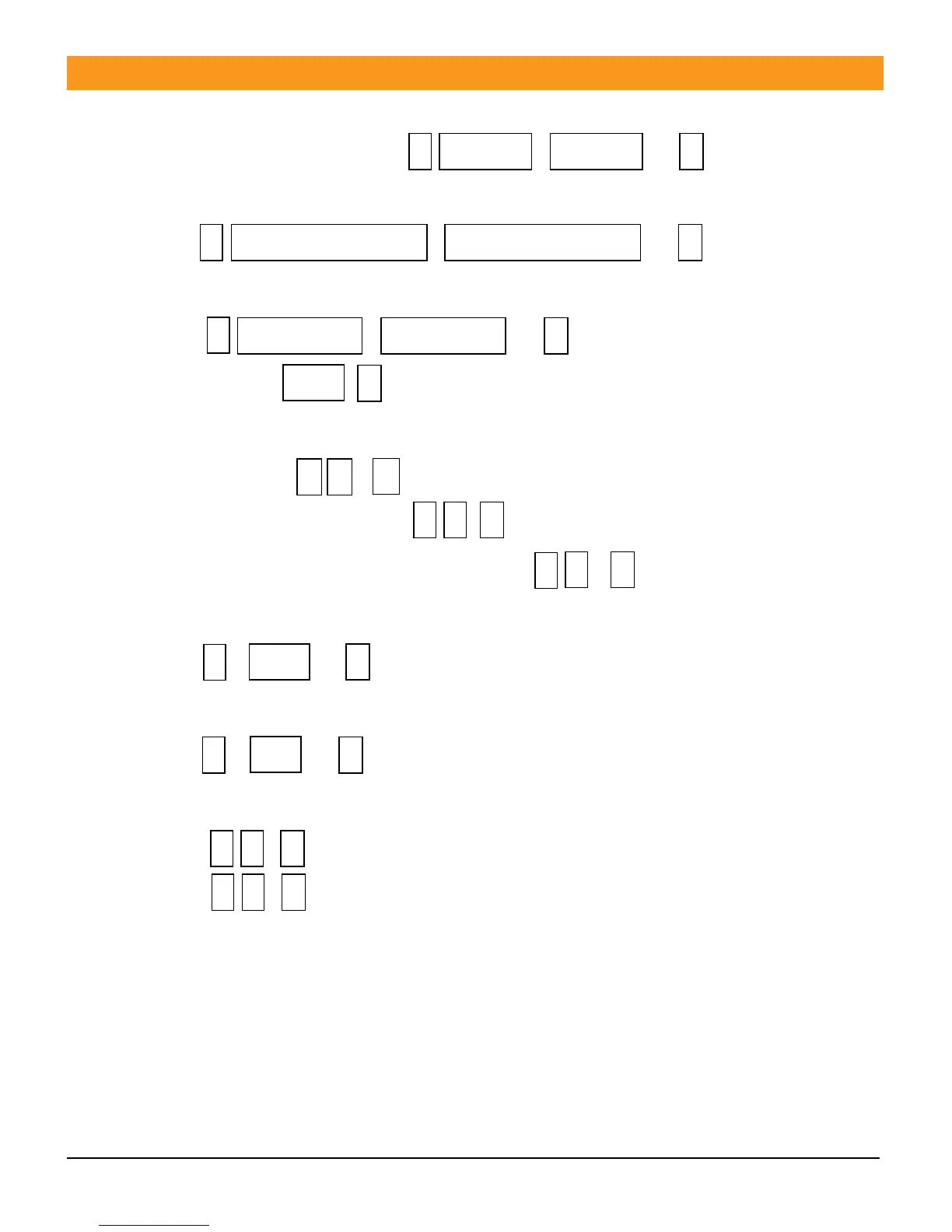
3.1 Delete card(s) by swiping. Press , , …
3.2 Delete designated card.
Press , , …
3.3 Delete Designated ID number.
Press , , …
3.4 Delete all: Press ,
4. Door Opening Setting
4.1 Card Open: Press , .
4.2 Card Plus Password Open: Press , .
4.3 Card or Password Open (Factory default): Press , .
5. Unlock Time Setting
5.1 Press , , Range 0 to 99 seconds, (factory default is 5 seconds).
6. Alarm Output Time Setting
6.1 Press , , Range is 0 to 3 minutes, (factory default is 1 minute).
7. Door Ajar Alarm Function
7.1 Press , Ignore (factory default)
7.2 Press , Send alarm signal
A. If door is ajar after 1 minute the alarm will trip sounding the built in
buzzer for 1 minute and then turn off.
B. If door is forced open the built in alarm and the external alarm will
trigger.



 To Next Page