25
5.2 Install with PC DVR Series
If user wants to connect with PC DVR, please proceed as the following order.
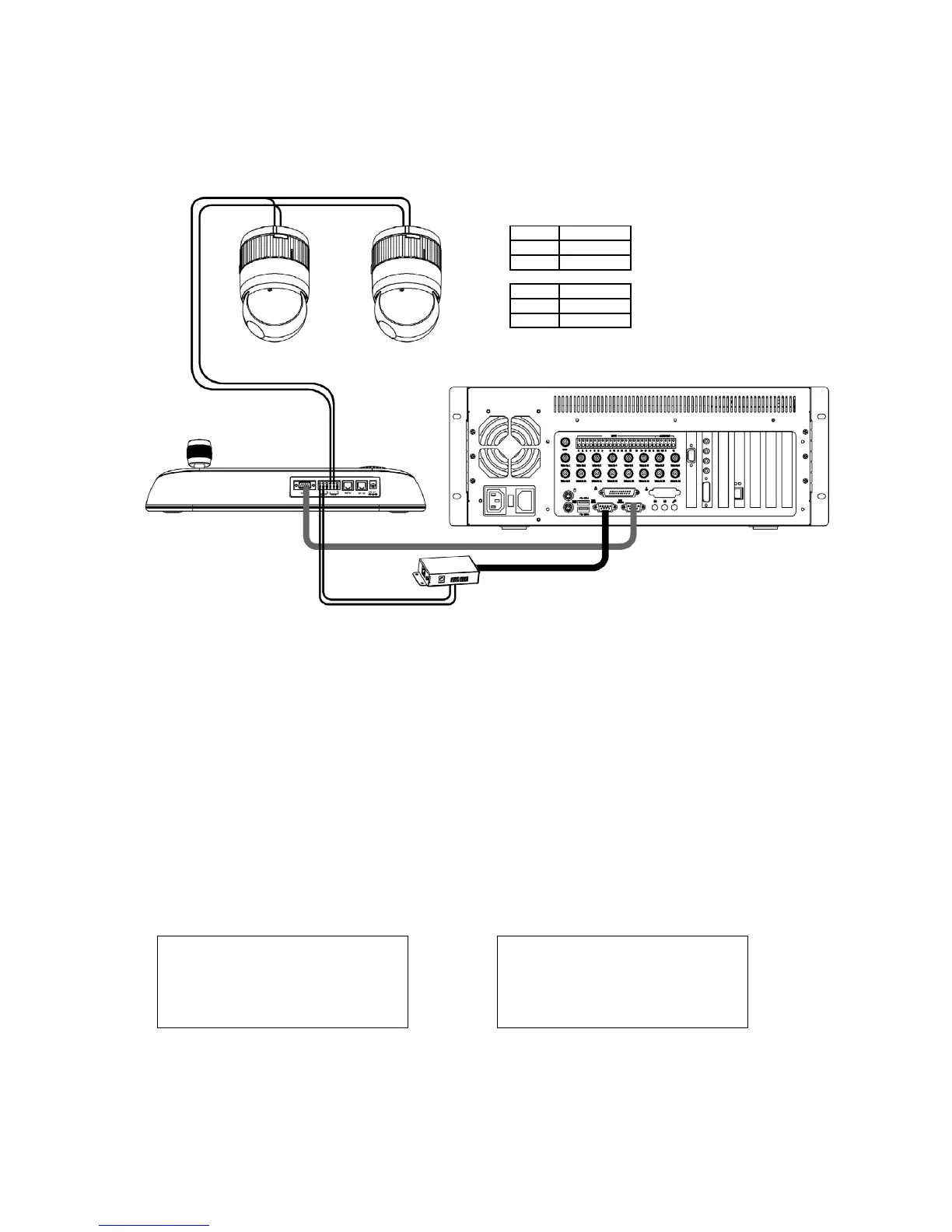
1. Connect RS-232C cable between RS-232C Port of PC DVR and RS-232C port of the Keyboard.
(This connection enables PC DVR control remotely from KBD controller)
2. Plug the RS-232C to RS-485 converter in the RS-232C Port of PC DVR. Connect wires between the TX(+/-) of converter and DOME2(+/-) of Keyboard.
(This connection enables PC DVR PTZ control from KBD controller)
3. How to setup the KBD controller.
A. Switch the KBD controller ON
B. Input password (Factory Setting is
9 9 9 9)
C. Open the menu of the KBD controller by pressing
CTRL + MENU Key.
D. Set as below in Network menu.
Wire Connection
STP AWG #22
RS-232 cable Remote control
PTZ control from DVR RS-232 to RS-485
converter
DOME JUNCTION BOX
R(T)X+ DOME1 +
R(T)X– DOME1 –
PTZ control from DVR
CONVERTER JUNCTION BOX
TX+(RS-485) DOME2 +
TX-(RS-485) DOME2 –
Figure 8: PC DVR Connection Diagram
Set Baud Rate
1. DOME1 : 9600
2. DOME2 : 9600
3. RS-232 : 9600
Com Ports
1. DOME1: Dome
2 DOME2: AUX IN
3. RS-232: PC-DVR


 To Next Page