23
CHAPTER 5
ANALYZER SETUP
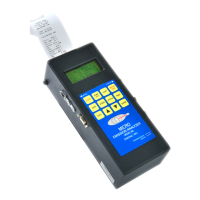
The SETUP MENU allows the operator to change system parameters, perform
sensor calibrations, and manage the internal storage of the ENERAC. Pressing the
SHIFT key displays the SETUP MENU. The SETUP MENU contains five
submenus:
Use the UP & DOWN keys to move the arrow (→) between the submenus, and
press ENTER to select. Press SHIFT to return to a previous, higher-level menu.
A. SYSTEM MENU
To change certain parameters, such as time, date, fuel, and
measurement units, select the SYSTEM MENU. Every
parameter listed on the SYSTEM MENU screen can be
changed as follows.
a. Use the UP & DOWN keys to move the arrow (→)
to the parameter you wish to change.
b. Press ENTER to edit the value. The arrow will
disappear as the current line shifts to the left by one
character and a cursor appears over the value. This
indicates that you are in edit mode.
c. Use the UP & DOWN keys (buttons displaying the triangles) until the
desired value of the selected parameter appears on the display.
d. Press the ENTER key to execute the change. If you do not wish to make a
change, press SHIFT to stop editing the current parameter.
** SETUP MENU **
►System Setup
Zero/Span Setup
Storage Setup
Printer Setup
Sensor Setup
**SYSTEM MENU **
Time: XX:XX:XX
Date: XX/XX/XX
Pump: ON Duty:50
Smoke Duty: 65
Cooler Duty: 75
Fuel: #2 OIL
Temper. Units:F
Meas. Units:PPM
Oxygen Ref:TRUE
Thermal Eff:0.30
Amb T Offset: 0
Display Volt: NO


 To Next Page