11
CHAPTER 3
BASIC INSTRUMENT OPERATION
It is possible to master the basic operation of the instrument in a few minutes by
following the procedure outlined below. Please refer to the other sections of this
manual for a description of the more advanced features.
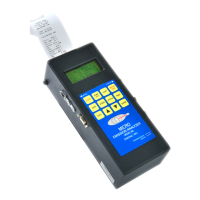
The Model 500 micro-emissions analyzers consist of two major components, the
probe (whose function is to extract, clean, and dry the sample) and the main unit,
which does the stack analysis and computations.
To operate the instrument follow the steps outlined below.
1. Remove the instrument from its case, attach the sampling probe and water
trap or thermoelectric cooler to the analyzer section, and press the ON/OFF
button.
2. The instrument pump will immediately turn on. If it does not, check the
batteries. If you are using rechargeable batteries, plug in the AC charger. If
the unit will not respond, reset the unit. To reset the unit, press the reset
switch, located on the left side of the unit next to the USB port.
3. Press the STATUS button to obtain information about the analyzer as shown
below by the three screens displayed by toggling the STATUS button:
The first screen shows the model name, customer name, current time & date.
The second screen displays the firmware version of the unit, serial number of the
unit, current battery voltage, and currently selected fuel. The third screen shows the
current ambient temperature, units of temperature and emission measurement, and
the oxygen reference. The selected fuel affects the efficiency and CO
2
calculations.
The selected oxygen reference affects the CO, NO, NO
2
, & SO
2
measurements in
PPM or MGM mode. The fuel and oxygen reference, as well as the time, date, and
measurement units can be changed using the SHIFT menu as described in
ENERAC M500
Company Name
Time: 12:00:00
Date: 01/01/01
Version: 5.0+
Serial #: 12345
Battery: 5.65 V
Fuel: #2 OIL
Amb Temp 80 F
Temper. Units:F
Meas. Units:PPM
Oxygen Ref:TRUE


 To Next Page