46
NO2 SENSOR 30 MINUTES
SO2 SENSOR 30 MINUTES
Span calibrate the sensor as explained in CHAPTER 7: CALIBRATION. If you
are using a pre-calibrated sensor and are unable to perform a span calibration, enter
the pre-calibrated factor as explained in CHAPTER 5: ANALYZER
CUSTOMIZATION, section E.
Sensor replacement should be an infrequent operation (once every two years or
more) unless you allow water to enter the sensor housing by not using the
condensation trap!
NOTE: Optional four-electrode CO sensor (Hydrogen interference adjustment).
There is a hydrogen cross-interference adjustment for the special four-electrode
carbon monoxide sensor. This calibration, intended to remove the interference of
hydrogen from CO measurements, should be rarely done, typically if the sensor is
being replaced.
To null the hydrogen interference, feed hydrogen gas, typically 100 - 1000 PPM,
following the same procedure as for the other toxic gas calibrations. When the
display reading has stabilized, use the “H2 INTERF.” potentiometer (see figure 4)
to obtain a null reading on the display for CO. Since the instrument does not
display negative values, be careful to obtain a true null.
E. Printer paper replacement
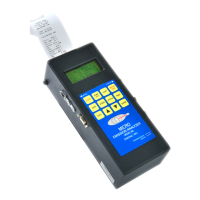
The printer uses a high quality 2" thermal paper. To prevent damage to the thermal
heads, please use only factory recommended paper. Keep any spare paper rolls in a
cool dark place to prevent paper discoloration.
To replace the thermal paper, unfasten the two screws that secure the top cover of
the printer. Unroll approximately 6" of a new roll of thermal paper. Orient the roll
so that the paper unrolls from the bottom of the roll. Be sure that the edge of the
paper is cut square. Locate the slot immediately beneath the printer and insert the
paper end as far as it will go. Turn the Enerac on and press the “PAPER FEED”
button while applying forward pressure on the paper. When the paper end appears
exiting printer, replace the roll on the spindle. Replace cover with screws.
The printer uses a lot of battery power when operating. When the battery is fully
charged it should be capable of delivering at least 60 data printouts.


 To Next Page