17/44
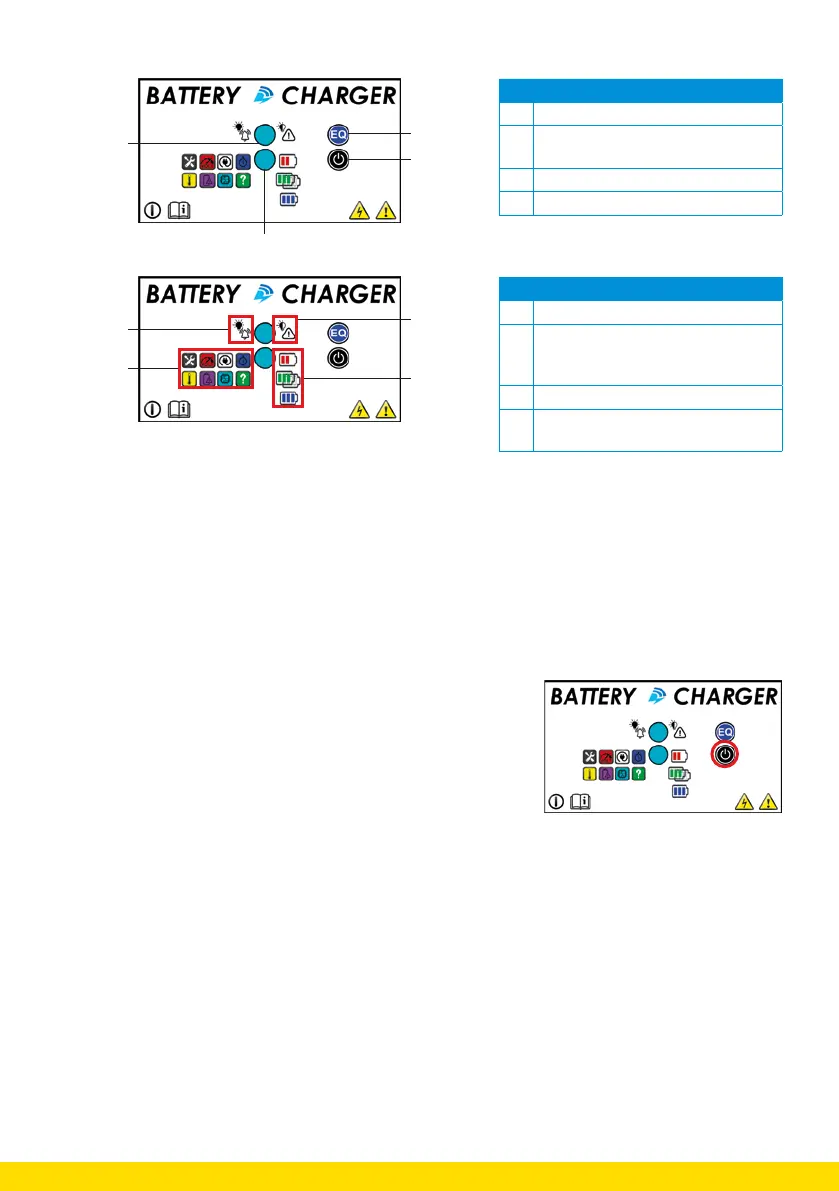
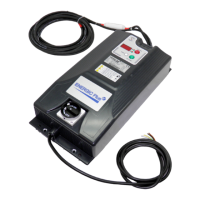
6.1. The front panel
N° Explanation
1 Red LED for warning and/or alarm
2 Multi-coloured LED (RGB) with 8
possible colours
3 Push button for equalising
4 Push button to stop or restart charger
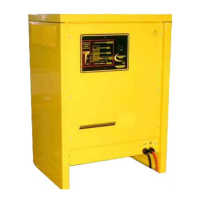
N° Explanation
1 Alarm signal
2 Contact error messages. Always
combined with another LED. See
chapter 9 for additional expalantion.
3 Warning signal
4 Status of the battery (possibly
combined with another LED)
6.2. Connecting the battery to the charger.
1. Connect the battery correctly to the charger.
2. The control board is energized and the microprocessor will perform an automatic test of the
control circuits.
3. The “Status” and “Alarm/Warning” LEDs will show a colour sequence that allows the user to
recognize the parameter settings.
6.3. Activate the user program mode.
1. Press and hold the STOP/START button for at least 5 seconds.
2. When the ‘WARNING/ALARM’ LED illuminates, the charger is in
user program mode.



 To Next Page