17
AJUSTE MANUAL DE NIVEL:
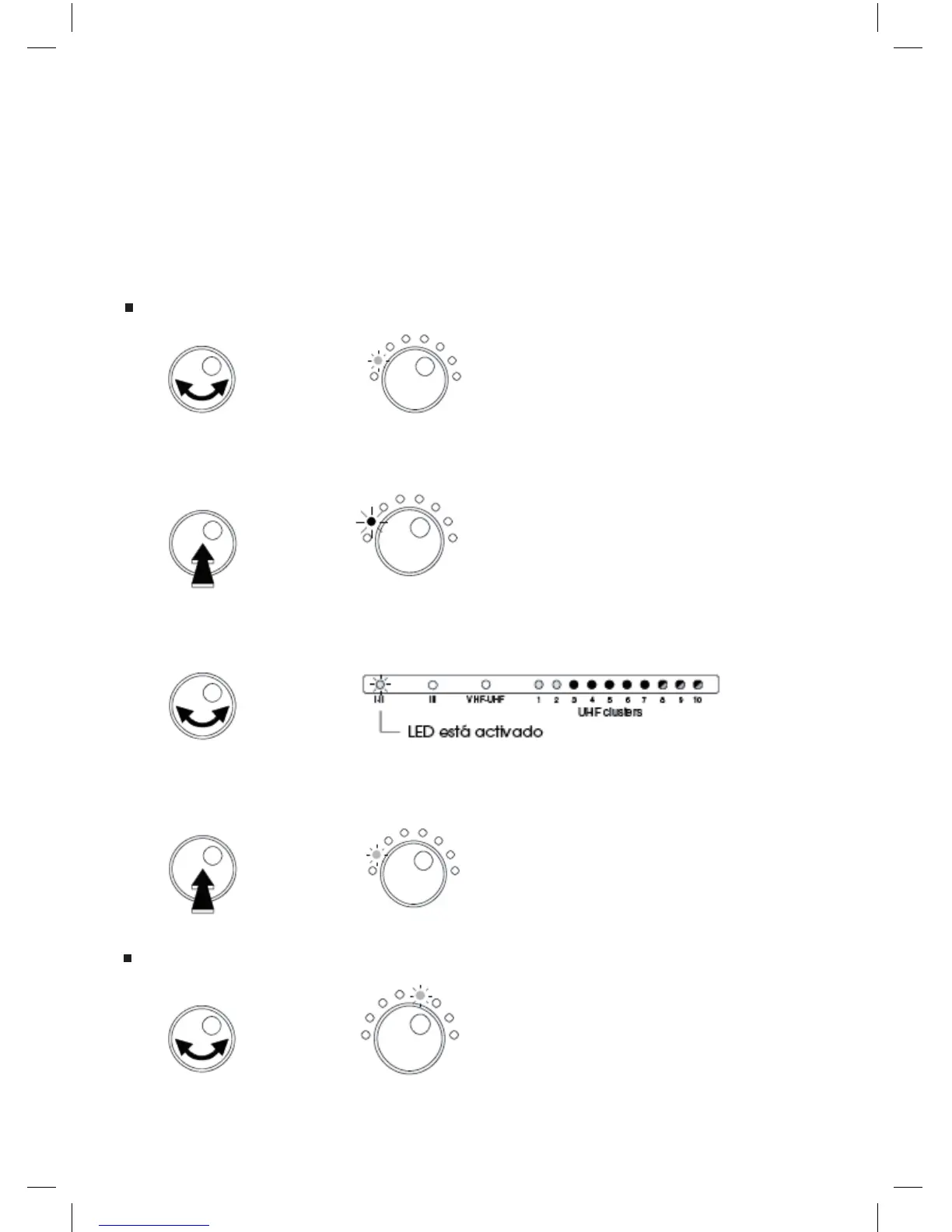
Para ajustar manualmente el nivel.
- Seleccione la entrada o cluster deseado.
Ejemplo: ajustar el nievl de BI-II.
Gire el botón para seleccionar el modo Select Filter (Selección Filtro).
El LED está VERDE.
- Presione el botón para entrar en el modo seleccionado.
El LED está ahora ROJO.
- Gire el botón para seleccionar BI-II.
- Presione el botón para conrmar.
El LED está VERDE.
Gire el botón para seleccionar el modo Manual Level (Nivel Manual).
El LED está VERDE.
Select
Filter
Select
Filter
Select
Filter
Manual
Level



 To Next Page