25
¾ BeaconPeriod:BeaconsarepacketssentbyawirelessAccessPointtosynchronizewireless
devices. Specify a Beacon Period value between 20 and 1024. The default value is set to
100milliseconds.
¾ DTIMPeriod:ADTIMisacountdowninformingclientsofthenextwindowforlisteningto
broadcastandmulticastmessages.WhenthewirelessAccessPointhasbufferedbroadcast
or multicast messages for associated clients, it sends the next DTIM with a DTIM Period
value. Wireless clients detect the beacons and awaken to receive the broadcast and
multicastmessages.Thedefaultvalueis1.Validsettingsarebetween1and10.
¾ Data Rate: You may select a data rate from the drop‐down list, however, it is
recommendedtoselectauto.Thisisalsoknownasauto‐fallback.
¾ NDataRate:Youmayselectadataratefor802.11nfromthedrop‐downlist,however,itis
recommendedtoselectauto.Thisisalsoknownasauto‐fallback.
¾ PreambleType:Selectashortorlongpreamble.Foroptimumperformanceitis
recommendedtoalsoconfiguretheclientdeviceasthesamepreambletype.
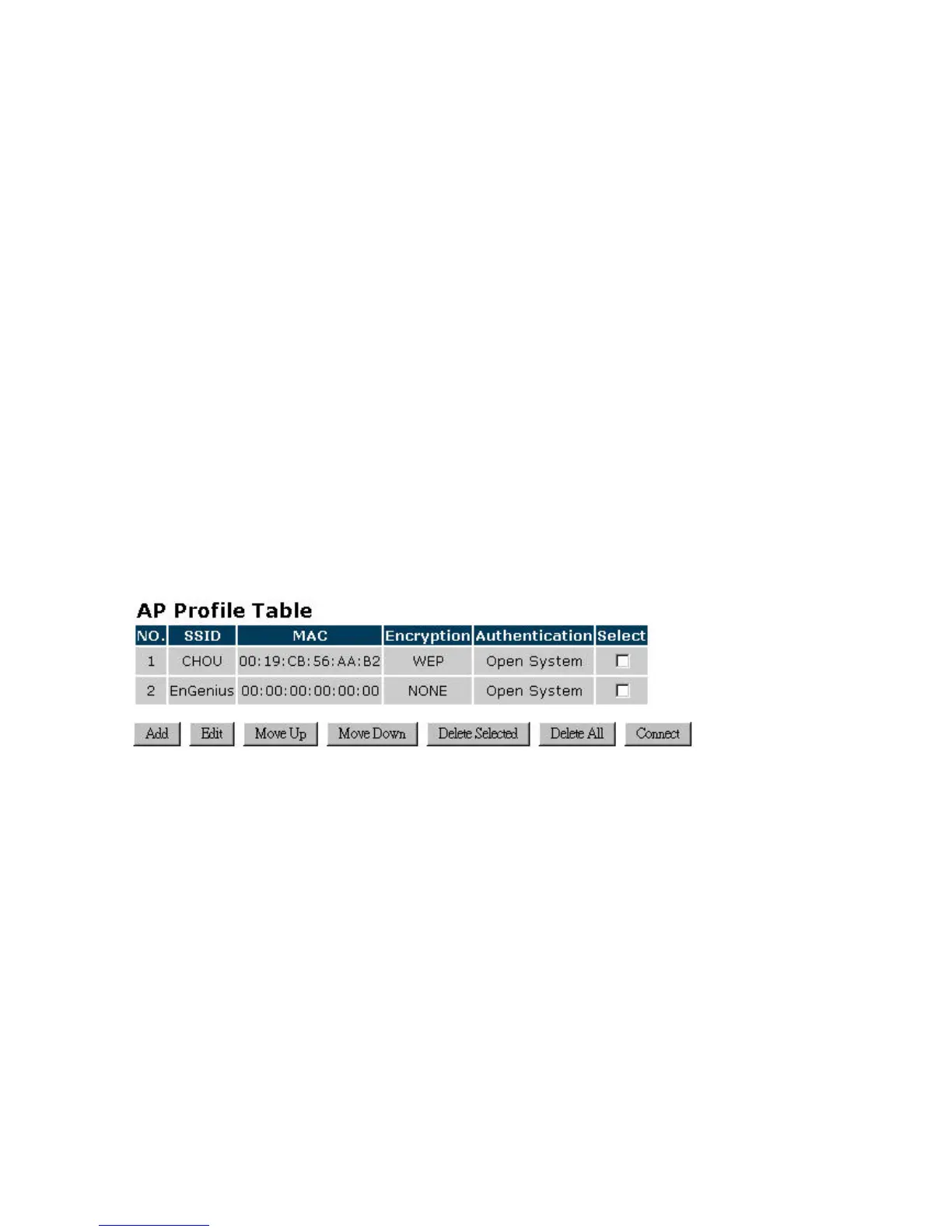
4.2.2.4. APProfile
ThispageallowsyoutoconfiguretheprofileoftheClientBridgeincludingSecuritySettingexactly
thesameastheAccessPoint.


 To Next Page