47
4.3. Network
4.3.1. Status
4.3.2. LAN
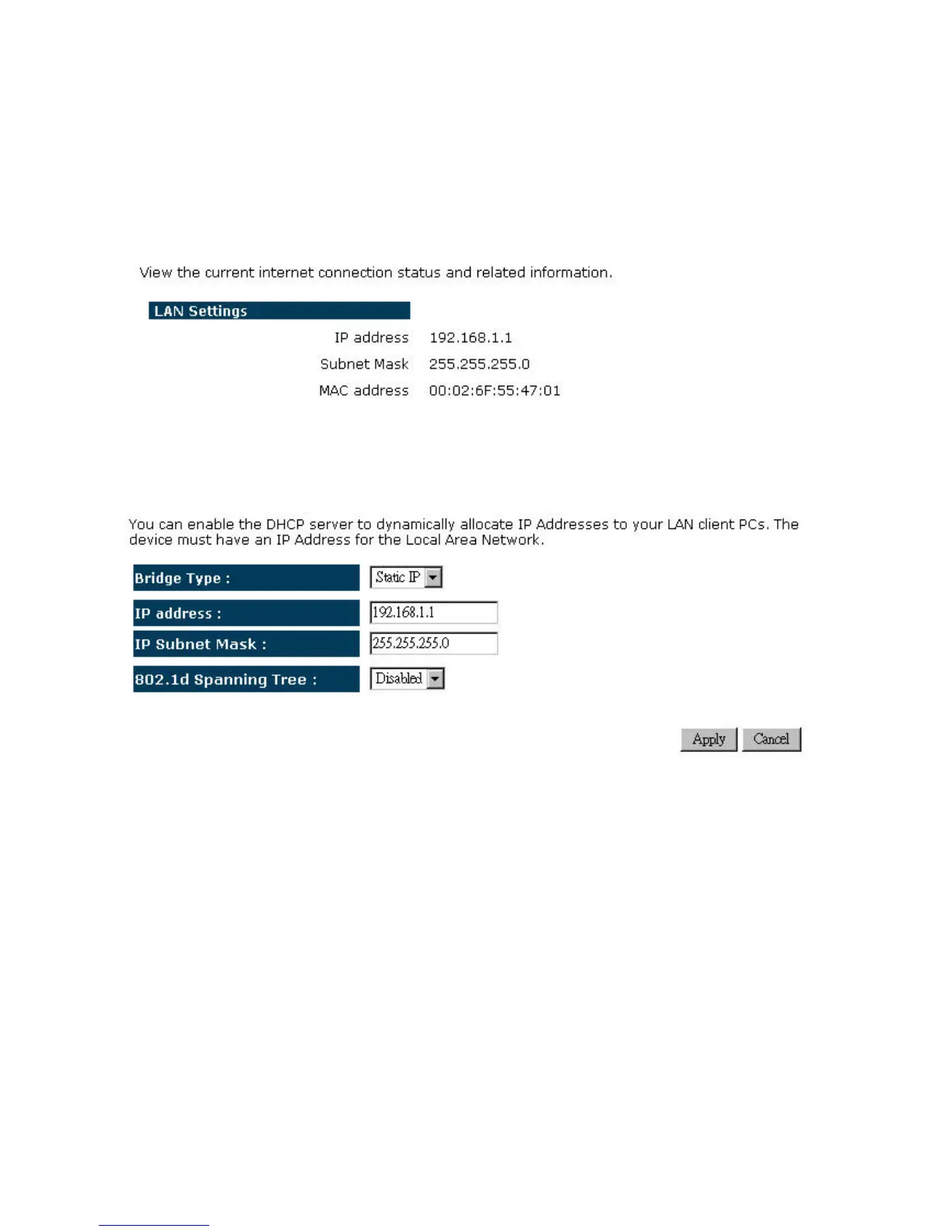
¾ BridgeType:SelectStaticIPorDynamicIPfromthedrop‐downlist.IfyouselectStaticIP,
you will be required to specify an IP address and subnet mask. If Dynamic IP is selected,
thentheIPaddressisreceivedautomaticallyfromtheexternalDHCPserver.
¾ IPAddress:SpecifyanIPaddress.
¾ IPSubnetMask:SpecifyasubnetmaskfortheIPaddress.
¾ 802.1dSpanningTree:SelectEnableorDisablefromthedrop‐downlist.Enablingspanning
treewillavoidredundantdataloops.


 To Next Page