13 /55
Remote Control
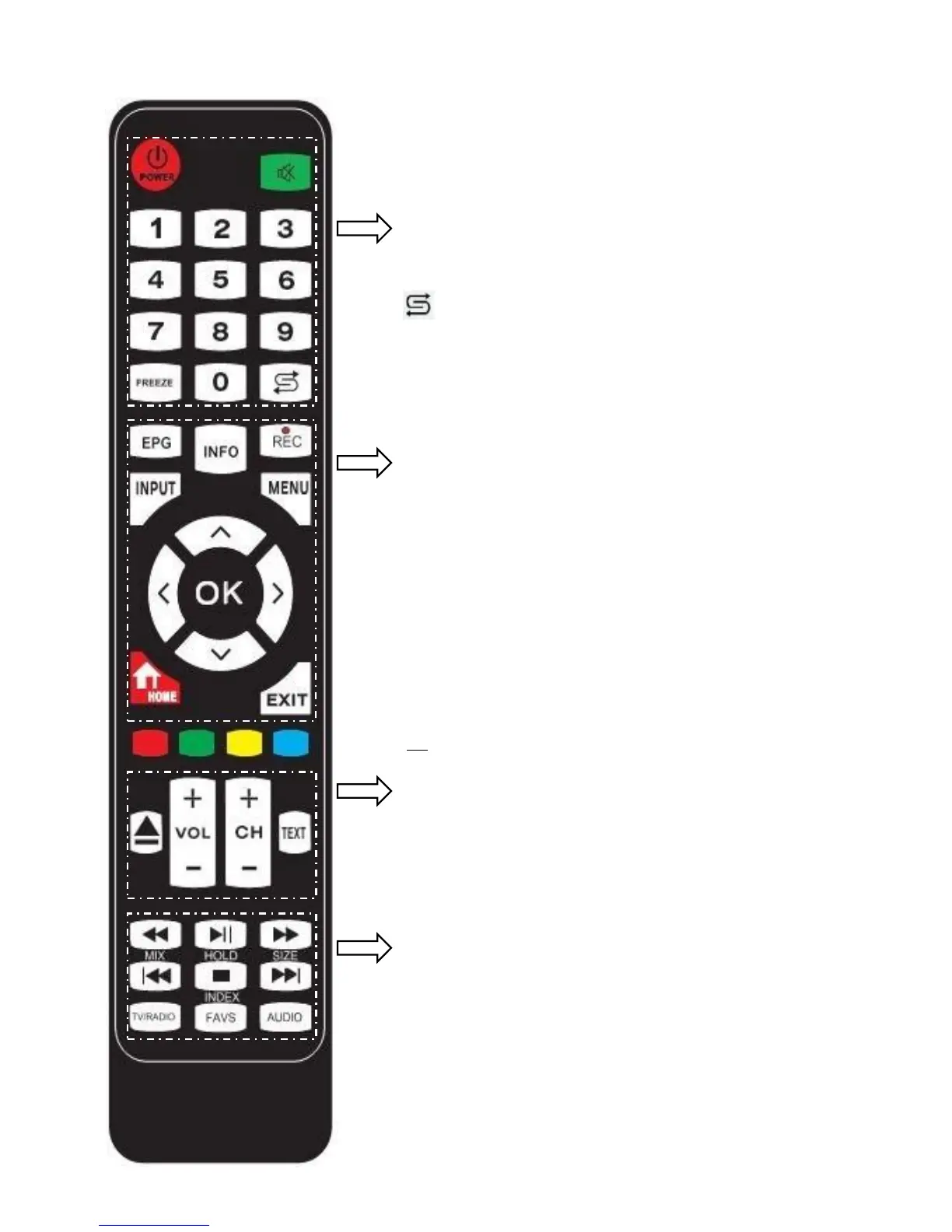
POWER: Turn the TV ON/Standby
MUTE: Mute the sound, press again or press VOL+
to unmute.
NUMBER BUTTONS: Press 0-9 to select a TV
channel.
FREEZE: Freeze picture, press again to unfreeze.
: Return to the previous channel viewed.
EPG: Electronic Program Guide during no-menu
state (only available in DTV mode).
INFO: Display the current model's information.
REC: Press to start recording in DTV mode.
INPUT: Display the input source menu.
MENU: System setup menu.
CURSOR KEYS (▲/▼/◄/►/OK): Allows you to
navigate the on-screen menus and adjust the system
settings to your preference.
HOME (SLEEP): Go to Android Home Page.
(Standby Timer)
EXIT: Exit current menu.
▲: Load or Eject DVD disc.
VOL-/+: Adjust the volume
CH-/+: Scan through channels.
TEXT: Turn on/off the teletext display
◄◄: Fast reverse.
►||: Play/pause program.
►►: Fast forward.
|◄◄ (MIX): Previous chapter. (Mix sound)
▉(HOLD):Stop (Hold/carry on the current subpage).
►►| (SIZE): Next chapter. (One press to see the top
half of page double size, again to see the bottom half
of page double size, again for normal)
TV/RADIO: Switch between TV and Radio in DTV.
FAV (INDEX): Display the favorite program list.
(Go to index)
AUDIO: Select Audio channels.


 To Next Page