34 /55
2.3. Playback
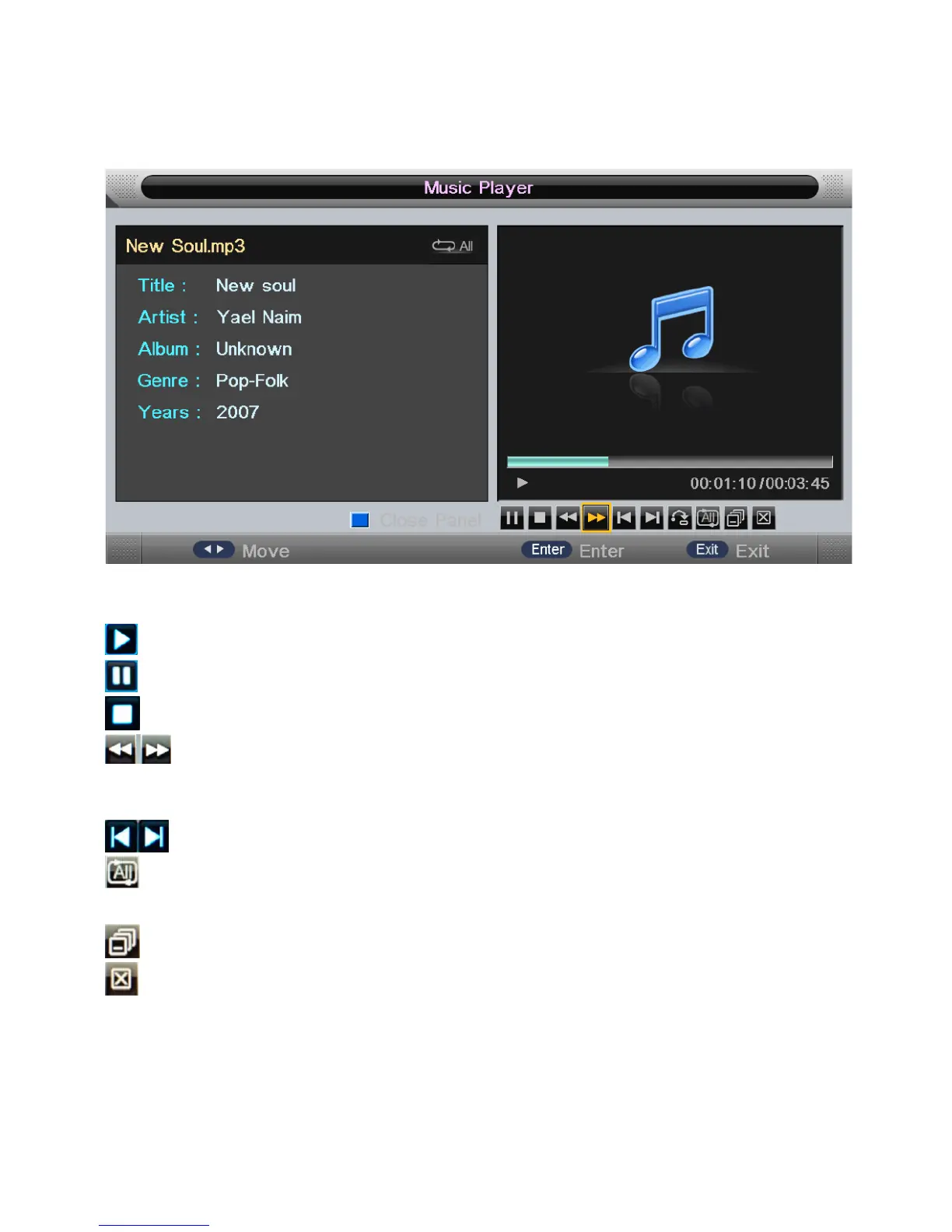
Press "PLAY" key to start playback.
• Key Operation:
: Same as "PLAY" key on remote, to start playing the file, or resume paused file.
: Same as "PAUSE" key on remote, to pause the playing file
: Same as "STOP" key on remote, to stop the playing file.
: Same as "<<" / ">>" key on remote, to play fast backward or forward. The
speed can switch to twice, four times, eight times and sixteen times, and
displayed with “X2、X4、X8、X16” on screen.
: Same as "|<<" / ">>|" key on remote, to play the previous or next file directly.
: To switch the repeat mode, including “Repeat 1”, “Repeat All”, ”Repeat Dir”
and “Random” modes.
: To switch the window between “Information” and “Play List”.
: Same as “BLUE” key on remote, to close the panel only in “MUSIC” mode,
and then it can be opened by every key on the remote.


 To Next Page