2. Setting up a timelapse sequence
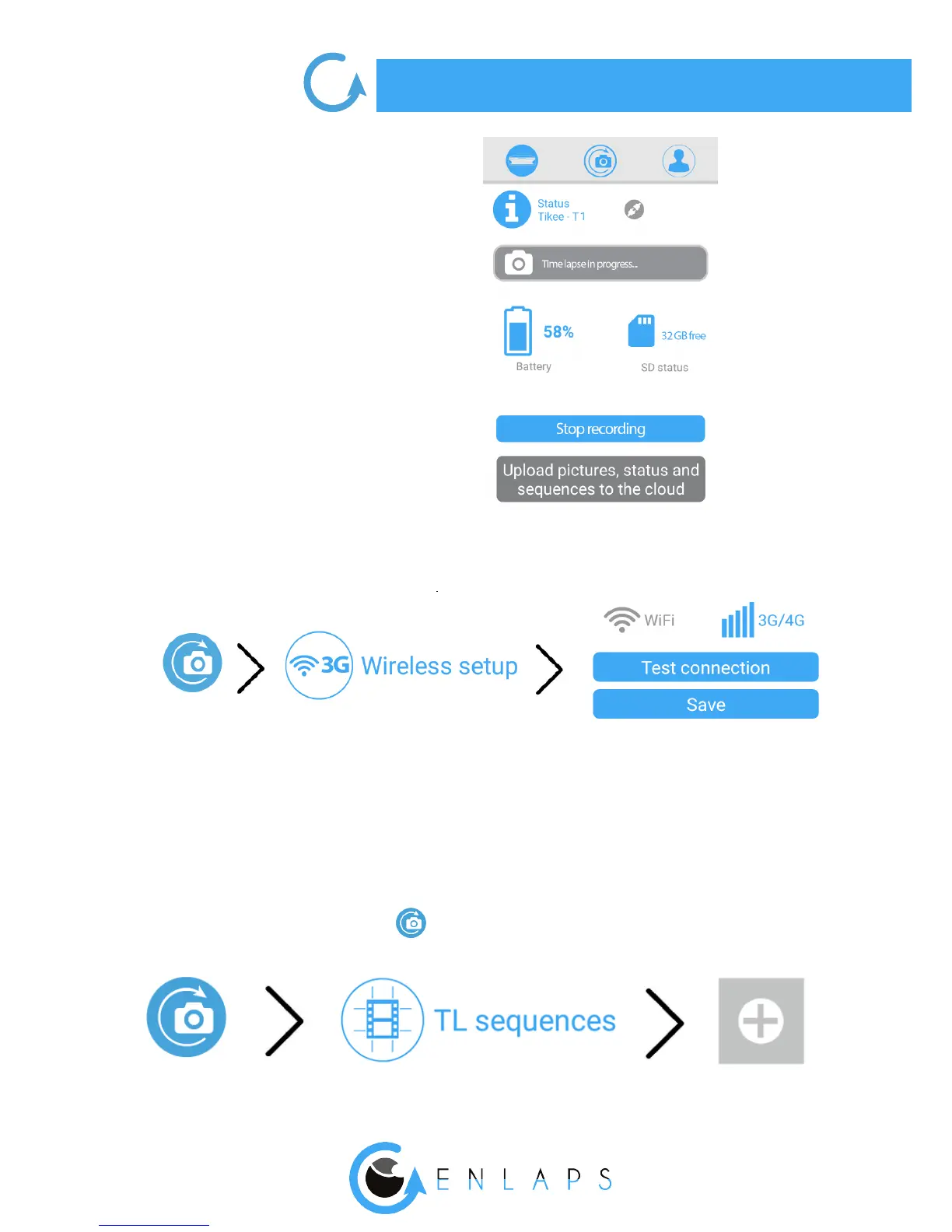
4. Accessing the wireless settings:
Click on the WiFi (Tikee/TikeePRO) or 4G (TikeePRO) icon and set up the connection.
It allows the data upload from your Tikee to the web application.
To create your rst sequence, click on
3. You access directly to the status
screen of your Tikee:



 To Next Page