3
3. Rules of configuration of the sequences-
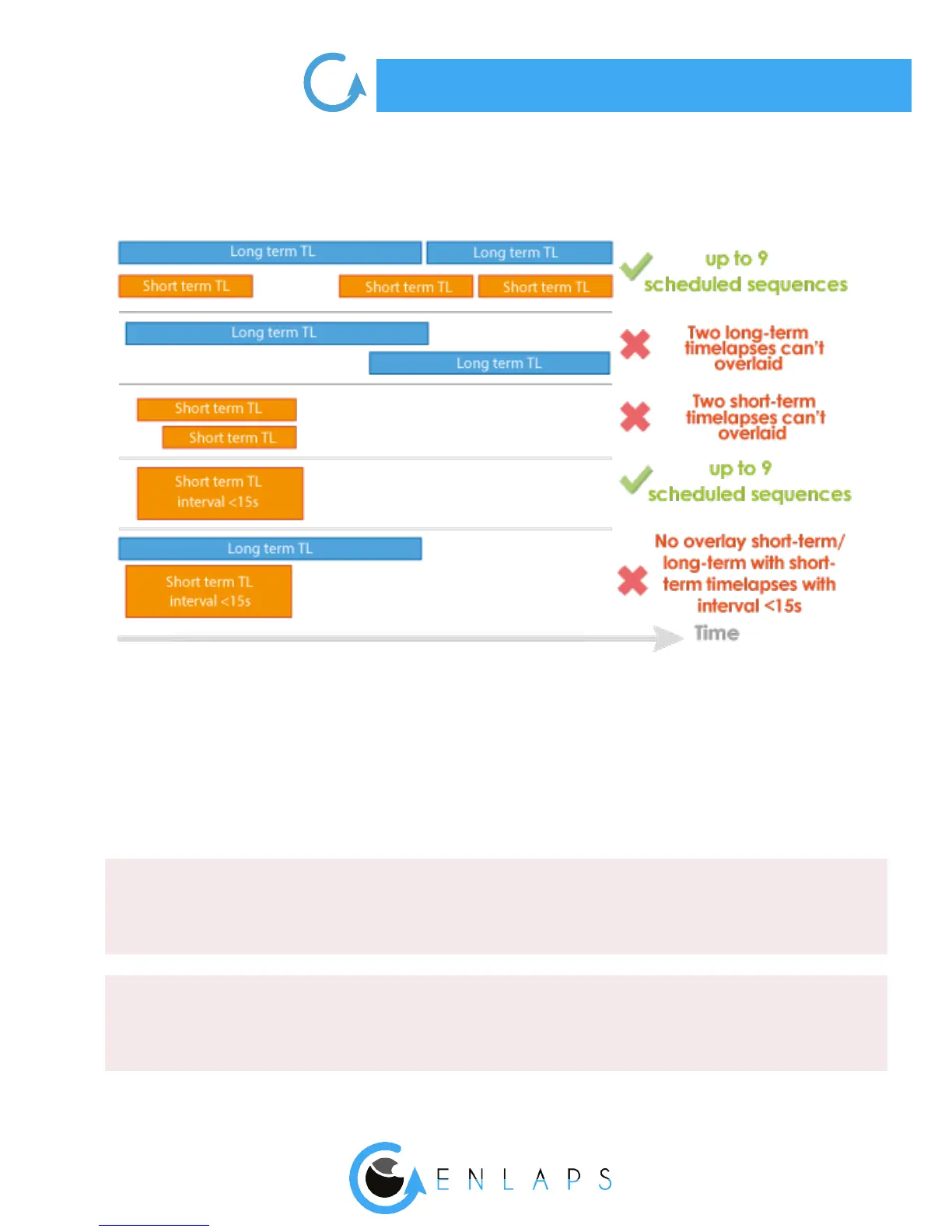
Up to 9 sequences can be scheduled.
The rule is that two short-term sequences or two long-term sequences cannot be realized at the
same time.
However a short-term sequence can start while a long-term sequence is in progress.
Restrictions exist in the case of a short-term timelapse which interval between each picture is less
than 15 seconds.
. Format and size of the images
JPEG
DNG
Left and right image stored on the SD card: 4608 x 3456 each, approx. 4 MB (8 MB per pair)
Left and right images sent on the web app: 2664 x 1998, approx. 2.5 MB per pair
Panoramic image resolution after fusion: 4000 x 1400, approx. 2 MB per panoramic image
TikeePRO only.
The DNG format images are not uploaded, nor usable on the web app.
Left and right image stored on the SD card: 4608 x 3456, approx. 37.5 MB (75 MB per pair)



 To Next Page