Download the Installer Toolkit App
The Enphase Installer Toolkit is a mobile app for iOS and Android devices (smart
phone or tablet) that allows installers to configure the system while onsite, eliminating
the need for a laptop and improving installation efficiency.
Download the latest version of the Enphase Installer Toolkit mobile app
and open it to log in to your Enlighten account. With this app, you can
connect to the Envoy to track system installation
progress. To download, go to enphase.com/installer-
toolkit or scan the QR code:
To run the Installer Toolkit app, you need either of the
following mobile devices:
An Android mobile device running Android version 4.2 or later, or
An iOS device running iOS 7.0 or later, specifically an iPhone 4 or
later or an iPod Touch 5th generation
Box Contents
Check the shipping box for the following items:
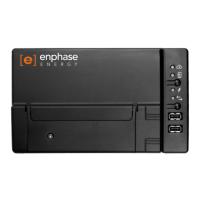
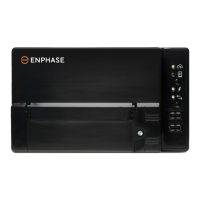
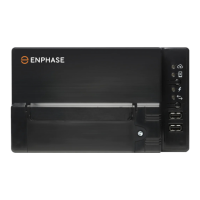
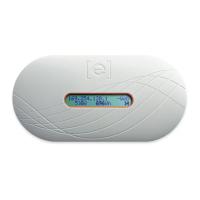
Enphase Envoy-S
AC power cord (included with ENV-S-WB-230-F, -G, and -I)
Two split core current transformers (CTs) for production and consumption metering (included
with ENV-S-WM1-230)
Length of DIN rail for mounting
Ferrite bead to attach to your Ethernet Cable, if used
Enphase Envoy-S Quick Install Guide
Plan the Power Connection
If installing the Envoy-S Standard, decide whether to power the Envoy-S using the included AC power
cord or by hardwiring the Envoy-S in an IP54-rated, or better enclosure. Use an appropriately rated
enclosure if hard-wiring indoors. Make sure that the site has either a standard AC socket available near
the AC switchboard in which the Envoy-S can be hardwired. Do not use a power board. If you use the
power cord in an enclosure, the socket must be appropriately rated.
Use a Phase Coupler for a Three-Phase Site
If you are installing the Envoy-S in a three-phase application, the power line communication signal must
be “coupled” between the three phases to allow the Envoy to communicate with all of the microinverters
in the system. Install a phase coupler on the load side of the over-current protection device. See the
Enphase Technical Brief on Phase Coupling for your region at enphase.com/support. Consult Enphase
support for compatible devices.


 To Next Page
 Loading...