ENGLISH
EN109-1435752-42 Page 21 of 29
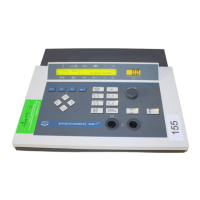
• In the display appears “Overwrite ?” Select by means of the
“Central control” [8] “Yes” if you wish to continue with the
procedure or “No” if you wish to cancel the procedure.
• Operate the “Accept key” [7] once again. Two short beeps
indicates that the treatment suggestions are stored into the
memory.
To retrieve a treatment suggestion from the memory (program 1 till 30)
• Operate “Program retrieve key” [1]. In the upper right corner
a number flashes (e.g. #1).
• Select by means of the “Central control” [8] the desired
program number. Will looking for the right program the
display shows the parameter settings of the passing
programs.
• Operate the “Accept key” [7] as soon as you have selected
the right program number.
• Set the power (if a treatment time was programmed the
cursor is automatically set on the power position).
Treatment starts as soon as the power is adjusted.
To retrieve a treatment suggestion from the protocol memory
Two possibilities are available to retrieve a treatment suggestion from the protocol memory:
1. To retrieve by name: On the display the clusters and indications are displayed in word.
2. To retrieve by number: The retrieval by number is a fast way to retrieve a protocol from the memory
if the number is known by the user.
To retrieve by name
• Operate “Program key protocols” [3]. The display shows the
first cluster.
• Select by means of the “Central control” [8] the desired
cluster.
• Operate the “Accept key” [7]. The second line of the display
indicates the first indication of this cluster.




 To Next Page