ENGLISH
EN109-1435752-42 Page 22 of 29
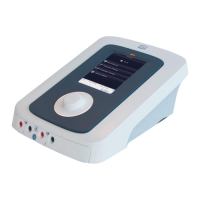
• Select by means of the “Central control” [8] the desired
indication.
• Operate the “Accept key” [7], the unit settings and advise
information appears on the display. The program number is
displayed in the upper right corner [12].
Treatment starts as soon as the power is adjusted.
• Operate “Program key protocols” [3]. The display shows the
first cluster.
• Operate “Program key protocols” [3] once again. In the
upper right corner appears a flashing letter with besides it a
number (e.g. A1). The parameter settings concerning that
program aredisplayed on the display.
• Select by means of the “Central control” [8] the desired
cluster (A till E).
• Move the cursor one position to the right by means of the
“Display parameter selectors” [4]. Now the number will
flash.
• Select by means of the “Central control” [8] the desired
program number. The parameter settings and advise
information are displayed.
• Operate the “Accept key” [7].
Treatment starts as soon as the power is adjusted.




 To Next Page