EasyManua.ls Logo

Enthermics EC Series - User Manual

Enthermics EC Series
25 pages
Print Icon
To Next Page IconTo Next Page
Loading...
Enthermics Medical Systems
An ISO 13485:2003 certified company
PO Box 443, Menomonee Falls WI 53052-0443
W164 N9221 Water St, Menomonee Falls WI 53051
Tel 262-251-8356
|
800-TO-B-WARM
generalinfo@enthermics.com
www.enthermics.com
Printed in the U.S.A. Specifications are Subject to Change Without Notice
Made in the U.S.A.
Operation and Care Manual
MN-28667 • Rev 4 • 12/16
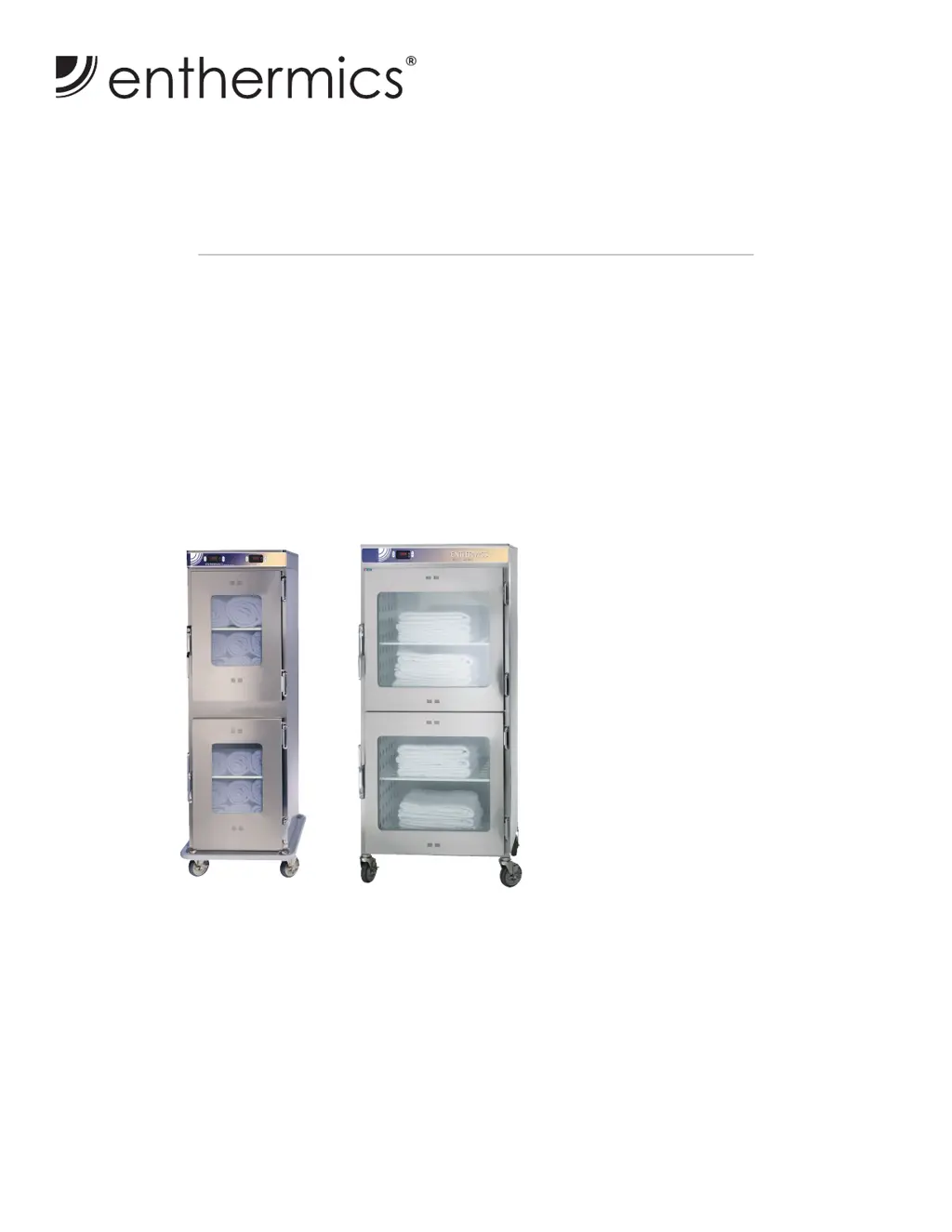
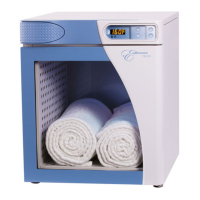
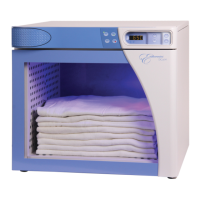
EC1540
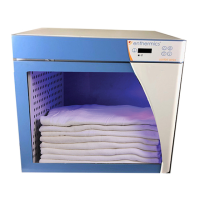
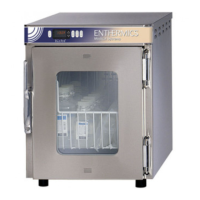
EC2060
120V
EC1540 Shown with Optional
Full-Perimeter Rubber Bumper
EC2060
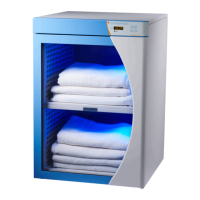
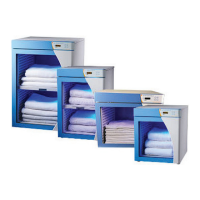
EC Series Blanket Warmer

Other manuals for Enthermics EC Series

Questions and Answers

  • A
    Ashley WoodAug 15, 2025
    What to do if my Enthermics Food Warmer is not operating properly?
    • M
      Maria CameronAug 15, 2025
      If your Enthermics Food Warmer isn't working as expected, first, check that the power is on. Next, make sure the plug is fully inserted into both the warmer and a working outlet. Also, check the high limit manual reset button; if it's tripped, reset it following the instructions on how to manually reset the warmer. If these steps don't resolve the issue, all error codes must be cleared by pressing the circuit breaker on the back of the warmer to the off (O) position and allowing the warmer to cool.
  • P
    Penny DavisAug 18, 2025
    What to do if the door has been open for more than 3 minutes on my Enthermics Food Warmer?
    • L
      Lori Gonzales MDAug 18, 2025
      If the door of your Enthermics Food Warmer has been open for more than 3 minutes, first ensure that the door is completely closed. If the issue persists, verify that the door switch is functioning correctly and replace it if needed.
  • B
    Brandi HernandezAug 21, 2025
    What happens if a controller button is stuck on my Enthermics Food Warmer?
    • K
      kent84Aug 21, 2025
      If a controller button on your Enthermics Food Warmer remains pressed for over 60 seconds, adjust the controller. The error will automatically clear once the problem is resolved.
  • N
    Nicole FullerAug 25, 2025
    What to do if my Enthermics Food Warmer displays an Over Temperature error?
    • J
      Jill HarmonAug 26, 2025
      If your Enthermics Food Warmer shows an Over Temperature error, try these steps: 1. If the compartment is overloaded, redistribute the inventory, making sure not to exceed the insert's height. 2. Measure the resistance of the sensor with an ohmmeter. Test the sensor at 32°F (0°C) using a container of ice water. The ohm reading should be 100. If the ohm reading is +/- 10, replace the sensor. 3. Check the wiring for any damage and ensure all connections at the controller and terminal block are secure. 4. Replace the defective relay.
  • C
    Carrie WrightAug 28, 2025
    What does 'Under Temperature' mean on my Enthermics Food Warmer (Blanket warmers only)?
    • M
      Micheal SchroederAug 28, 2025
      If your Enthermics Food Warmer (specifically blanket warmers) displays an 'Under Temperature' message, make sure the door is fully closed. Additionally, if the compartment is overloaded, redistribute the inventory so it does not exceed the insert's height.
  • J
    Jennifer BondSep 1, 2025
    How to fix Real-Time Clock Error on Enthermics Food Warmer?
    • Z
      Zachary BraySep 1, 2025
      To fix a Real-Time Clock Error on your Enthermics Food Warmer: * First, consider if the appliance has been unplugged for a long time. * Then, set the power circuit breaker switch to the ON (I) position for 1 minute, then set the power circuit breaker switch to the OFF (O) position for 5 seconds, and then set the power circuit breaker switch to the ON (I) position. The error message should no longer appear in the LED screen. * To fully recharge, keep the appliance plugged in with the power circuit breaker switch in the ON (I) position for at least 24 hours after resetting. * After resolving the error, ensure the date and time are correct.
  • K
    Kayla Long DDSSep 4, 2025
    What does EEPROM Error mean on my Enthermics Food Warmer?
    • M
      Mr. John SimpsonSep 4, 2025
      If your Enthermics Food Warmer displays an EEPROM Error, ensure that all calibration offsets are properly set.
  • J
    Jennifer IngramSep 7, 2025
    What to do if the compartment air sensor is shorted in my Enthermics Food Warmer?
    • D
      David HolmesSep 7, 2025
      If the compartment air sensor in your Enthermics Food Warmer is shorted, detach the sensor from the terminal block. Then, use an ohmmeter to measure the sensor's resistance. Test the sensor at 32°F (0°C) using ice water; the ohm reading should be 100. Replace the sensor if the reading varies by +/- 10. Also, check the wires for damage and ensure secure connections at the controller and terminal block.
  • J
    Joshua JohnsonSep 12, 2025
    What to do if the compartment air sensor is open in my Enthermics Food Warmer?
    • P
      Paula RiveraSep 12, 2025
      If the compartment air sensor in your Enthermics Food Warmer is open, detach the sensor from the terminal block. Measure the sensor's resistance with an ohmmeter. Test the sensor at 32°F (0°C) using a container of ice water. The ohm reading should be 100. If the ohm reading is +/- 10, replace the sensor. Inspect the wires for any damage and ensure that all connections at the controller and the terminal block are secure.

Summary

Safety Procedures and Guidelines

Installation and Appliance Description

Critical Installation Warnings

Essential safety precautions regarding cleaning and use with anesthetic mixtures.

Electrical Information and Safety

Electrical Safety Warnings and Rating Tag

Electrical dangers, cautions, and instructions for locating the appliance's rating tag.

Operation Instructions

Cleaning and Preventative Maintenance

Cleaning Safety, Agents, and Surface Care

Safety warnings, recommended cleaning agents, and methods to protect surfaces.

Preventative Maintenance Checklist

A comprehensive checklist for daily, weekly, monthly, and six-month maintenance tasks.

Troubleshooting Guide

Troubleshooting Service Precautions

Warnings for qualified technicians and initial steps before calling for service.

Manual Reset and Common Error Codes

Procedure for manual reset and initial troubleshooting for common error codes (E-10, E-11, E-30).

Advanced Error Code Resolution

Troubleshooting steps for additional error codes including Over Temperature and EEPROM errors.

Wiring Diagrams

Enthermics EC Series Specifications

General IconGeneral
BrandEnthermics
ModelEC Series
CategoryFood Warmer
LanguageEnglish

Related product manuals