EasyManua.ls Logo

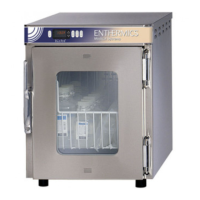
Enthermics DC350 - User Manual

Default Icon
60 pages
Print Icon
To Next Page IconTo Next Page
Loading...
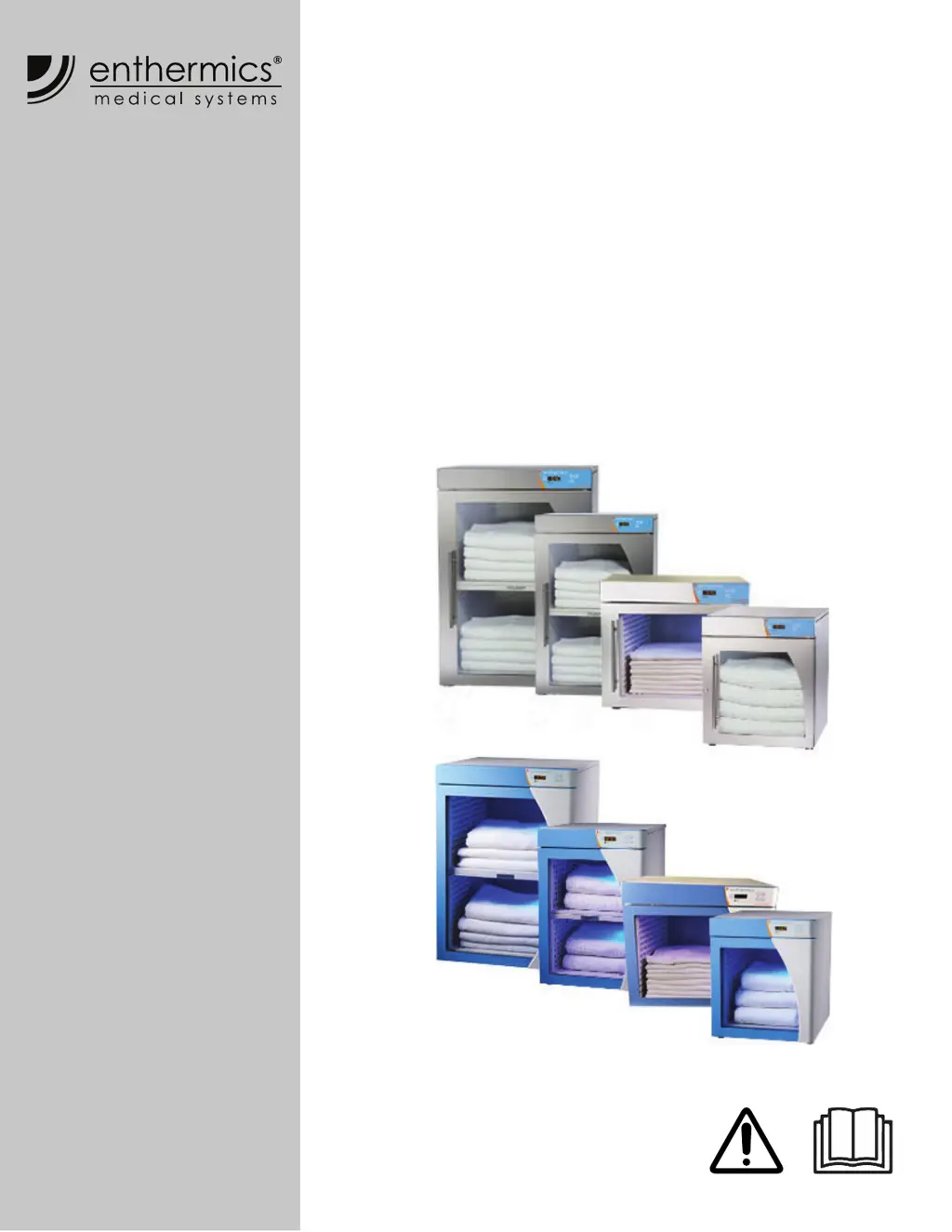
Operators Manual
Titan & Comfort Series
Blanket Warmer
EC250
EC350
EC400
EC750
DC250
DC350
DC400
DC750
MN-39924
REV.04
8/20
EN

Other manuals for Enthermics DC350

Questions and Answers

  • J
    Joshua SmithSep 18, 2025
    What should I do if debris is causing a short between the test pins in my Enthermics DC350?
    • O
      opierceSep 19, 2025
      Ensure that debris is not causing a short between the test pins in your Enthermics Food Warmer. If the pins are good, replace the control.
  • S
    shellypalmerAug 25, 2025
    What to do if my Enthermics Warming Drawer displays error E-11?
    • J
      jake31Aug 25, 2025
      If your Enthermics Warming Drawer shows error code E-11, ES11, ES21, ES31, ES41, ES51, ES61, or ES71, this means the sensor is open. Start by pressing the ON/OFF button to acknowledge the error. If it continues, a qualified technician needs to test the sensor. This involves detaching the sensor and using an Ohm meter to measure its resistance in ice water at 0°C (32°F). A reading of 32.6 KOhm ±1.5 KOhm suggests replacing the display. If the reading is ±2 KOhm, replace the sensor. Check the wires and connections for any issues. If the problem remains, contact service.
  • T
    Tyler GonzalesAug 25, 2025
    What to do if my Enthermics Warming Drawer displays error P130?
    • C
      Carolyn RiversAug 26, 2025
      If your Enthermics Warming Drawer displays error code P130, P230, P330, P430, P530, P630, or P730, it means the heating pad hasn't reached the set temperature. First, acknowledge the error by pressing the ON/OFF button. If the error persists, a qualified technician should test the heater pad(s). Turn the unit OFF, unplug it, and use an Ohm meter to measure the resistance between the L (Line) and N (Neutral) leads of a cold heater pad. The Ohm readings should be 72 Ohm ±10% for 120V or 288 Ohm ±10% for 230V. If problems persist, contact service.
  • R
    Roger JonesAug 26, 2025
    What to do if my Enthermics Warming Drawer displays error P131?
    • S
      Shannon MunozAug 27, 2025
      If your Enthermics Warming Drawer displays error code P131, P231, P331, P431, P531, P631, or P731, it indicates a heater pad over-temperature error. The software will disengage the heating pads. Acknowledge the error by pressing the ON/OFF button. Allow the unit to cool down. If the error continues, contact service.
  • T
    Timothy WalshSep 23, 2025
    What to do if the Enthermics DC350 Food Warmer timer overlay is present, but no real time clock is detected?
    • L
      Larry DanielsSep 23, 2025
      If the timer overlay is present, but no real time clock is detected on your Enthermics Food Warmer, contact service.
  • T
    Timothy GlassSep 23, 2025
    What to do if the real time clock is not responding on my Enthermics Food Warmer?
    • C
      Chelsea ScottSep 23, 2025
      If the real time clock is not responding on your Enthermics Food Warmer, contact service.
  • T
    tyler64Sep 10, 2025
    What to do if the sensor reading is above the maximum allowable temperature set-point and over temp value in my Enthermics DC350?
    • T
      Taylor SchmittSep 10, 2025
      If the sensor reading on your Enthermics Food Warmer is above the maximum allowable temperature set-point and over temp value, contact service.
  • E
    Eric KellySep 12, 2025
    What should I do if my Enthermics Food Warmer displays 'More heater pads detected than set for'?
    • M
      Mrs. Stephanie WalkerSep 12, 2025
      If your Enthermics Food Warmer displays 'More heater pads detected than set for', hold the On/Off button for 12 seconds until the display shows "PAd#” (# = number of pads selected [3-7]). Then, press the up or down arrow to adjust to the correct number of pads.
  • J
    James StrongSep 3, 2025
    What does error E-31 mean on my Enthermics Warming Drawer?
    • E
      Ebony AdamsSep 4, 2025
      If your Enthermics Warming Drawer displays error E-31, it indicates that the sensor reading is above the maximum allowable temperature set-point. Contact service.
  • J
    Jeffrey PittsSep 1, 2025
    How to resolve error code E-70 on my Enthermics Warming Drawer?
    • B
      Brian RamirezSep 1, 2025
      If your Enthermics Warming Drawer displays error code E-70, it means more heater pads are detected than set for. Hold the ON/OFF button for 12 seconds until the display shows "PAd#" (# = number of pads selected [3-7]). Use the UP or DOWN arrow to adjust to the correct number of pads.

Summary

SAFETY

The Meaning of Signal Words

Explains the meaning of signal words (DANGER, WARNING, CAUTION, NOTICE, NOTE) used in the manual.

Safety Precautions

Lists precautions for electrical, usage, and operator training.

Servicing the Warmer

Outlines rules for servicing and repairing the warmer.

SPECIFICATIONS

INSTALLATION

How to Install the Warmer

Provides instructions for positioning the warmer and connecting electrical power.

OPERATION

How to Turn On and Turn Off the Warmer

Instructions on how to power the warmer on and off using the power switch and standby button.

MAINTENANCE

Maintenance Schedule

Outlines daily, monthly, and yearly maintenance tasks for the warmer.

How to Clean the Warmer

Detailed instructions for monthly and yearly cleaning procedures.

TROUBLESHOOTING

What to do if a Power Interruption Occurs

Steps to take after a power outage to resume operation.

What to do if the Alarm Indicator Light Flashes

Procedures to follow when the alarm indicator light is active.

Error Codes

Lists various error codes and their corresponding actions for service technicians.

How to Replace a Fuse

Step-by-step instructions for safely replacing a blown fuse.

WARRANTY

Enthermics DC350 Specifications

General IconGeneral
ModelDC350
CategoryFood Warmer
Power Supply120V, 60Hz
Power Consumption1500W
Weight150 lbs
MaterialStainless Steel
Shelves3

Related product manuals