10
Computer Power
Using The Mouse And Keyboard
Connecng Keyboard and Mouse to the Computer:
To connect the wireless keyboard and mouse to the computer, you must
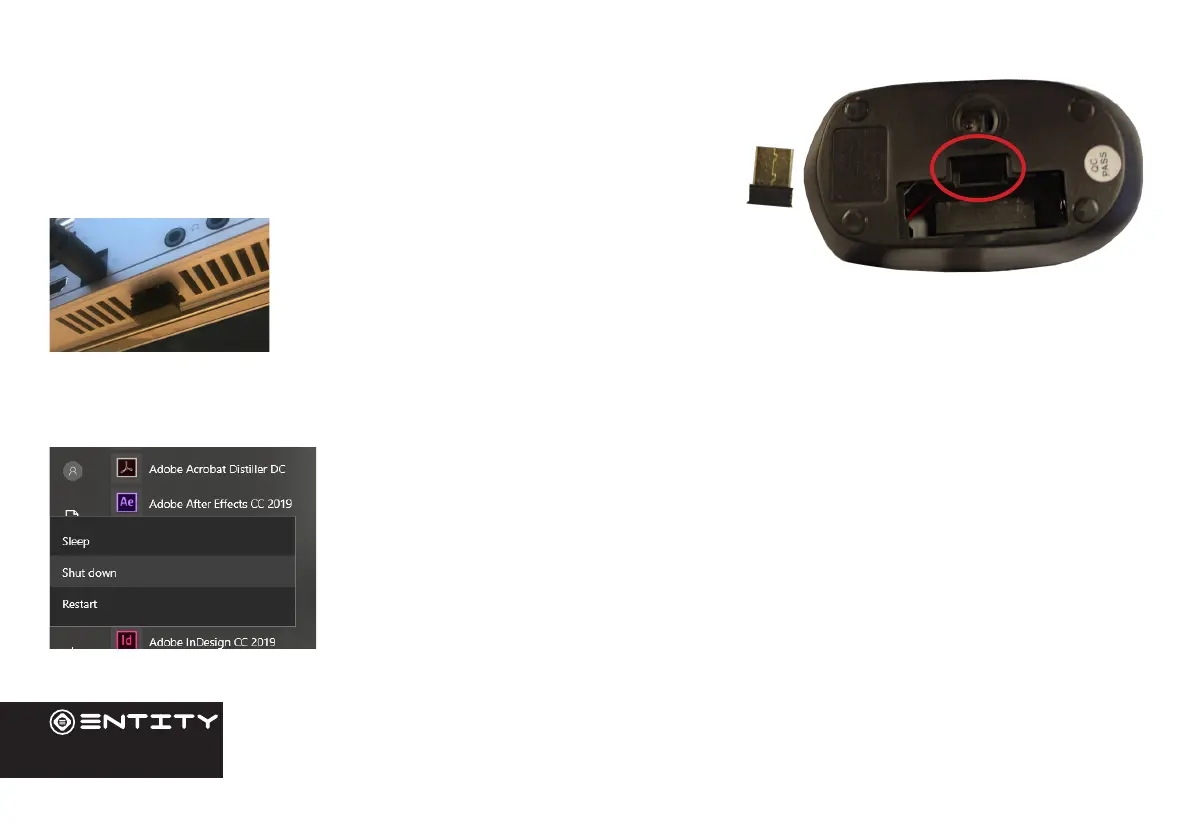
use the included dongle which can be found in the baery compartment
of the mouse. It is recommended that you insert the dongle into the port
on the base of the product (11), this reduces the
risk of interferance from cables on the rear of the
product.
Turning The Computer On or O:
- To turn the Computer on:
Press and hold the Power key unl the screen turns on. Wait unl the Desktop screen
appears; the Computer is now ready for use.
- To turn the Computer o:
Press the start buon and click on the power icon. This then gives the opon to shutdown
sleep or restart.


 To Next Page