14
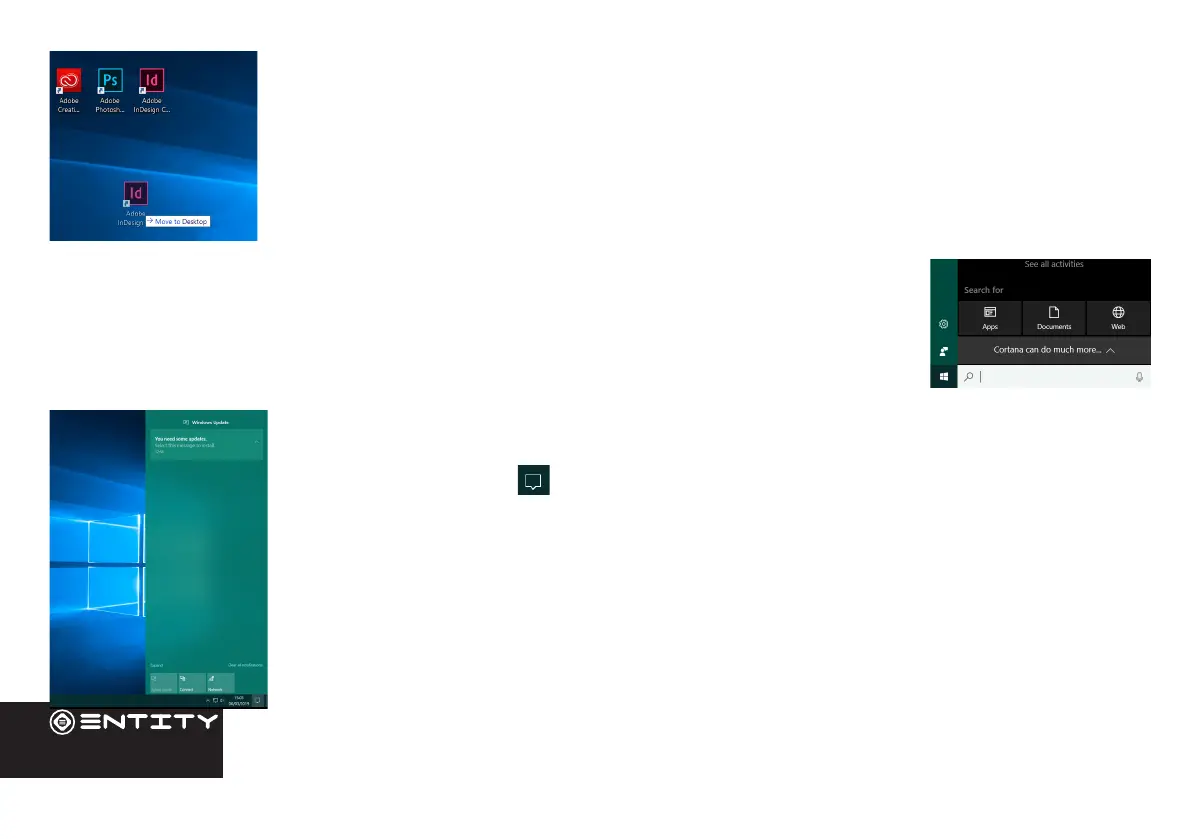
Moving a Desktop shortcut
Click and hold onto the icon you wish to move. As you drag the icon it will become semi-
transparent. You can then slide it to the desired locaon, and then release your the mouse.
Removing a Desktop Shortcut
Right click on an applicaon icon and select delete from the drop down menu that appears.
Cortana Search
Windows 10 comes with the feature of Cortana. This is a search feature on the task bar. To use this
click into the search bar and type what you wish to search for. This can be a feature or seng on
your device, or on the web.
Windows Action Centre
The Acon Center is where you’ll nd applicaon nocaons and quick acons. On the taskbar,
look for the Acon Center icon. The Acon Center allows access to quick sengs, in the form
of small boxes at the boom of the panel.
Nocaons within the acon centre are sorted into categories by app, and users can click a
small ‘x’ to clear nocaons.
The Acon Center also supports aconable nocaons, such as recent text messages, emails or
social media integraon.


 To Next Page