CV Driver MK2 Manual
50394
www.enttec.com
3
ID: 82325
Dip Switches Configuration
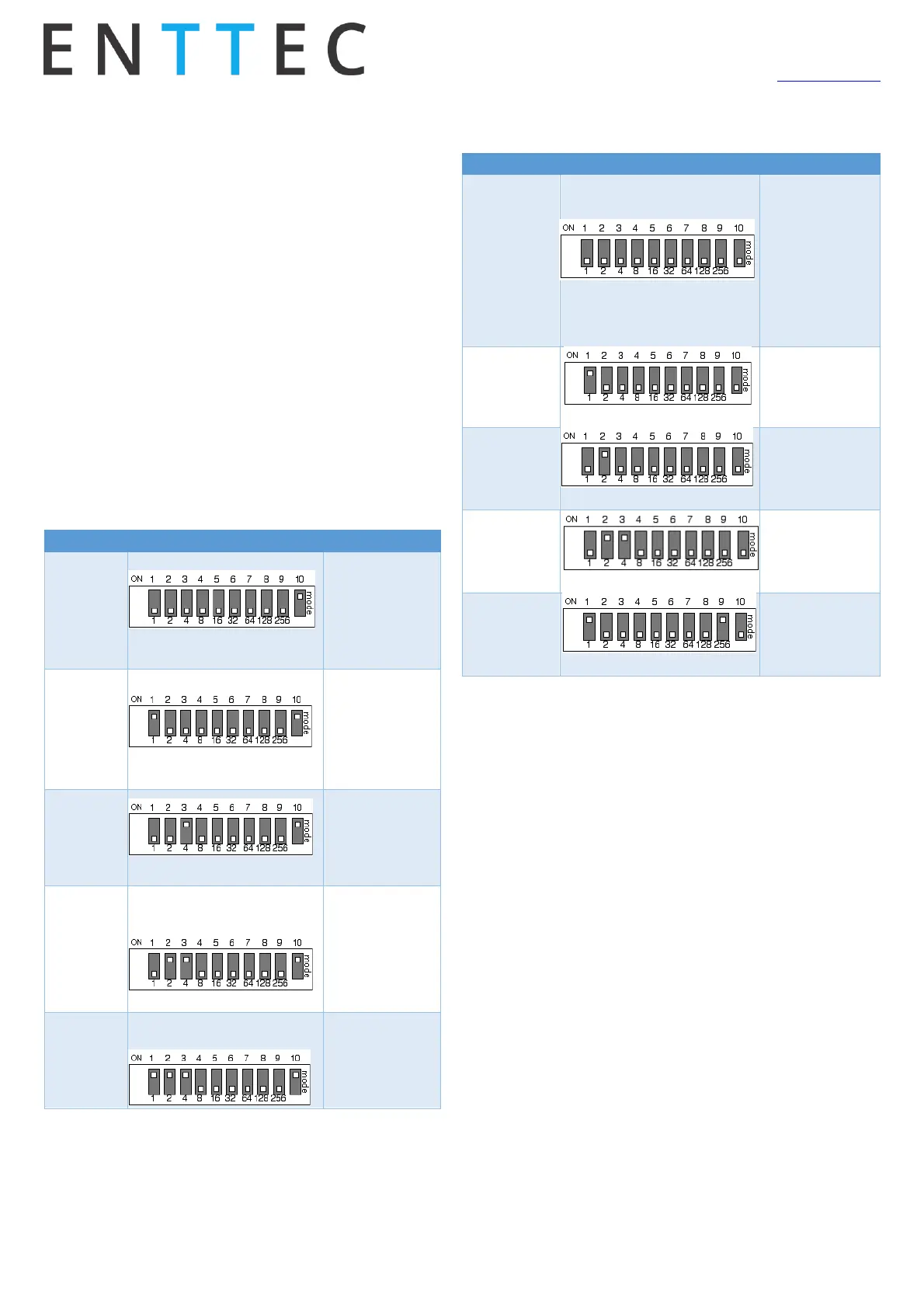
The ALEPH CV DRIVER counts with a 10 ways dip switch
which defines the behaviour of the unit, being switches #
1 to 9 the DMX start address and switch # 10 the mode.
The two modes defined by switch # 10 are called “Stand-
ard” and “Auto” where in standard mode the unit will
need an external DMX source to control the lights and in
auto mode the unit will generate pre-defined sequences
in stand-alone manner.
Please refer to the following table which describes how
to use the switches.
The binary number set in switches #1 to 9 will define the
sequence number. The following table shows some ex-
amples of pre-defined sequences.
RDM Capabilities
The ALEPH CV DRIVER has full RDM capabilities and you can
read/write them by using any standard RDM tool. The
“ENTTEC RDM Controller” software can be downloaded for
free from ENTTEC website and be used in combination with
a DMX USB PRO, RDM USB PRO or a PRO MK2 widget.
RDM addressing will be only available when all configura-
tion switches are all set to OFF position.
Read only supported fields
• RDM Protocol Version
• Device Model ID
• Software Version ID
• Sensor Value
• DMX Footprint
• Sensor Count
• Manufacturer Label
• Supported Parameters Count
User configurable supported fields
• Lamp On Mode
o [OFF] Stays off until instructed


 To Next Page
 Loading...