ENVO D35 | ST EBIKE MANUAL | VERSION 1.0 30
5.3. LCD METER PROGRAMMING AND USE
Your LCD Display comes pre-programmed with the ideal settings. If you accidentally change
something, or something is not working correctly, or you would like to change something. The
default settings are stated below.
If you have any questions about the parameter settings, please give us a call or visit our help centre
at support.envodrive.com.
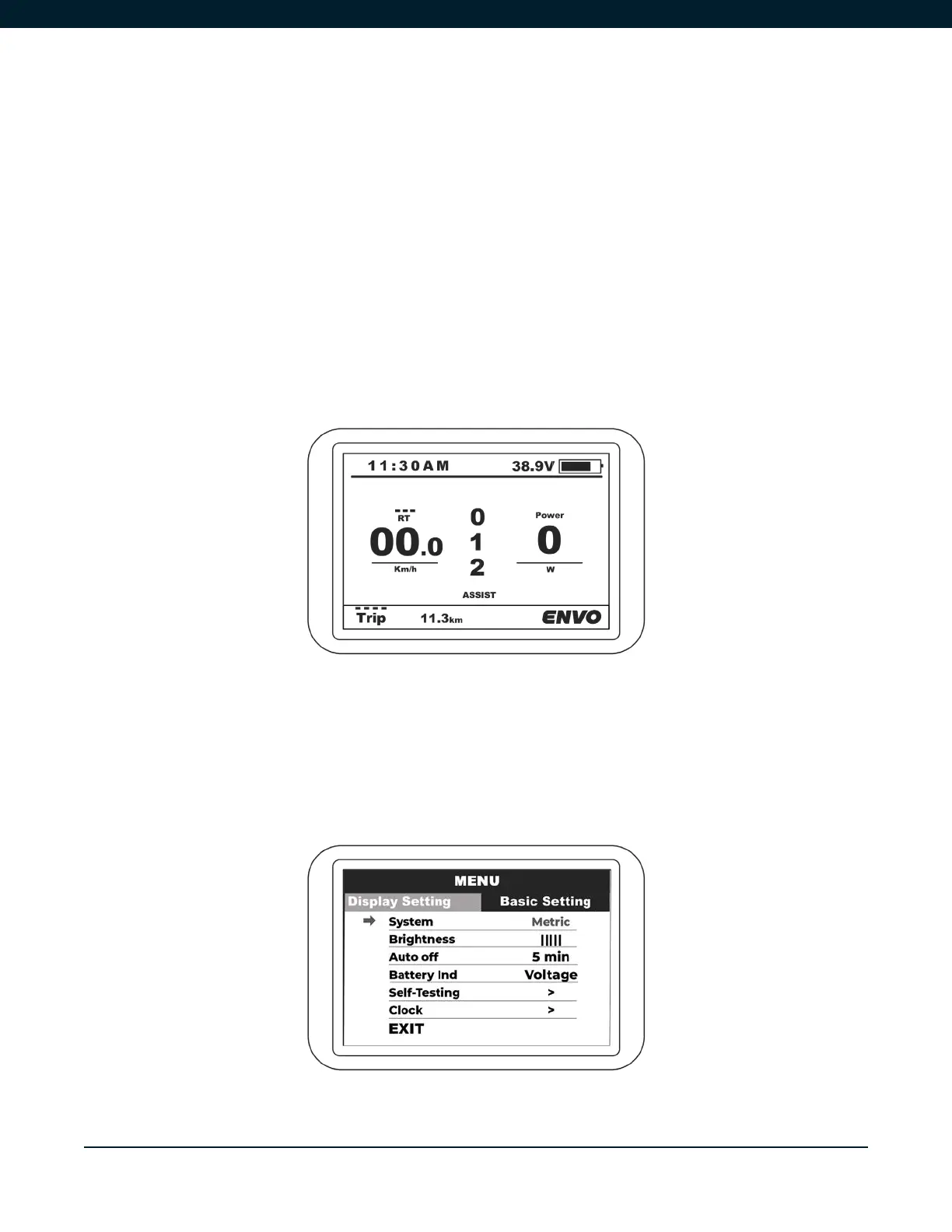
Short press MENU button can change the speed mode between speed, average speed, and
maximum speed. Short press POWER button can change the milage mode between trip, ODO, and
time.
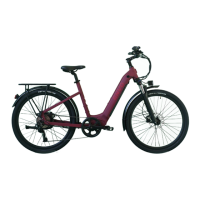
Double press the MENU button to enter the setting menu. Press the POWER button to change
between Display Settings and Basic Settings. Using UP/DOWN buttons you can select the relevant
parameter setting, and pressing MENU will change the setting. To exit the setting, double press
MENU.
Figure 5A
Figure 5B


 To Next Page