24 September 2019
3 Connecting the EO Mini Pro to the Internet
The process for connecting the EO Mini Pro can be summarised into the following steps:
1) Download the EV Juicenet app onto a smart phone
2) Using the app, connect to the wifi hotspot created by the EO Mini Pro
3) Configure the EO Mini Pro to join a wifi network with access to the internet
At this point it is possible to view the status of the EO Mini Pro using either the app or through the dashboard on a
personal computer.
3.1 Connecting the EO Mini Pro to the Internet
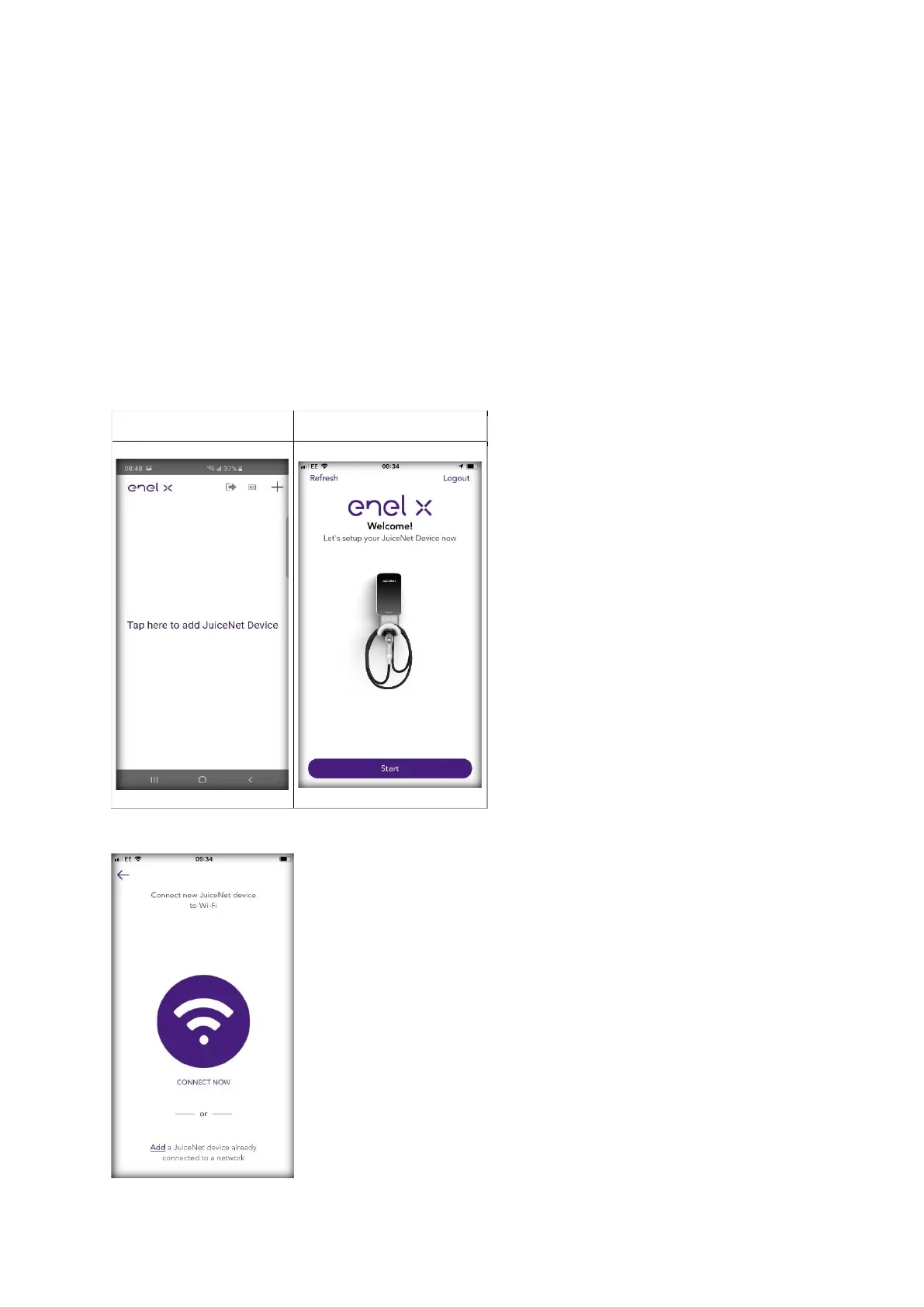
1) Install the EV JuiceNet app onto your mobile device.
2) Log into the EV JuiceNet app. If you do not have an account, create one.
3) Select Add JuiceNet Device on Android devices or Start on iOS devices.



 To Next Page