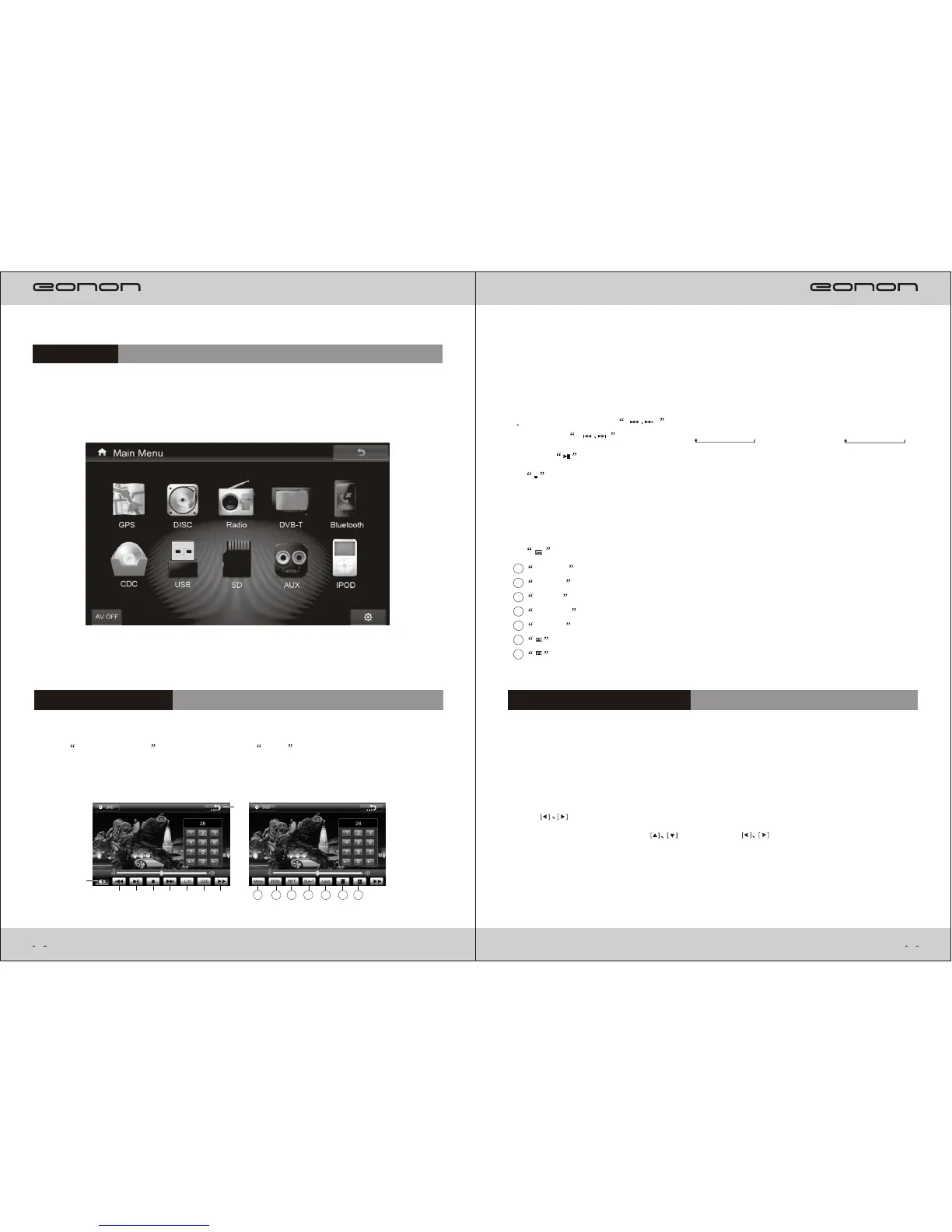
()2 5 .Shortly press to select previous or next programme.Long
press
to fast
reverse( X2-X4-X8-X20 ) or fast forward( X2-X4-X8-X20 ).
()3 .Press to play or pause.
()4 . :Stop playing.
()6 .L/R : Switch between channels.
()7 .OSD :on-screen display.
()8 .Back:press it to show moment playing status.
()9 . :it has the following submenu after pressing this button:
While playing any Disc or USB,SD,press SETUP button on remote control,the
screen will show system menu setup:
1.If need to select any setup after entering menu,the operation as follows:First,
use button to
select the setup,then,use button and to select the detailed function
setup,then, press ENTER to confirm.
2.To stop setup,press SETUP button again to exit.
DVD System Menu Setup
()1 .Mute:Mute on/off.Long press to turn off the screen.
Menu : Enter playing menu.
RDM : Play at random.
RPT : Repeat play.
Sub-T : The title Disc supports.
Loud : Loud setup.
1
2
3
4
5
6
: Select play switch.
7
: Direction cursor.
8
Main Menu
DISC PLAY MODE
Press DVD,USB,CD in main menu or SRC on fron t panel, ente r th e
following playing interface.Press any area of playing interface,it will appear
the function items.
1
2 3 4 5 6 7 9
8
1 2
3
4
5
6
7
7



 To Next Page