REV. 12/2020
6C
1.3 Battery removal and installation
Park the truck securely as described in
paragraph 2.3.6 of chapter B and turn o the
power before removal and installation of the
battery.
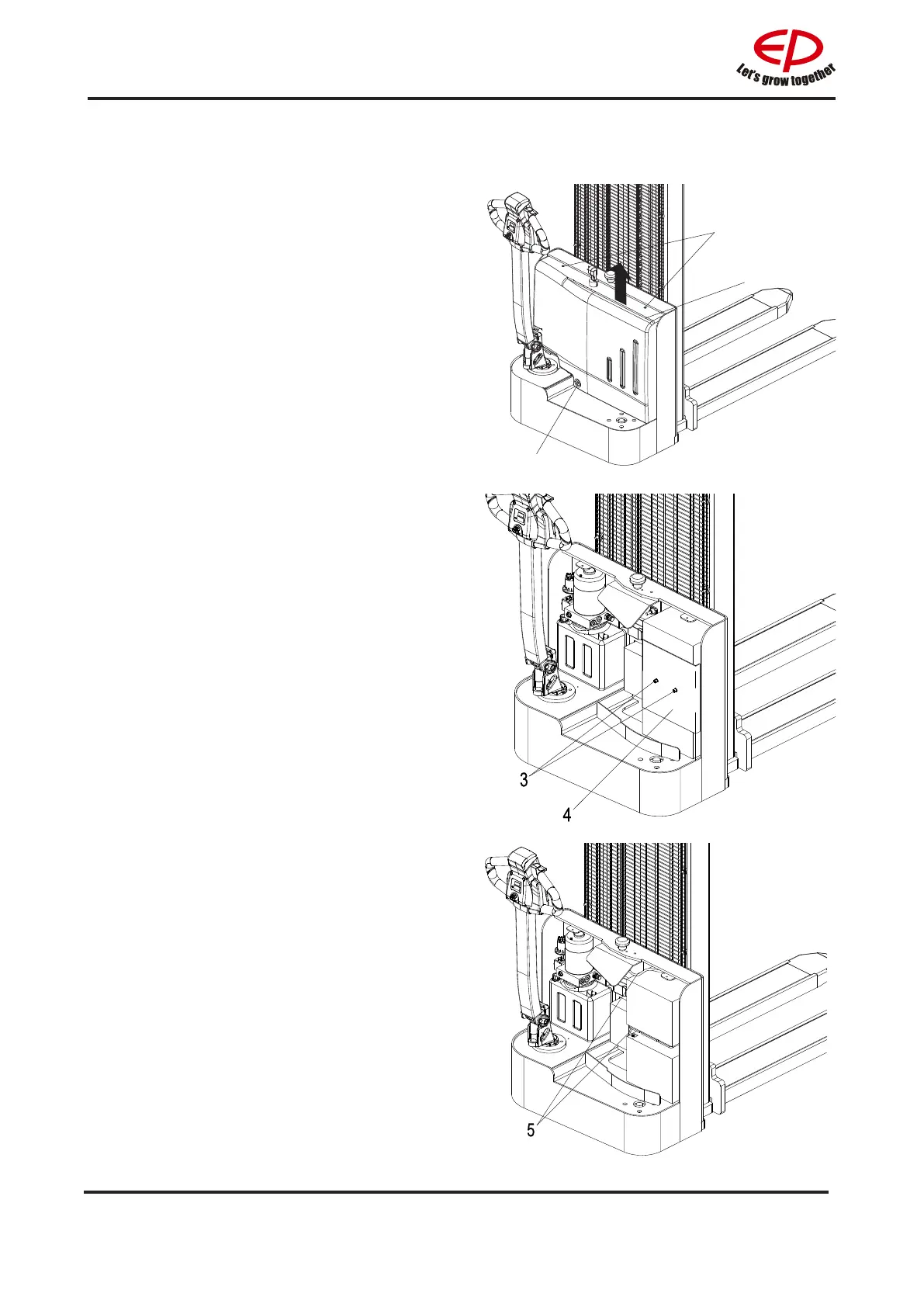
Removing and installing from the top
Battery removal and installation steps:
a: Unscrew the three screws (1) and remove
the cover(2).
b: Unscrew the 2 screws(3) and remove the
battery cover(4).
c: Remove the three battery cables shown in
the image(5).
1
2


 To Next Page