EasyManua.ls Logo

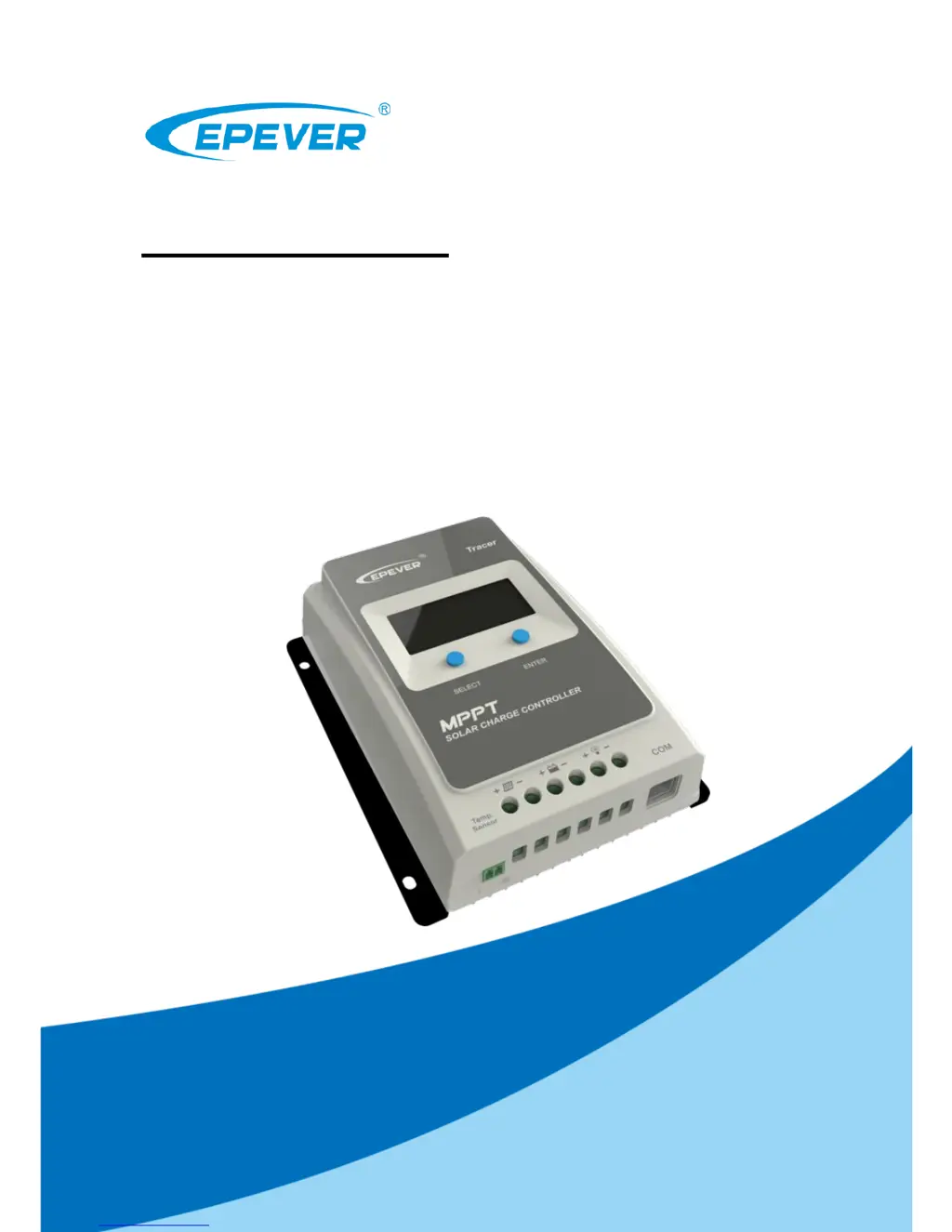
Epever Tracer3210AN - User Manual

Epever Tracer3210AN
44 pages
Print Icon
To Next Page IconTo Next Page
Loading...
Tracer-AN Series
——MPPT Solar Charge Controller
User Manual
Models:
Tracer1206AN/Tracer2206AN
Tracer1210AN/Tracer2210AN
Tracer3210AN/Tracer4210AN

Questions and Answers

  • M
    Michael ClarkAug 16, 2025
    How to fix the Epever Controller charging LED indicator when it's off during the daytime with proper sunshine on the PV modules?
    • S
      sharon28Aug 17, 2025
      If the charging LED indicator is off during the daytime when sunshine falls on PV modules properly, confirm that the PV and battery wire connections are correct and tight.
  • J
    Jason SmithAug 19, 2025
    What to do if the Epever Controller load has no output and the load/fault icon blink?
    • R
      Rachel HernandezAug 19, 2025
      If the load has no output and the load/fault icon is blinking on your Epever Controller, it indicates a load overload. Reduce the number of connected electrical devices, restart the controller, or wait for one night-day cycle (night time > 3 hours).
  • H
    holmescassandraAug 22, 2025
    Why does the Epever Tracer3210AN Controller battery level show full, with the battery frame and fault icon blinking?
    • M
      Michael SilvaAug 22, 2025
      If the battery level on your Epever Controller shows full, but the battery frame and fault icon are blinking, it signifies a battery over voltage. Check if the battery voltage exceeds the OVD (over voltage disconnect voltage) and disconnect the PV.
  • J
    Jeffery DelacruzAug 25, 2025
    What to do if there is a Load Short Circuit on the Epever Tracer3210AN?
    • W
      wallacedianeAug 25, 2025
      If there is a load short circuit, carefully check the load connections and clear the fault. Restart the Epever Controller and wait for one night-day cycle (night time > 3 hours).
  • J
    james31Aug 27, 2025
    What does it mean when the Epever Tracer3210AN Controller battery level is empty, battery frame blinks, and fault icon blinks?
    • D
      dbeckerAug 27, 2025
      When the battery level shows empty, the battery frame blinks, and the fault icon blinks on the Epever Controller, it indicates that the battery is overheating. The controller will automatically turn the system off. The controller will resume once the temperature declines below 55 ºC.
  • M
    Mr. Christopher SpencerAug 30, 2025
    Why is my Epever Tracer3210AN not working even though the wire connections are correct?
    • A
      Anthony MaldonadoAug 30, 2025
      If your Epever Controller is not working despite correct wiring, the battery voltage may be too low. Check the battery voltage; it needs to be at least 8V to activate the controller.
  • G
    gallegosemilySep 2, 2025
    What to do if Epever Tracer3210AN Controller shows overload?
    • E
      Elizabeth WongSep 2, 2025
      If your Epever Controller indicates an overload, reduce the number of connected electrical devices. Then, restart the controller or press the button to clear the fault.
  • C
    Christina RileySep 4, 2025
    What to do if Epever Controller has load short-circuit?
    • D
      Dustin KaiserSep 5, 2025
      If the Epever Controller displays a load short-circuit, carefully check the load connections and clear the fault. Then, restart the controller or press the button to clear the faults.
  • L
    Luis WilsonSep 7, 2025
    What to do if Epever Tracer3210AN indicates battery over discharged?
    • M
      mckeesamanthaSep 7, 2025
      If your Epever Controller indicates that the battery is over discharged, the load will recover when the battery voltage is restored to or above the LVR (low voltage reconnect voltage). In the meantime, use alternative methods to recharge the battery.
  • P
    patrick73Sep 12, 2025
    How to fix PV array open-circuit on Epever Controller?
    • J
      Jennifer MitchellSep 12, 2025
      To address a PV array open-circuit issue with your Epever Controller, verify that the PV array connections are correct and securely tightened.

Summary

Safety Instructions

General Safety Information

General safety guidelines for the controller installation and operation.

Product Overview

Key Features and Technology

Details MPPT technology, charging stages, and core product capabilities.

Model Identification and Characteristics

Explains model designations, physical features, and operational characteristics.

Installation Guide

General Installation and Wiring

Covers general notes, PV array requirements, wire sizing, and mounting.

Connection Procedures and Accessories

Details system connection steps, grounding, and connecting optional accessories.

Controller Operation

Interface Navigation and Controls

How to use buttons, understand the display, and browse parameters.

Configuration and Load Modes

Setting parameters, battery types, load modes, and using optional accessories.

Troubleshooting and Maintenance

Protection Features and Fault Diagnosis

Details protection mechanisms, common faults, and troubleshooting steps.

Maintenance and Best Practices

Recommended regular inspections and maintenance for optimal performance.

Technical Specifications

Electrical and Mechanical Data

Presents electrical ratings, environmental parameters, and mechanical dimensions.

Performance Data

Conversion Efficiency Curves

Graphs showing conversion efficiency across different models and conditions.

Dimensions

Product Dimensions

Diagrams showing the physical size and mounting details for each model series.

Epever Tracer3210AN Specifications

General IconGeneral
ModelTracer3210AN
TypeMPPT Solar Charge Controller
System Voltage12V/24V Auto
Rated Charge Current30A
Max PV Input Voltage100V
Efficiency≥98%
Temperature Compensation-3mV/°C/2V (Default)
Max PV Input Power390W (12V) / 780W (24V)
MPPT Efficiency99%
Battery TypeGel, Flooded
CommunicationRS485
Operating Temperature-25°C to +55°C
ProtectionOverload, Short Circuit
GroundingNegative Ground

Related product manuals