EasyManua.ls Logo

Epever UP5000-HM8042 - User Manual

Epever UP5000-HM8042
80 pages
Print Icon
To Next Page IconTo Next Page
Loading...
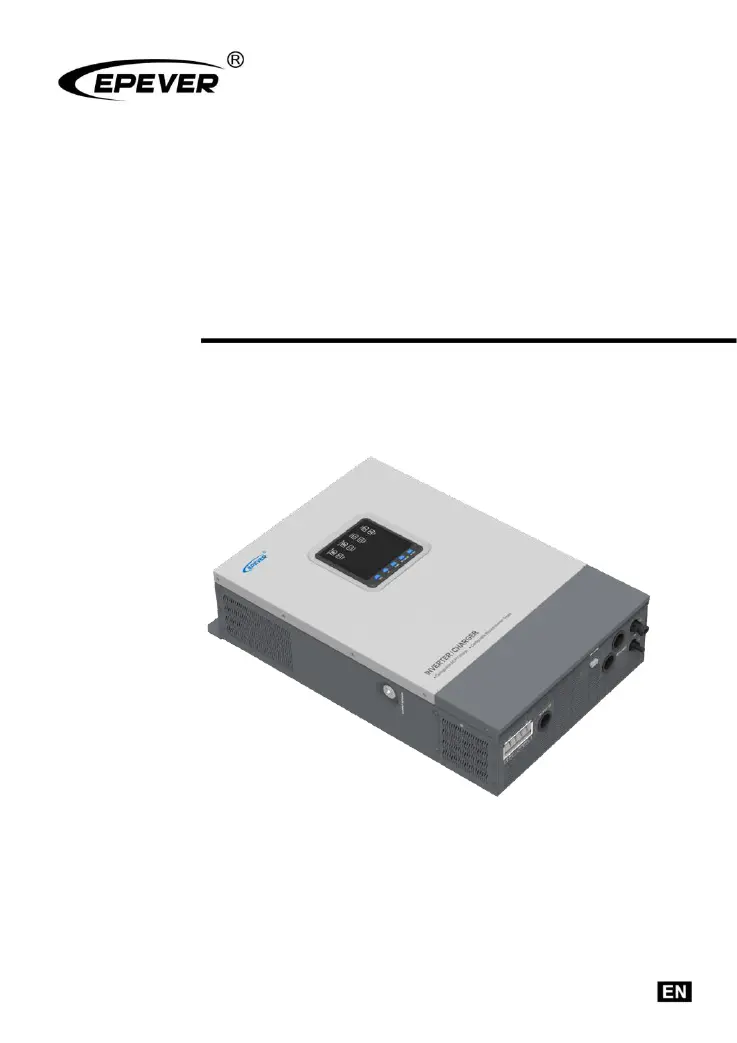
Inverter/Charger
User Manual
UP2000-HM6022
UP3000-HM5041
UP3000-HM5042
UP3000-HM10022
UP5000-HM8042

Questions and Answers

  • E
    Emily AveryAug 17, 2025
    What to do if Epever UP5000-HM8042 shows output overload?
    • V
      Vincent ReynoldsAug 17, 2025
      If the Epever Inverter indicates an output overload, reduce the number of AC loads connected to the inverter. Then, restart the device to restore the load output.
  • L
    Lisa NewmanAug 19, 2025
    What to do if Epever UP5000-HM8042 Inverter shows output short circuit?
    • D
      derrickperkinsSep 12, 2025
      If the Epever Inverter displays an output short circuit, carefully inspect the load connections and correct any faults. Following this, restart the device to restore the load output.
  • M
    Megan WrightAug 22, 2025
    How to fix battery over voltage on Epever Inverter?
    • D
      Dawn CaseyAug 22, 2025
      To address a battery over voltage issue on the Epever Inverter, first check if the battery voltage is excessively high. If it is, disconnect the PV modules.
  • M
    michael32Aug 25, 2025
    What to do if Epever Inverter battery over discharges?
    • M
      Margaret CoxAug 26, 2025
      If the Epever Inverter's battery over discharges, wait for the battery voltage to return to or exceed the LVR (low voltage reconnect) point. Alternatively, change the power supply method.
  • N
    Natasha SanfordAug 27, 2025
    What happens if there's an output short circuit in my Epever Battery Charger?
    • S
      Sara KnightAug 28, 2025
      If there's an output short circuit with the Epever Battery Charger, the inverter will fast flash.
  • F
    Frank Booth DDSAug 30, 2025
    What happens if my Epever Battery Charger battery over voltage?
    • P
      Peter RivasAug 30, 2025
      If the battery voltage is too high in your Epever Battery Charger, it will flash.
  • K
    kathleenwilsonSep 2, 2025
    What does it mean if the output voltage is abnormal on my Epever Battery Charger?
    • T
      Thomas WrightSep 2, 2025
      If the output voltage of your Epever Battery Charger is abnormal, the inverter will fast flash.
  • S
    Samantha GonzalezSep 4, 2025
    What to do if my Epever UP5000-HM8042 has an output overload?
    • K
      Kristin ParkerSep 5, 2025
      If the Epever Inverter indicates an output overload, reduce the number of AC loads connected to it. Then, restart the device to restore the load output.
  • V
    vazquezjackSep 7, 2025
    What to do if my Epever Inverter shows an output short circuit?
    • G
      George LunaSep 7, 2025
      If the Epever Inverter experiences an output short circuit, check the load connections carefully and clear any faults. Then, restart the device to restore the load output.
  • A
    Alyssa WardSep 10, 2025
    What to do if my Epever Inverter shows battery over voltage?
    • B
      Brandon IrwinSep 10, 2025
      If the Epever Inverter indicates a battery over voltage, check if the battery voltage is too high and disconnect the PV modules.

Summary

Safety Instructions

Symbol Definitions

Explains symbols used in the manual and specific to the inverter/charger for safety.

Installation Safety Precautions

Covers personnel requirements, pre-installation, mechanical, and electrical connection safety.

Operational Safety and Shutdown

Details safe operating procedures and cautions for stopping the inverter/charger.

Maintenance Safety

Lists safety precautions to be observed during maintenance activities.

Product Overview and Information

General Information Overview

Provides a comprehensive overview of the UPower-Hi series inverter charger features.

Product Features

Lists the key functionalities and capabilities of the inverter/charger.

Parts Identification

Shows and labels all the physical components and connection points of the inverter/charger.

Model Naming Rules

Explains the systematic naming convention used for the inverter/charger models.

Connection Diagrams

Illustrates the recommended wiring diagrams for different operating modes.

Installation Guide

General Installation Notes

Provides essential general guidelines and precautions for installing the inverter/charger.

Pre-Installation Checks

Details the steps and checks required before proceeding with the actual installation.

Installation Position Selection

Guides users on how to select and prepare the optimal location for mounting the unit.

Mounting the Unit

Provides step-by-step instructions for physically mounting the inverter/charger.

Wiring and Connections

Details the procedures for connecting all electrical wiring to the inverter/charger.

Interface, Operation, and Settings

Indicator Lights

Describes the function and meaning of each indicator light on the device.

Button Controls

Details the function of each button on the device for navigation and control.

LCD Display Guide

Explains the layout and information presented on the device's LCD screen.

Operating Modes

Explains the different operational modes for input and output power management.

System Configuration

Details how to access and configure various settings for the inverter/charger.

Battery Management and Protections

Battery Voltage Configuration Logic

Outlines the rules for setting battery voltage parameters for different battery types.

Battery Discharge Current Limit

Explains how to set the battery discharge current limit, especially for lithium batteries.

Device Protection Features

Details protection mechanisms like PV current limiting to prevent damage.

Error Codes and Solutions

Lists and explains error codes and provides steps to resolve identified faults.

Maintenance, Specifications, and Appendix

Recommended Maintenance Tasks

Recommends regular inspection and maintenance tasks for optimal performance and longevity.

Warranty Exclusions

Lists conditions under which the product warranty will not be valid.

Technical Specifications

Provides detailed technical data and parameters for the inverter/charger models.

Disclaimers

Lists conditions under which the product warranty is considered void.

Epever UP5000-HM8042 Specifications

General IconGeneral
ModelUP5000-HM8042
Output Voltage230VAC ± 5%
Max. PV Array Power6500W
Max. Charging Current80A
Rated Power5000W
Nominal DC Voltage48V
AC Voltage Range90-280VAC
Output Frequency50Hz / 60Hz
MPPT Voltage Range120-450VDC
Efficiency93%
Protection FeaturesOverload Protection, Short Circuit Protection, Over Temperature Protection

Related product manuals