Usage Instruction
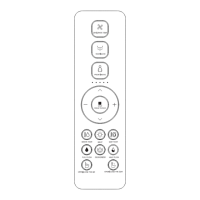
· Press and hold " " and " " button simultaneously for longer than 3 seconds to start APP
code matching. (Only for the toilet with APP)
· Press and hold " " and " " button simultaneously for longer than 3 seconds to start the
flushing by water tank of electronic bidet. (Only for the toilet with electronic bidet tank flushing
function.)
Remark:
· The buzzer will "BEEP" once when the user presses one button indicating that the main unit
receives the signal and conduct the operation accordingly. If the buzzer doesn't sound, it means
the main unit doesn't receive the signal, please adjust the remote control direction and repress
the button.
· In case of power cut during nozzle spraying, the wand cannot be retracted, please wait until the
power is restored. In case of a power cut for a long period, please push the wand softly back by
hand. Do not push hard, to avoid damage to wand and electrical machine.
Electronic bidet tank flushing
APP code matching
· Press and hold the " " button and " " button at the same time for more than 3 seconds to
turn on or off the voice function. (This combination button is only available for toilets with voice
Voice function
08


 To Next Page