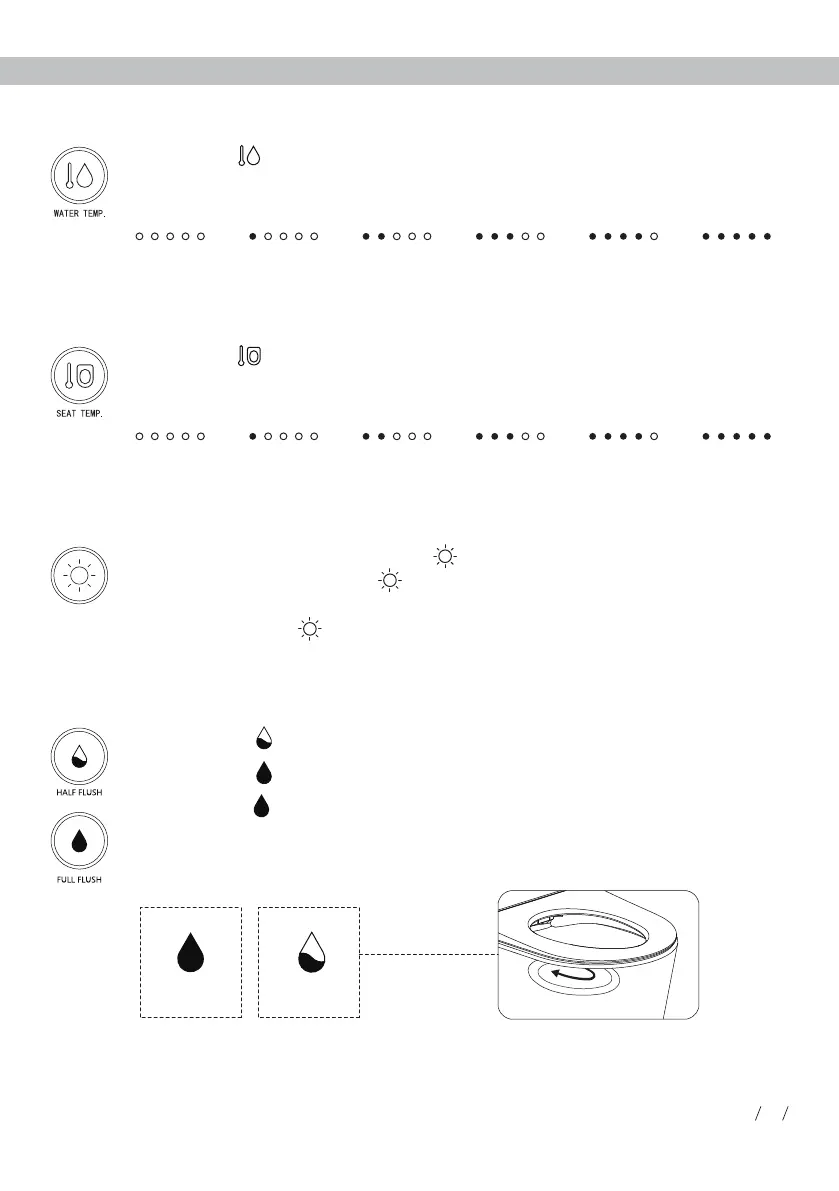
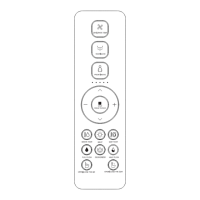
· Intelligent mode: Long press " " button to enter into intelligent mode (Night light
will be on or off depending on the surrounding light.). If the product is on intelligent
mode, short press " " button to exit intelligent mode. (Factory setting: intelligent
mode)
Night light
LIGHT
· Short press " " button, the toilet starts half flushing.
· Short press " " button, the toilet starts full flushing.
· Long press " " button to turn on/off auto flush function.
Half flush/Full flush
FULL FLUSH HALF FLUSH
When the auto flush function is turned on, toilet will automatically flush after detecting
user leaving the seat.
Short press " " button to adjust the seat temperature between 0-5 level. The
indicator light is on showing current seat temperature level. When the indicator is off,
the temperature is at level 0 (room temperature).
Short press " " button to adjust the water temperature between 0-5 level. The
indicator light is on showing current water temperature level. When the indicator is off,
the temperature is at level 0 (room temperature).
Room
temperature
Level 1 Level 2 Level 3 Level 4 Level 5
Room
temperature
Level 1 Level 2 Level 3 Level 4 Level 5
Water temperature adjustment
Seat temperature adjustment
05
Usage Instruction


 To Next Page