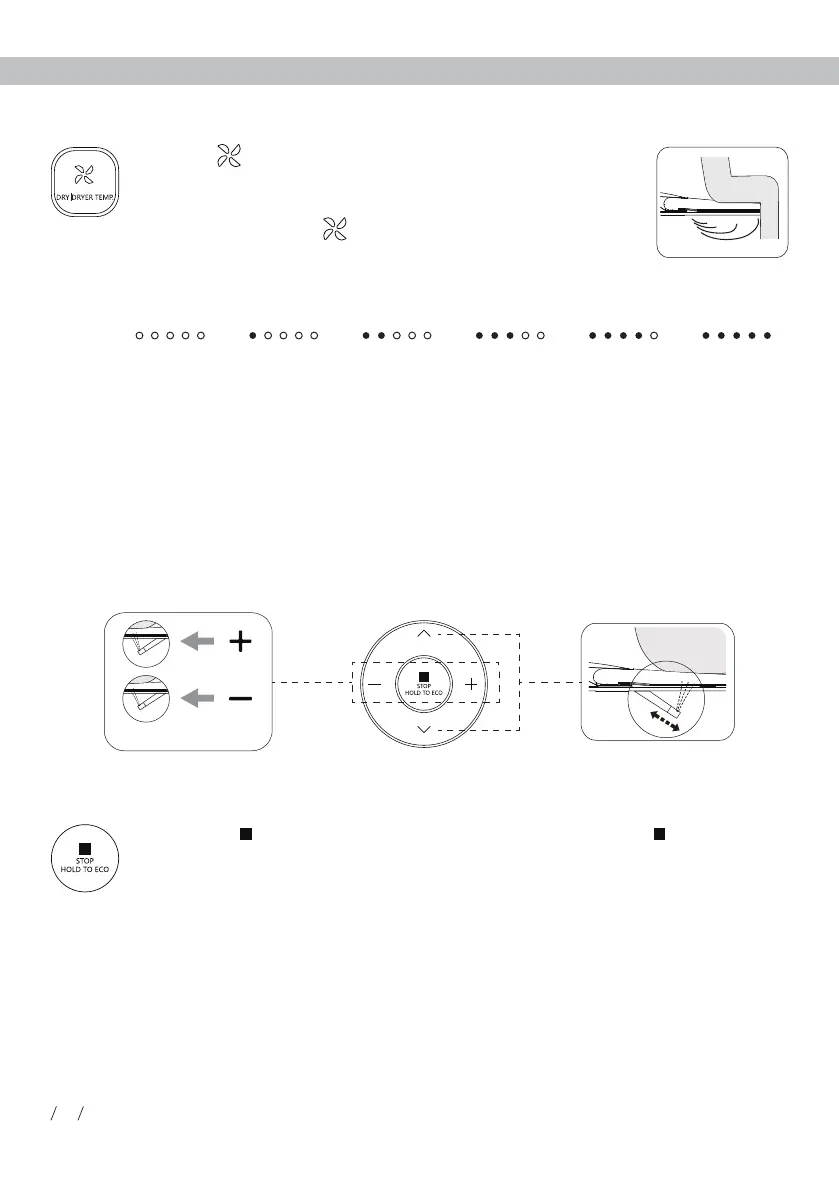
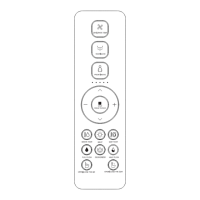
light is on showing current nozzle position, and nozzle position can be adjusted in 5 levels.
Water volume adjustment
· Press "+" or " - " button when it is under function of rear washing or front washing, the indicator
light is on showing current water volume level, and water volume can be adjusted.
Remark:
Energy saving mode will be suspended and the product will enter functional mode if
the seat is used. The seat starts to heat immediately (without turning off the seat
temperature), and the energy saving mode is restored once the seat is no longer being
used.
Under energy saving mode, seat temperature is set to Level 1 for energy saving.
(Note: If the seat temperature before energy saving is neutral, then it will be neutral as
well.)
DRY|DRYER TEMP (Only for the product with drying function)
between 0-5 level, and the indicator light is on showing the air
temperature level. When the indicator light is off, the temperature
is at level 0 (room temperature).
Room
temperature
Level 1 Level 2 Level 3 Level 4 Level 5
temperature level. It will stop drying automatically after one cycle
or after leaving.
Drying
Water volume
Nozzle
Long press " " button to enter energy saving mode, long press " " button again
to exit energy saving mode.
04
Usage Instruction
Nozzle position adjustment
Energy saving


 To Next Page