Epomaker GK96S/SK96S Extended Manual Version 1.2
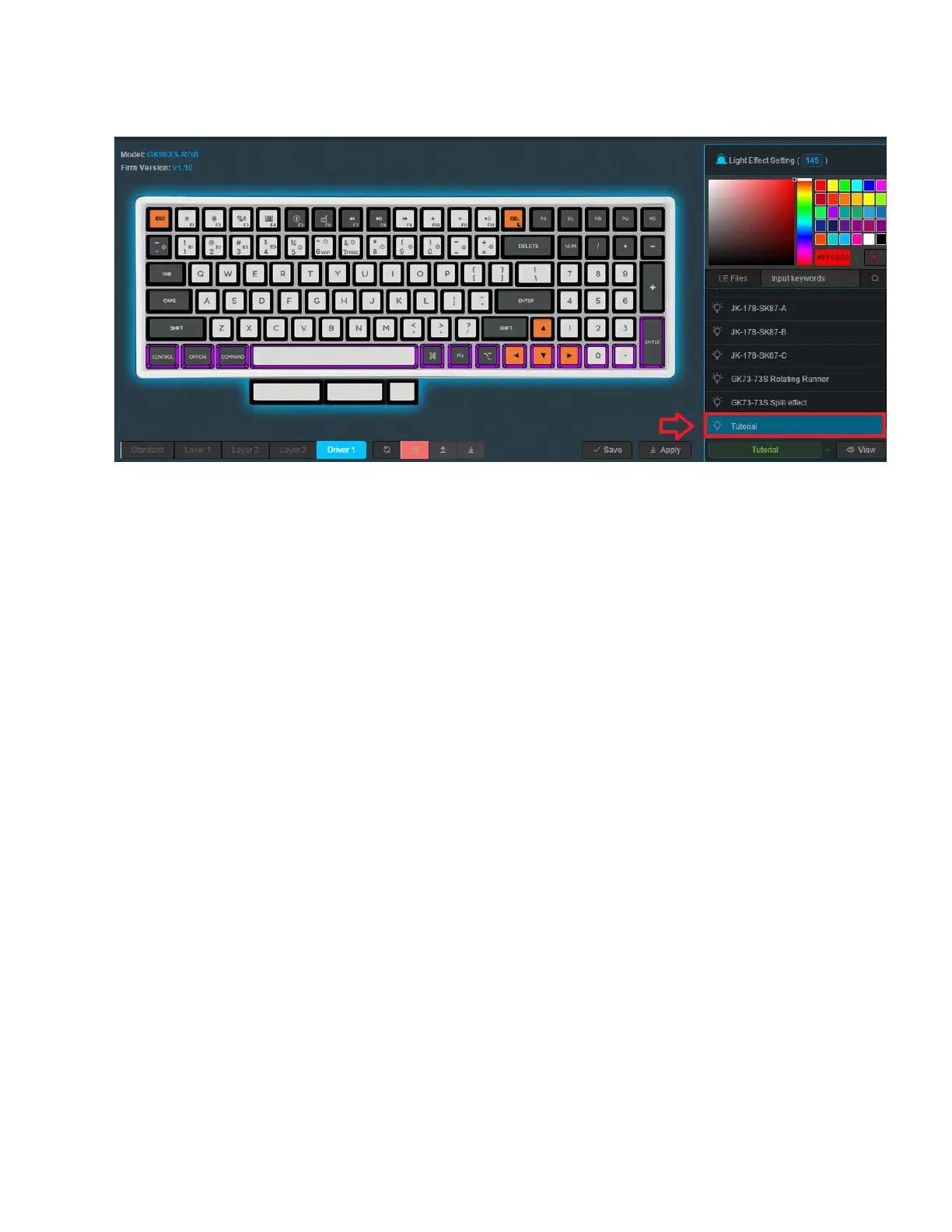
2. Click Driver 1 from the layers you can see above to access the Driver layer.
3. Click the side panel above, you will see different lighting effect options which you can
press. Press any or create your own. You can see how to do this in “Creating a Lighting
(.LE) File” above.
4. Click View, Apply and Save.
Add Onboard Lighting Effects
We’re going to be adjusting the on-board lighting effects. You can access these effects by using
FN + “+” Until you reach the effect you created.
1. Launch the software with the keyboard connected in wired mode. The keyboard must
use the cable given, or a USB-C to USB-A cable. The USB-A connection gives the ability
for the driver to interface and detect the software. You can use a dongle to connect your
keyboard to a USB-C connection on a Mac.
30



 To Next Page