Epomaker GK96S/SK96S Extended Manual Version 1.2
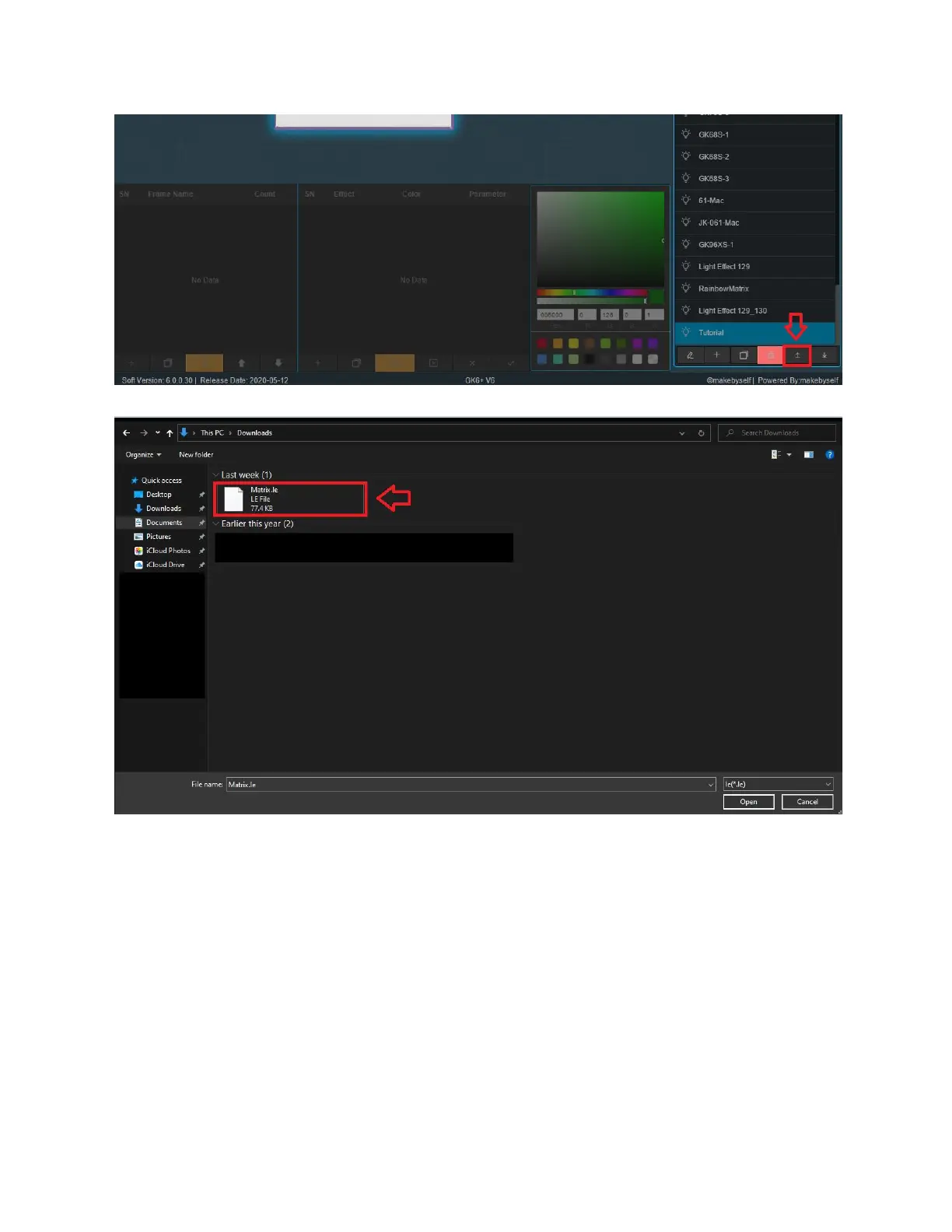
2. Select the upload button from the LE File Management module.
3. Find the location where you saved your file, and select the file and press open. You should
then see the file in the LE File Management Module.
Downloading Lighting “LE” Files
Uploading and downloading the files allows you to try other peoples configurations and also
send it to other people.
33



 To Next Page